Singer
288
23
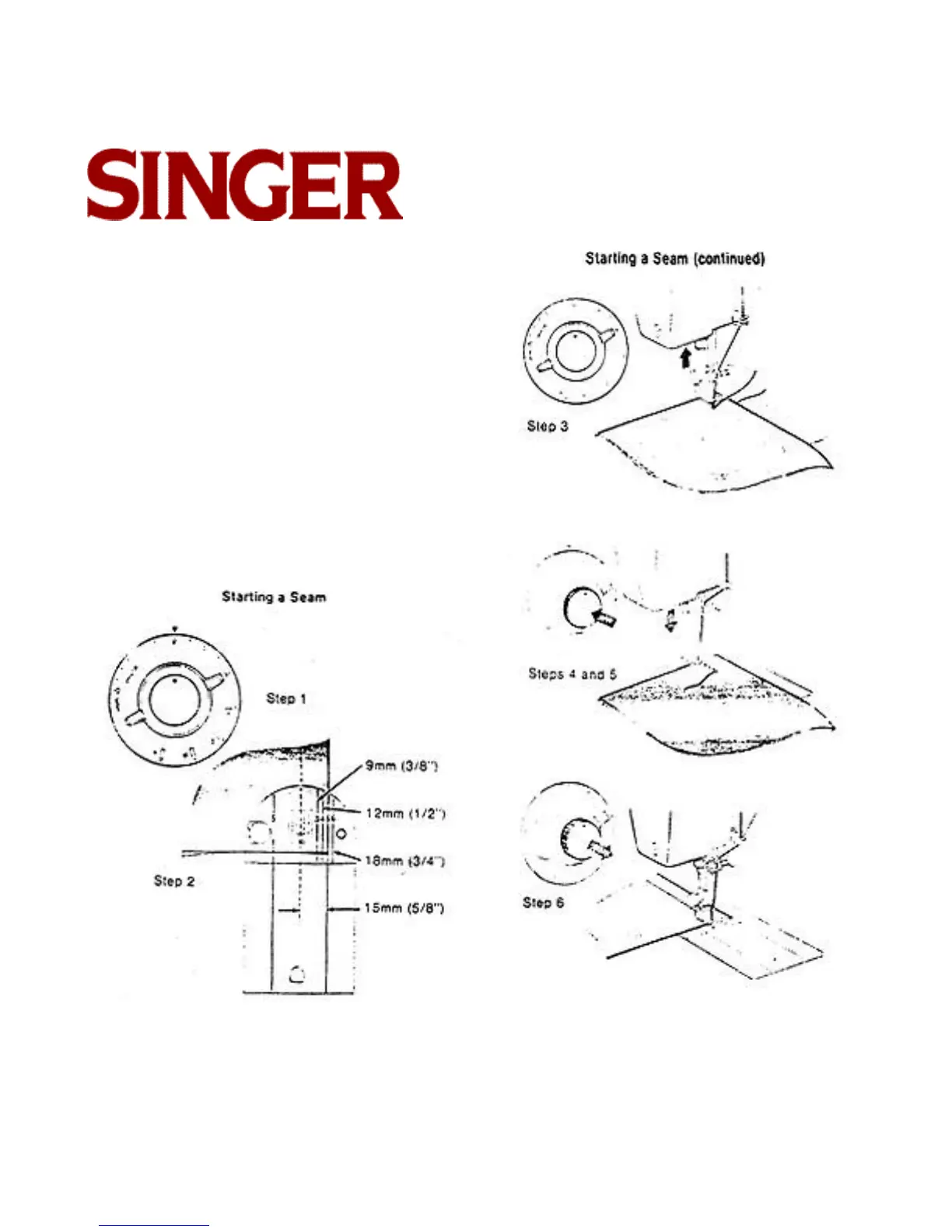
STARTING A SEAM
1. Set stitch length selector for desired length of stitch
2. Align edge of fabric along one of the number ed
guidelines on the needle plate. The numbers repre-
sent eighths of an inch. If you want a 5/8-inch seam
(15mm.) for example, line up your fabric with line 5.
3. Position needle in fabric about twelve millimeters
(1/2") from the edge.
4. Lower the presser foot. Depress and hold reverse-
stitch push button, and run the machine at a slow
speed.
5. While holding reverse-stitch push button backstitch
to edge of fabric for reinforcement.
6. Release push button and stitch forward to end of
fabric. using the selected guideline to keep seam
straight.



 To Next Page