Singer
288
27
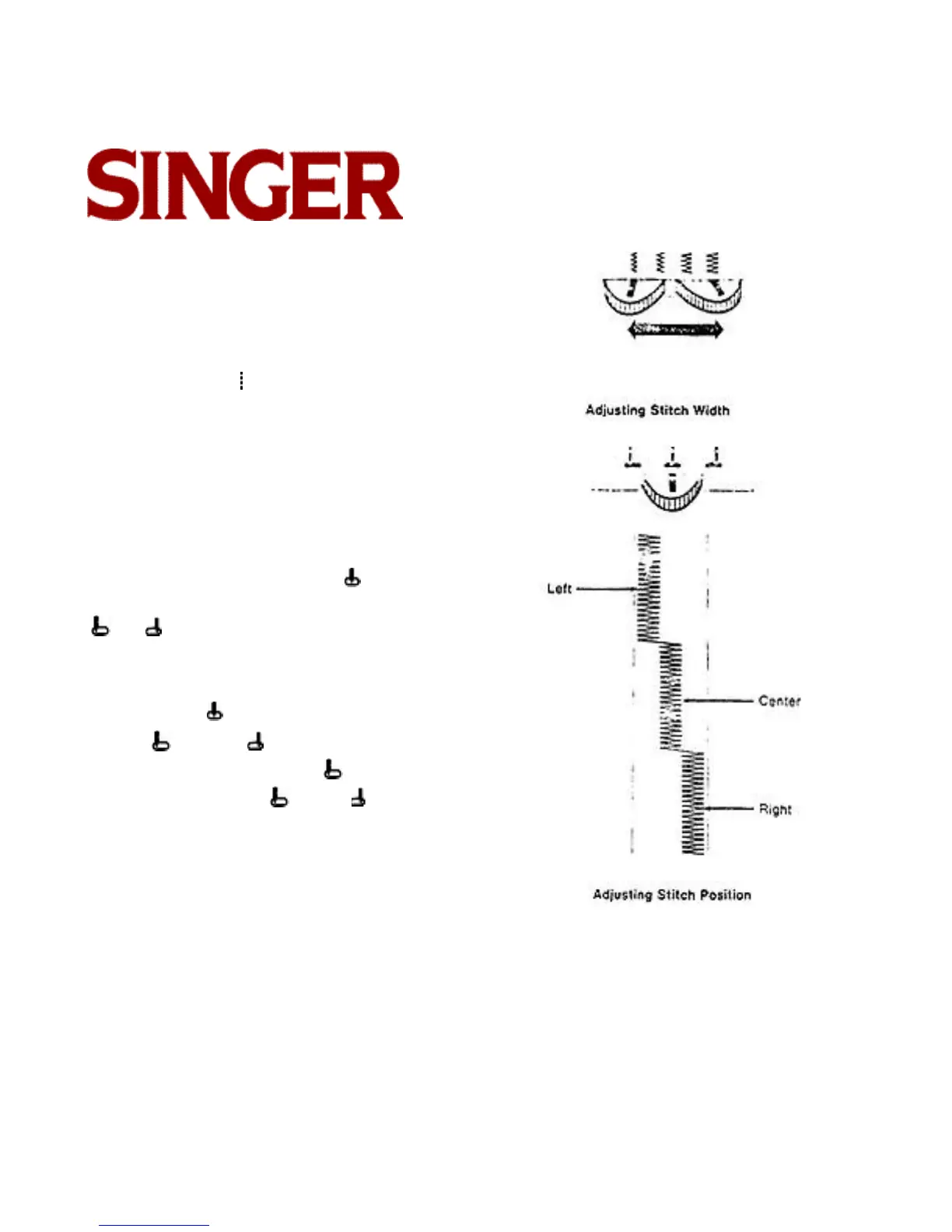
ADJUSTING STITCH WIDTH
Before moving stitch width selector, always raise nee-
dle above fabric.
To produce a zig-zag stitch, the stitch width selector
must be moved from toward the right. The further
you move the selector lever toward the right, the wider
your stitch pattern will be.
ADJUSTING STITCH POSITION
Before moving needle position selector, make sure
needle is above fabric.
A needle position selector setting of places the
needle in center stitching position. Selector settings
and place the needle in left and right stitching
position at stitch width settings narrower than the max-
imum width.
Selector setting (center) is used most often.
Settings (left) and (right) are for special place-
ment of stitching. For example, a (left) setting is
uses for button sewing. A (left) or (right) setting
is used to place narrow zigzag stitching to the left or
right of center in decorative work.



 To Next Page