17
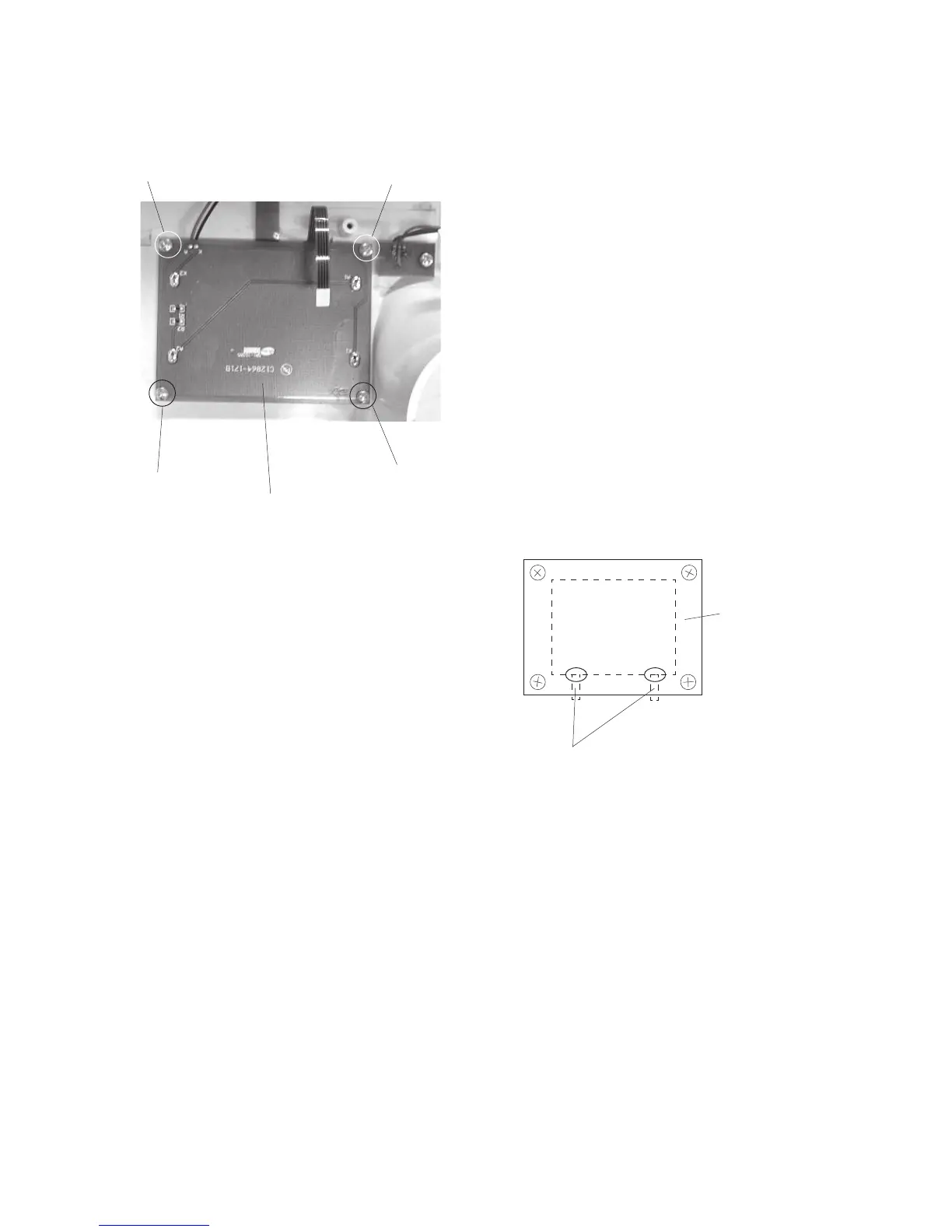
Replacing the LCD Module
To remove:
1. Remove the face cover, bed cover and front
cover.
2. Remove the printed circuit board A.
3. Remove the 4 setscrews and remove the LCD
module.
To attach:
4. Follow the above procedure in reverse.
NOTE:
Refer to the previous page for connector diagram.
Place the LCD module and press it against the ribs
of the front cover.
Setscrew
LCD module
Setscrew
Setscrew
Setscrew
Front cover rib
LCD module


 To Next Page