18
Replacing the Printed Circuit Board F
To remove:
1. Remove the face cover, bed cover and front
cover.
2. Disconnect the connectors from the printed
circuit board A.
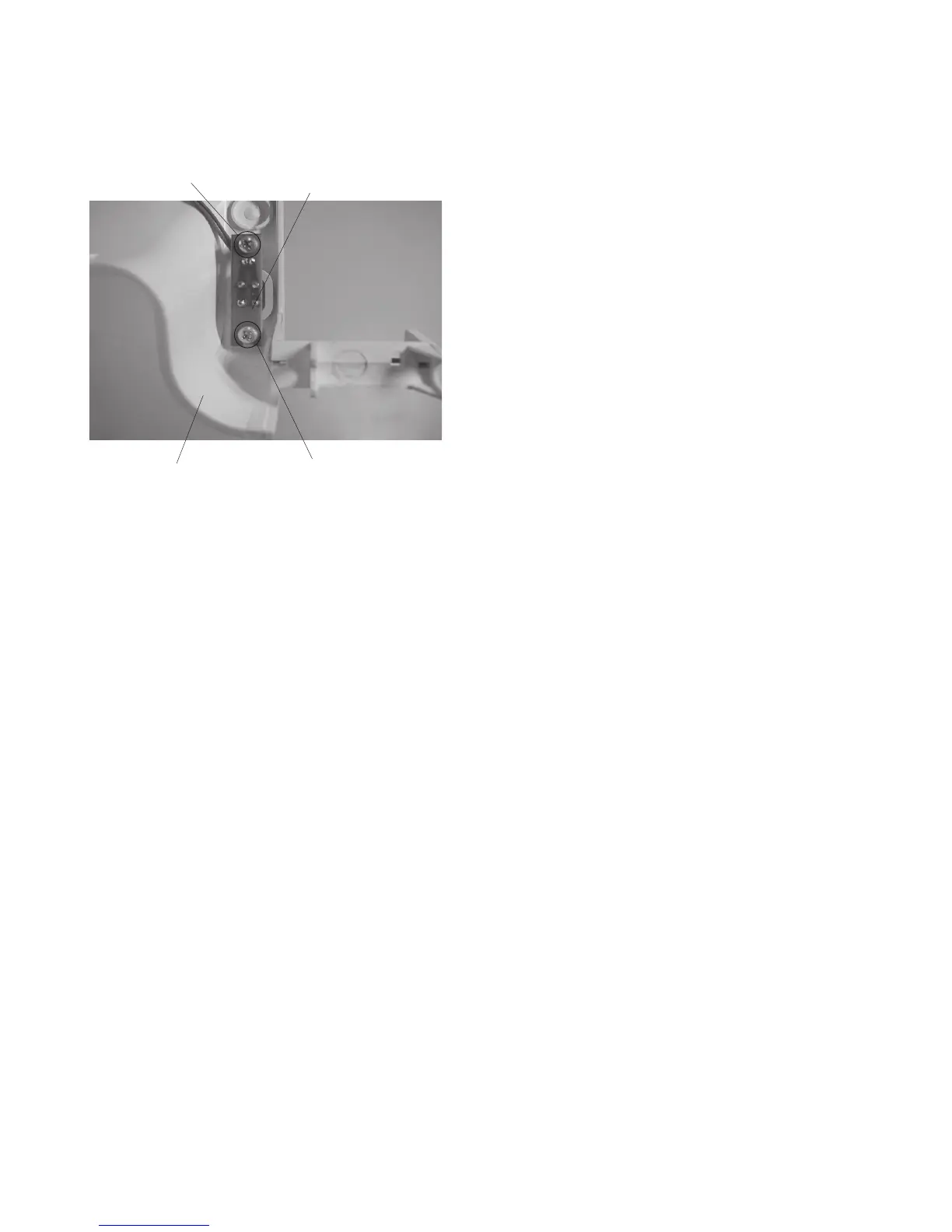
3. Remove the 2 setscrews and remove the printed
circuit board F.
To attach:
4. Follow the above procedure in reverse.
NOTE:
Refer to page 16 for connecting the connectors.
Setscrew
Printed circuit board F
Setscrew
Front cover


 To Next Page