3
Replacing External Parts (3) Front Cover
Replacing the Front cover
To remove:
1. Turn the power switch on and select the em-
broidery pattern #1 to move the carriage to the
starting position, then turn the power switch off.
Remove the face cover and bed cover.
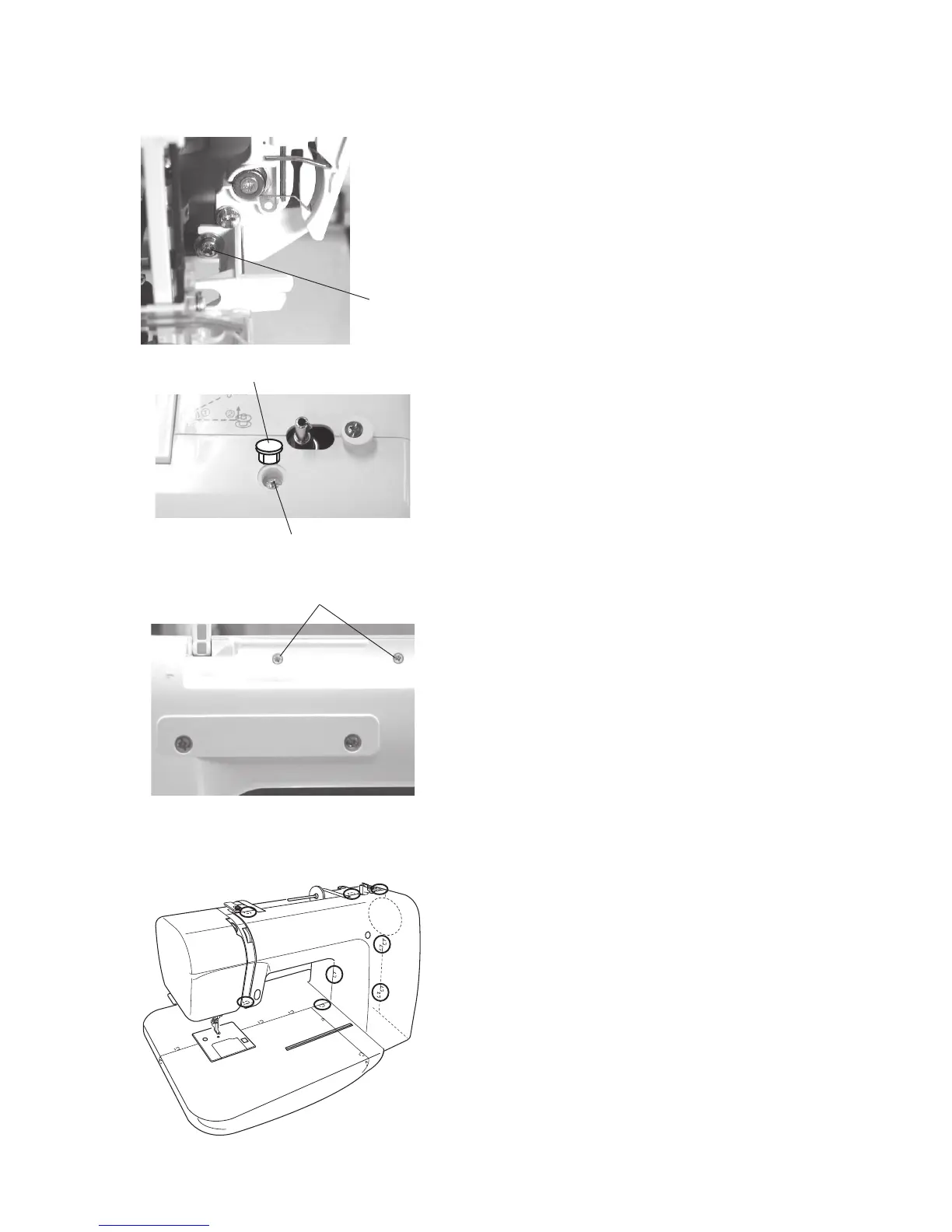
2. Loosen the setscrew (A).
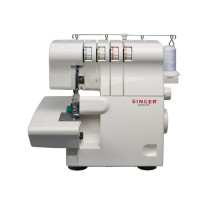
3. Remove the cap and setscrew (B).
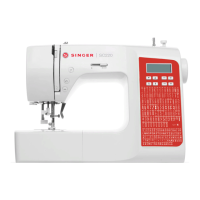
4. Remove the 2 setscrews (C).
5. Remove all the connectors from the pointed cir-
cuit board A and unlock the hooks, then remove
the front cover.
To attach:
6. Follow the above procedure in reverse.
NOTE:
Refer to page 16 to locate the connectors.
Setscrew (A)
Setscrews (C)
Setscrew (B)
Cap


 To Next Page