CGM User Guide
Section 2 Start Your Sensor 34
Step 2: Apply the Sensor
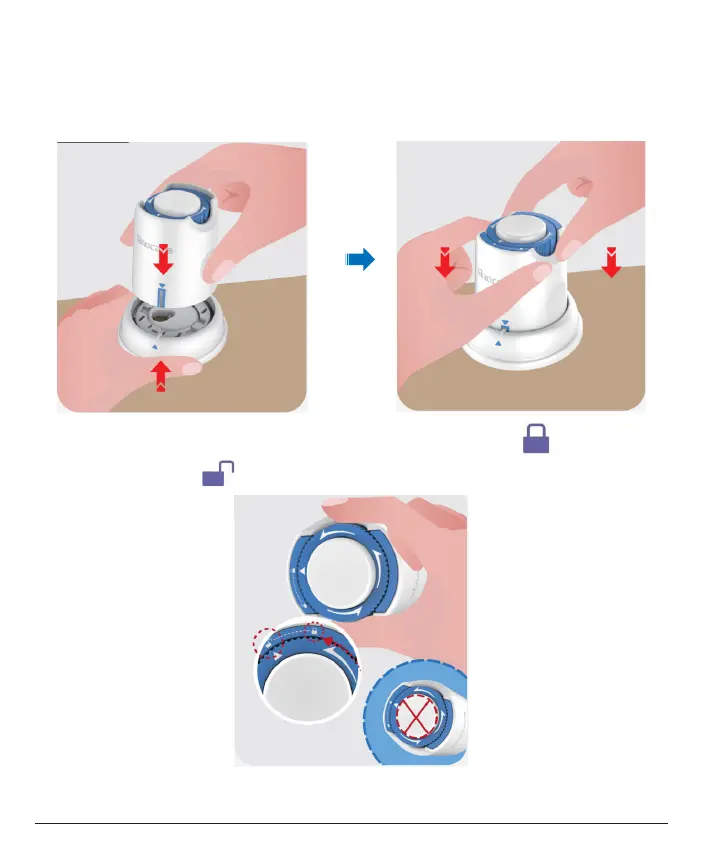
• Line up the blue arrow mark on the Sensor-Applicator with the
matching blue arrow mark on the Transmitter Tray. On a hard
surface, press down rmly until it comes to a stop and hear a click.
• Gently turn the safety switch from the "Locked icon" to the
"Unlocked icon" until you hear a click.



 To Next Page