CGM User Guide
33 Section 2 Start Your Sensor
2.4 Apply Your Sensor
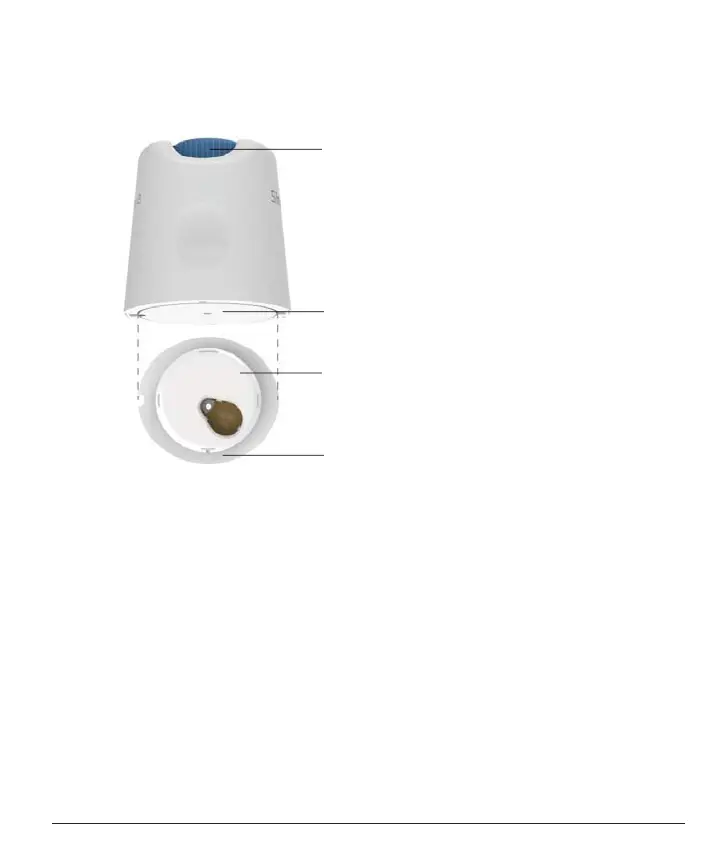
The sensor probe is inside the Sensor-Applicator. Before applying the
sensor, get familiar with the Sensor-Applicator.
Button
Insert sensor under your skin
Sensor
Sensor probe inserts through this hole
Transmitter
Send your glucose information from the
sensor to the APP
Adhesive Tape
Keeps the sensor and transmitter on skin
Step 1: Open the Sensor Pack
Take the Sensor Pack you used from
Sec 2.3.
Do not use if the
package is broken, damaged or opened. Do not open the package until
you are ready to apply the Sensor.
WARNING:
The Sensor-Applicator contains a needle. Do NOT touch
inside the Sensor-Applicator or put it back into the Sensor Pack.



 To Next Page