CGM User Guide
Section 2 Start Your Sensor 30
• Do not use sites that have muscles or areas constrained by clothing
or accessories, areas with rough skin or scar tissue, sites subjected
to rigorous movement during exercise, or in sites under a belt or on
the waistline for best sensor performance and to avoid accidental
sensor removal.
Cleaning:
• Wash hands thoroughly with soap and water. Choose a site to apply
the sensor. Clean the insertion site with alcohol. Let the area air dry.
2.3 Pair Your Sensor with the Transmitter
The iCan i3 CGM transmitters communicate with the APP via Bluetooth,
so it must be connected with the APP before using the system. This
process is also called “Pairing”.
Step 1: APP Setup
Follow Sec.2.1.2 to setup your APP, make sure your phone Bluetooth is
on. Location access must be granted in order to sync via Bluetooth.
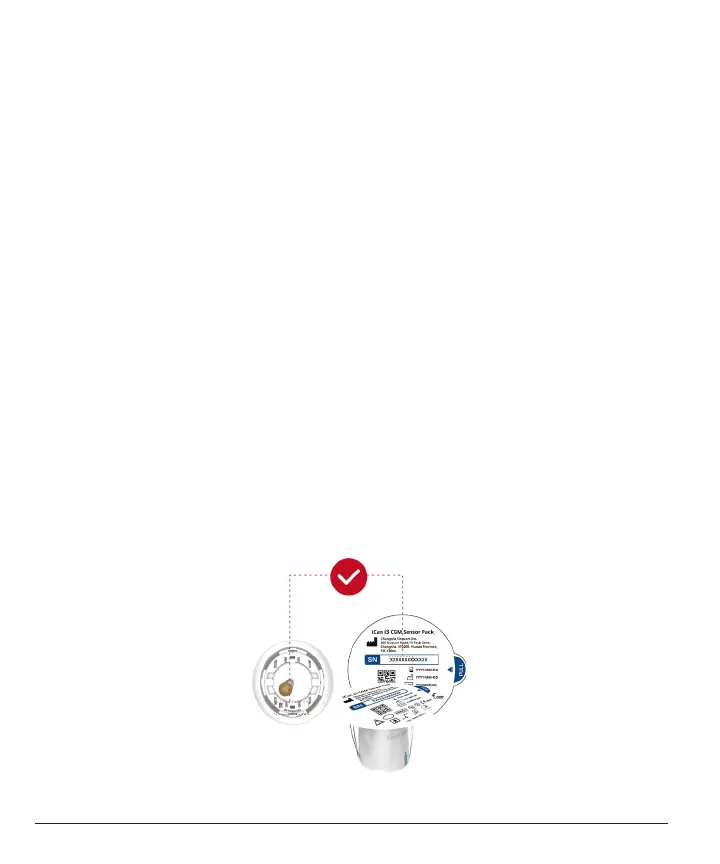
Step 2: Check the 8-digit SN Code
The Sensor Pack and the Transmitter Pack are packaged as a set and
share the rst 8 digits of Serial Number (SN) codes. Check the rst 8
digits of SN codes match before Pairing.



 To Next Page