CGM User Guide
49 Section 3 Understand Your iCan i3 CGM Results
3.4 Events
An event is an action or situation that aects your glucose levels. With
the iCan i3 CGM System you can track your daily events so you can
reect on their eect on your glucose trends. Once entered into the
APP, events can be viewed in the home screen as well as in the reports.
The reports help you review how each event inuenced your glucose
trends. You can review the reports with your healthcare professional
(HCP) and create a plan to manage your diabetes.
3.4.1 Enter Insulin Event
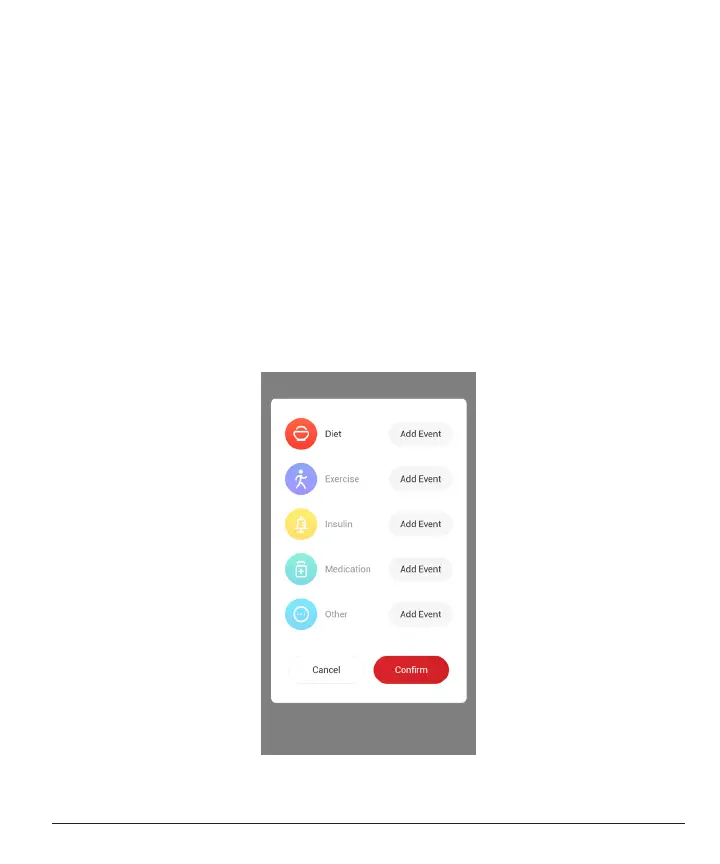
Step 1: From the Home screen, tap “+”
Step 2: Then tap “Add Event” next to Insulin



 To Next Page