4 Maintenance functions
4.1 SKF Enlight Collect IMx-1 wireless sensor
4.1.1 Updating sensor firmware
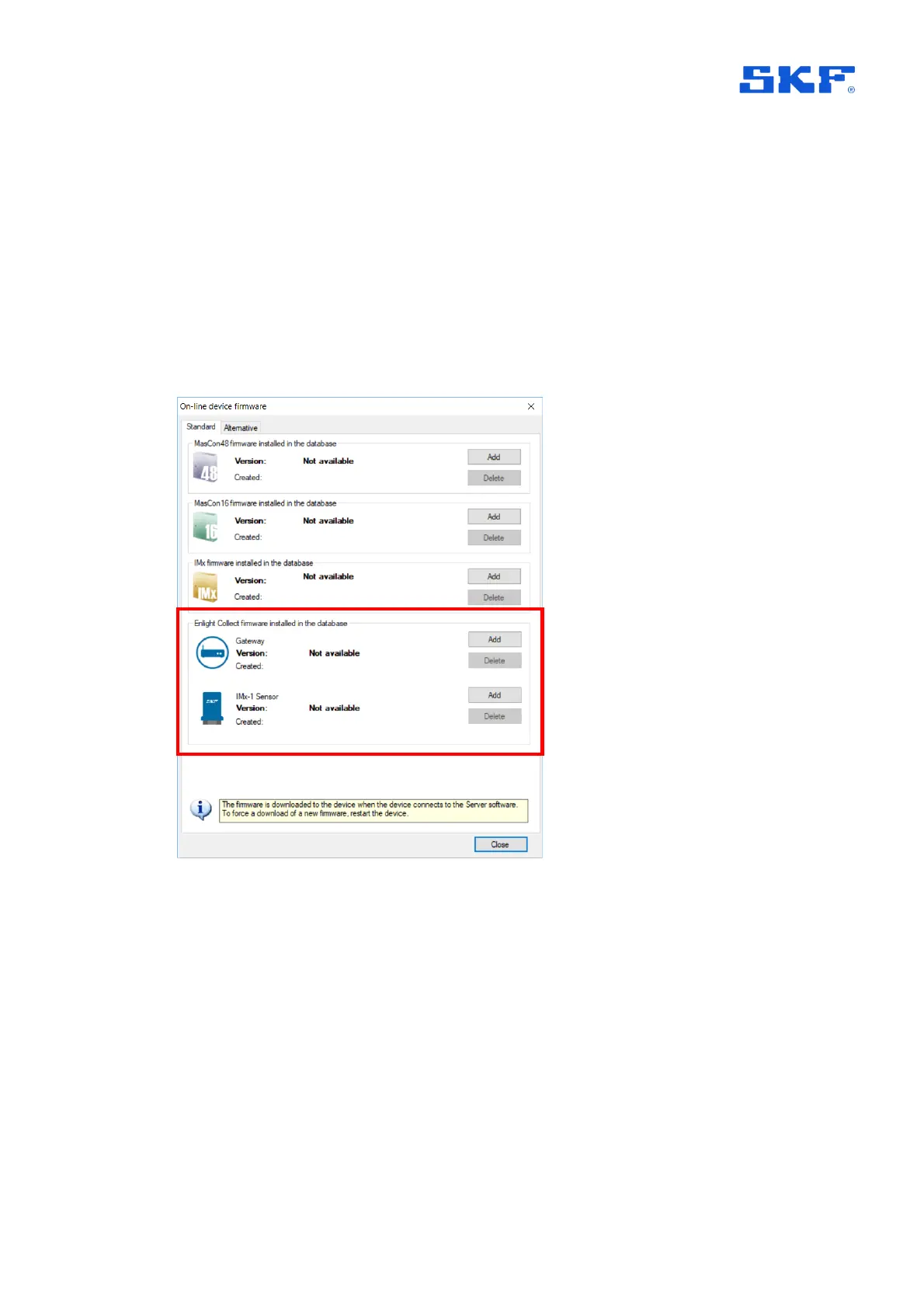
Like gateway firmware, sensor firmware is stored in @ptitude Observer and is first
transferred to the gateway. Standard or Alternative firmware are supported, this
choice is a gateway level selection, so applies to both sensors and gateway.
Figure 27 Gateway and sensor firmware is stored in @ptitude Observer
Once loaded to @ptitude Observer new sensor firmware is downloaded automatically
to connected gateways and from there propagates across the wireless mesh. During
this transfer, which for a system of 20 sensors may take 12 or more hours to
complete, measurement data continues to be collected per the schedule but when a
sensor is downloading firmware some missed measurements should be expected,
typically corresponding to a period of around 7-hours. When the process is complete
the firmware version reported in @ptitude Observer, for the sensors, will update.
For sensor firmware updates from @ptitude Observer, both the sensors and the
controlling gateway must be commissioned. The gateway supports only a single



 To Next Page
 Loading...