Page 56 December 2007
ZB2044
Optional Attachments Section 2 - Operation
2.15 Optional Attachments
The SKYJACK ZB series telehandler is designed to
accept a variety of optional “Quick Attach” attachments
aside from regular fork carriage attachment. Ensure to
use appropriate attachment capacity chart.
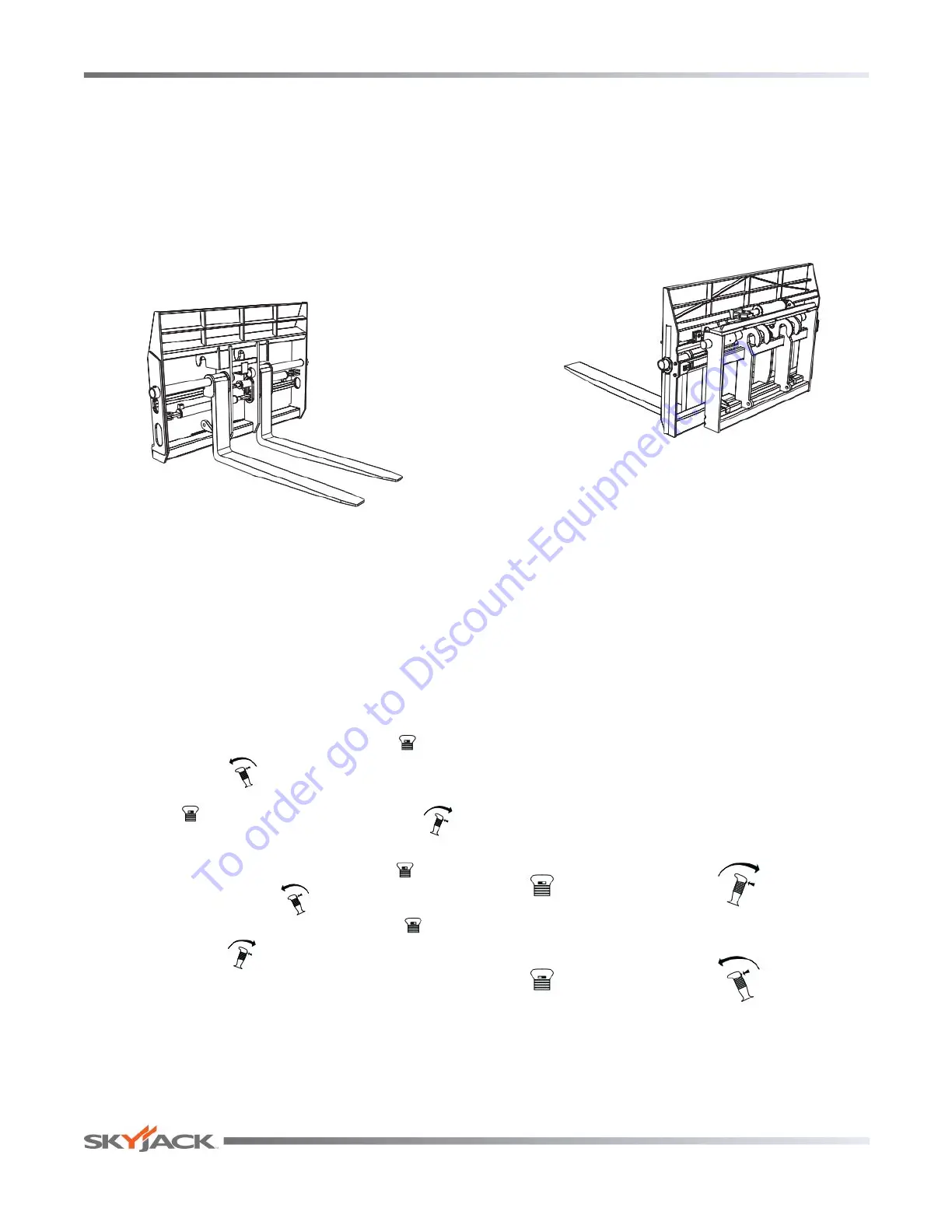
2.15-1 Fork Positioner Attachment
Fork positioner attachment allows operators to
accurately and easily adjust the distance between forks
to suit different size pallets.
Figure 2-21 Fork Positioner Attachment
Installation Procedure:
1. Remove fork attachment or other attachment from
boom and connect fork positioner attachment
(refer to Section 2.13).
2. Connect auxiliary hydraulic hoses.
Operation:
1. Depress and hold right thumb button “ ” and
move joystick “ ” forward to shift right fork to
t h e r i g h t . Depress and hold right thumb
button “ ” and move joystick backward “ ”
to shift right fork to the left.
2. Depress and hold left thumb button “ ” and
move joystick forward “ ” to shift left fork to the
left. Depress and hold left thumb button “ ” and
move joystick “ ” backward to shift left fork to
the right.
3. Handle load the same as regular fork attachment
(refer to Section 2.13).
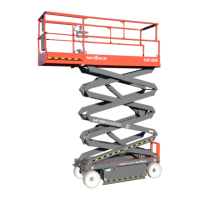
2.15-2 Combination Fork Positioner/Sideshift
Attachment
The Combination fork positioner/sideshift attachment
allows the adjustment of distance between the forks
as well as the movement of entire carriage assembly
to either left or right. This attachment is useful when
handling different size pallets that need special
adjustment of both forks and carriage.
Figure 2-22 Combination Fork Positioner/Sideshift
Attachment
Installation Procedure:
1. Remove fork attachment or other attachment from
boom and connect combination fork positioner/
sideshift attachment (refer to Section 2.13).
2. Connect auxiliary hydraulic hoses to diverter valve
on yoke.
Operation:
1. Shift carriage assembly to the right by moving
joystick forward. Shift carriage assembly to the
left by moving joystick backward.
2. Adjust the distance between forks by pressing and
holding thumb buttons and moving joystick either
forward or backward.
= left fork = in
= right fork = out
3. Handle load the same as regular fork attachment
(refer to Section 2.14).
To order go to Discount-Equipment.com


 To Next Page