8. The OSD Menu – Tools
GB 41
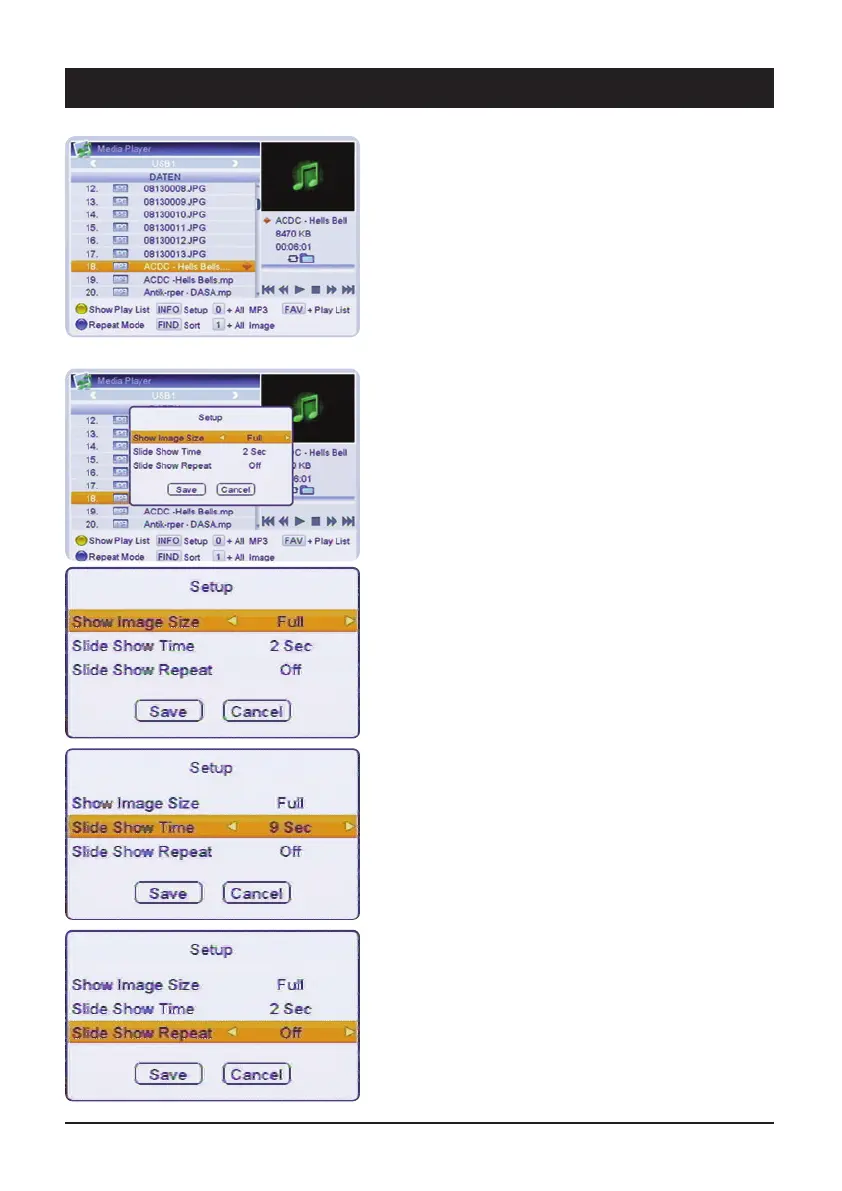
Playback of audio files
Select an audio file from the overview using the
navigation keys and press OK.
The playback is carried out according to the selected
Repeat mode.
The default setting is to play back “all files of the current
directory in sequence”.
To change this, select the required mode with the blue
key (See item 4.5 Symbols)
4.6.1 Setup for play lists (Play Listen)
Before setting up a play list, set the basic behaviour of
the list in Setup, using the INFO key.
4.6.1.1 Image size
Set whether the image is to be displayed in original size
or in full format (the image is adjusted to the screen
format (enlarged or reduced)).
4.6.1.2 Slide show time
Select how long an image is to be displayed before
changing.
Values between 0 and 9 are possible.
4.6.1.3 Slide show repeat
Select whether a slide show is to be repeated or not.
After all settings have been made, save these by
pressing OK.



 To Next Page