EasyManua.ls Logo

SMA Sunny Island 2012 - User Manual

SMA Sunny Island 2012
212 pages
Print Icon
To Next Page IconTo Next Page
Loading...
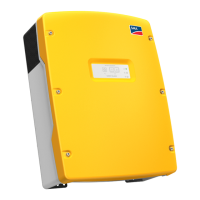
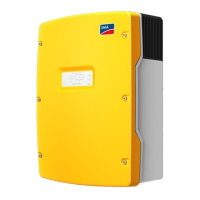
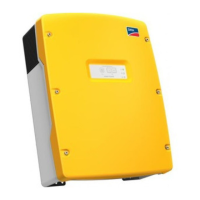
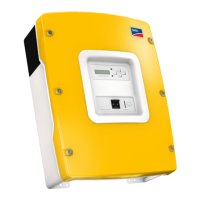
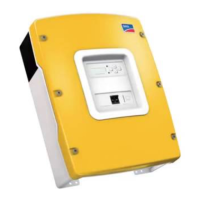
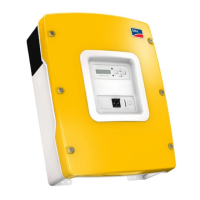
Stand-alone grid inverter
Sunny Island 2012/2224
Technical Description
SI2012_2224-TEN082311 | 98-2005110 | Version 1.1
EN

Table of Contents

Questions and Answers

  • M
    maryvalentineAug 21, 2025
    Why can't I change parameters on my SMA Inverter Sunny Island?
    • E
      Erika GonzalezAug 21, 2025
      If you can't change parameters on your SMA Inverter Sunny Island, there might be a few reasons. First, ensure the installer password has been entered correctly and that you are in 'Installer Level'. If needed, recalculate and re-enter the password. Second, you might be in the '100-Meters' (Measuring data) or '300-Diagnose' (Diagnosis) menu, where data values are read-only. Finally, some parameters can only be changed in standby mode or in the QCG. Stop the Sunny Island as described in section 10.1.2 'Stopping'.
  • V
    vsimsAug 23, 2025
    What to do if my SMA Sunny Island 2012 Inverter Sunny Island connects to the running generator only for a short time?
    • W
      Wesley RobbinsAug 25, 2025
      If your Sunny Island inverter connects to the running generator only briefly, the limits set for the maximum permissible AC voltage or the minimum permissible frequency of the generator might be too strict. You should change the voltage and/or frequency limits, making sure to observe the technical data for your generator.
  • A
    alex99Aug 26, 2025
    Why is the display of my SMA Sunny Island 2012 Inverter Sunny Remote Control 1 dark?
    • J
      Jessica RiddleAug 26, 2025
      If the display of your Sunny Remote Control 1 is dark and shows nothing, start by checking the communication cable. Ensure it is properly connected and that both RJ45 plugs are securely snapped into their sockets. Also, inspect the BatFuse (external DC fuse) to see if it has been activated. If so, the Sunny Island is disconnected from the battery and has switched off; replace the DC fuses. Finally, verify if the BatFuse is functional. If it is, the device might have switched off to protect the batteries from deep discharge. To restart the Sunny Island, refer to section 10.1.5 'Restarting the System after Automatic Shutdown'.
  • H
    Heather ClementsAug 27, 2025
    Why is my SMA Sunny Island 2012 battery discharging even though the generator is running?
    • M
      Michele GreeneAug 27, 2025
      If your battery is discharging even when the generator is running with SMA Inverter, it could be due to two reasons. First, the power produced by the generator might not be reaching the Sunny Island. Check the voltage and frequency values. Second, the energy produced by the generator might not be sufficient to supply all the consumers, meaning both the generator and the battery are supplying power.
  • J
    jellisAug 30, 2025
    What does 'MMC operation failed' mean on my SMA Sunny Island 2012 Inverter Sunny Island?
    • A
      Alisha BarkerAug 30, 2025
      If you see 'MMC operation failed' displayed on your SMA Inverter Sunny Island, you should first check the MMC/SD card on your PC/laptop. If necessary, try using a new MMC/SD card. Also, ensure that the MMC/SD card is formatted using FAT16.
  • H
    hunteralanSep 1, 2025
    What to do if QCG does not start on my SMA Sunny Island 2012 Sunny Island?
    • A
      Andrea WrightSep 1, 2025
      If the QCG (Quick Configuration Guide) on your SMA Inverter does not start, try switching off the Sunny Island and then restarting it.
  • D
    david81Sep 3, 2025
    Why is SOC not at 100% after full charging on my SMA Inverter Sunny Island?
    • E
      espinozapaulSep 3, 2025
      If the SOC (State of Charge) is not at 100% after full charging has been completed on your SMA Inverter, you should define a longer period of time for absorption.
  • N
    Nathan JimenezSep 5, 2025
    What to do if my SMA Inverter Sunny Island continuously switches off after Low Battery Mode?
    • J
      john56Sep 5, 2025
      If your Sunny Island inverter continuously switches off after Low Battery Mode when restarting the device, you might need to start the generator manually.
  • J
    James DunlapSep 7, 2025
    How to manage winter/summertime operation change on SMA Sunny Island 2012 Inverter Sunny Island?
    • R
      Robert CampbellSep 7, 2025
      If you need to change between wintertime and summertime operation on your SMA Inverter Sunny Island, you can save two different parameter sets on the MMC/SD card and then activate them via the '550.02 ParaLod' parameter.
  • M
    Michael BatesSep 10, 2025
    What to do if a battery cell becomes useless in my SMA Sunny Island 2012 Inverter Sunny Island?
    • D
      Debra HarrisSep 10, 2025
      If a battery cell becomes unusable in your SMA Inverter system, remove the unusable cell from your battery bank. Then, start the Sunny Island and change the battery voltage in the QCG under 'New Battery'.

Summary

1 Notes on this Manual

1.1 Validity

Specifies the technical description's applicability to Sunny Island firmware versions.

1.2 Target Group

Identifies the intended audience for the technical description.

2 System Overview

Perfected Battery Management

Details the intelligent monitoring and optimal utilization of the battery.

3 Safety Instructions

4 Unpacking

4.1 Scope of delivery

Lists the included components for the Sunny Island and Remote Control.

4.2 Name Plate;Firmware Version

Explains how to identify the device type and firmware version.

5 Installation

5.1 Required Tools and Resources

Lists recommended tools and materials for mounting and installation.

5.2 Sunny Island 2012;2224

Covers installation aspects specific to the Sunny Island unit.

5.3 Sunny Remote Control 1

Details installation procedures for the external display unit.

5.4 Installing Batteries

Provides instructions and safety precautions for battery installation.

6 Opening and Closing

6.1 Opening the Sunny Island

Step-by-step guide on how to safely open the Sunny Island enclosure.

7 Sunny Island Electrical Connection

7.1 At a Glance

Overview of all connection points on the Sunny Island.

7.2 DC connection

Instructions for making the DC connections to the battery.

7.3 AC Connection

Guidance on connecting the AC power sources.

7.5 Communication

Details on establishing communication within the system.

7.6 Additional Connections

Covers various optional connections for sensors and relays.

7.7 Configuring a System with Several Sunny Islands

Instructions for setting up systems with multiple Sunny Island units.

8 Control Elements

8.1 Sunny Island

Describes the control panel and buttons on the Sunny Island unit.

8.2 Sunny Remote Control 1

Information about the external display unit and its operation.

9 (First) Commissioning

9.1 Requirements

Outlines the necessary checks before starting the commissioning process.

9.2 Starting the Quick Configuration Guide (QCG)

Step-by-step guide for initiating the QCG for system setup.

10 Operating the Sunny Island

10.1 Switching On and Off

Procedures for starting, stopping, and disconnecting the device.

10.2 Navigation Area

Explanation of how to navigate through the device menus.

10.3 Making adjustments

Guidance on modifying device parameters and settings.

10.4 Saving Data onto a MMC;SD Card

Information on storing firmware, parameters, and data on an MMC/SD card.

11 Additional Functions

11.1 Load shedding

Explains how to automatically switch off loads to protect batteries from deep discharge.

11.2 Sleep Mode

Details the energy-saving sleep mode for single-phase grids.

12 Battery management

12.1 Battery temperature

Explains how the Sunny Island monitors and uses battery temperature.

12.3 Charge State;SOC and SOH

Describes the calculation and display of battery charge state and health.

12.4 Charge Control

Overview of the 3-phase charge control procedure and modes.

12.5 Battery Preservation Mode

Describes the mode that prevents deep battery discharge.

13 Connecting External Sources

13.1 Generator

Information on integrating generators into the island grid system.

13.2 Grid

Details on operating the system in relation to the main power grid.

13.3 Generator and Grid

Instructions for integrating both generators and the grid into the system.

14 Relay

14.1 Relay

Information on the device's integrated relays and their functions.

15 Sunny Boy in the Island Grid System

15.1 Setting the Stand-alone Grid Parameters

Guide to configuring Sunny Boy inverters for stand-alone grid operation.

16 Maintenance and Care

16.1 Enclosure

Instructions for checking and cleaning the device housing.

16.4 Functional Test

Guidance on performing regular operational checks and error monitoring.

17 Parameter List Overview

17.1 Display Values

Lists all parameters that display operational values.

17.2 Adjustable System Parameters

Details all parameters that can be adjusted by the user or installer.

17.3 Diagnosis

Provides diagnostic information for the inverter and connected devices.

18 Troubleshooting;Problem Solving

18.1 Error Confirmation

Steps to acknowledge and resolve error messages.

18.5 Events

Lists and explains the various events displayed by the Sunny Island.

18.6 Error Categories

Classifies failures by level, indicating required user interaction.

19 Optional Devices

19.1 External DC fuse

Information about required external DC fuses for safety.

19.4 SMA Products (Optional)

Lists optional communication devices and compatible Sunny Boy models.

20 Technical Data

20.1 Sunny Island 2012;2224

Comprehensive technical specifications for the Sunny Island units.

20.2 Sunny Remote Control 1

Technical specifications for the external display unit.

21 Contact

22 Glossary

SMA Sunny Island 2012 Specifications

General IconGeneral
ModelSunny Island 2012
AC Voltage Range180 - 280 V
AC voltage230 V
DC Voltage48 V
Battery Voltage Range40 - 60 V
Battery Voltage48 V
Efficiency95 %
Protection DegreeIP20
AC Frequency50/60 Hz
Frequency Range45 - 55 Hz
Operating Temperature Range-25 °C ... +60 °C

Related product manuals