To Next Page


S
Stephanie ParksSep 10, 2025
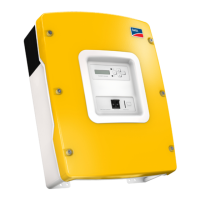
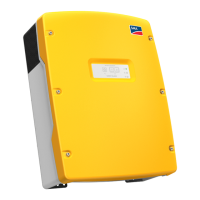
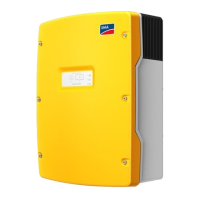
What to do if my SMA Sunny Island 5048 QCG does not run?
- CcurtisconwaySep 10, 2025
Switch off the Sunny Island and restart it.

What to do if my SMA Sunny Island 5048 QCG does not run?
Switch off the Sunny Island and restart it.
What to do if the display of my SMA Sunny Island Inverter is dark?
If the display of your Sunny Island is dark, first check if the DC circuit breaker on the Sunny Island is set to "On." The device might have switched off to protect the batteries from deep discharge. Also, the external battery fuse may have tripped.
Why does my SMA Sunny Island connect to the running generator only for a short time?
Your Sunny Island might connect to the running generator for only a short time if the limits for the maximum permissible AC voltage or the minimum permissible frequency of the generator are too strict. These parameters are located in the menu "233# Generator Control". Adjust the voltage and/or frequency limiting values, while being mindful of the technical data for your generator.
What to do if a battery cell can no longer be used in my SMA Sunny Island 5048 system?
If a battery cell is unusable, remove it from your battery bank. Then, start the Sunny Island 5048 and change the battery voltage in the QCG under "New Battery".
What to do with changing between wintertime and summertime operation on SMA Sunny Island 5048 Inverter?
Save two different parameter sets on the SD card and activate them via the '550.02 ParaLod' parameter.
Why can't I change the parameters on my SMA Sunny Island 5048?
There are several reasons why you might not be able to change the parameters on your SMA Inverter. First, ensure that you have entered the installer password correctly and are in "Installer Level". You can only read data values in the "100-Meters" (measuring data) menu or the "300-Diagnose" (Diagnosis) menu. Also, some parameters can only be changed in standby mode or in the QCG.
What to do if my SMA Inverter battery is discharging even though the generator is running?
If the generator is running but the battery is still discharging, it could be because the power produced by the generator isn't reaching the Sunny Island. Check the voltage and frequency values. Alternatively, the consumer power might exceed the generator power, so check for any error messages to identify the cause.
Why is my SMA Inverter not connecting to the running generator?
There could be several reasons why your Sunny Island isn't connecting to the generator. First, check the generator fuse. If that's fine, see if the power allowed to be fed back into the generator during the permissible time has been exceeded. If it has, set the '540.02 GnAck' parameter to Ackn. If the generator control relay (GnReq) is open, ensure the generator is set to autostart, if required. Also, if a GenMan is used, check the return signal (DigIn) as the generator can only be started using GenMan.
What to do if QCG does not run once on SMA Sunny Island 5048?
Switch off the Sunny Island 5048 and switch it back on.
What is required if the SMA Sunny Island is continuously switched off after Low Battery Mode (LBM) when restarting the device?
If the Sunny Island is continuously switched off after Low Battery Mode (LBM) when restarting the device, start the generator manually, if required (e.g.: Run1h). Also, consider the time for warming up: 5 minutes without charging current in BatProtMode can cause the device to change to standby mode.
Details the key features and capabilities of the Sunny Island 5048 inverter.
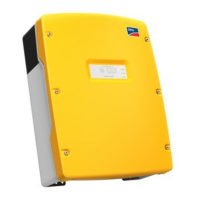
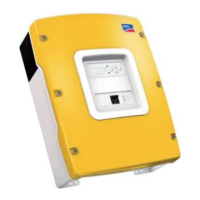
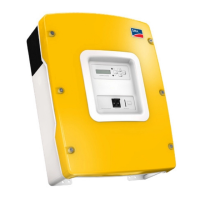
Provides an overview of the device's control elements and connections.
Lists the components included in the product package.
Describes essential grounding procedures for safe installation and operation.
Details the procedures and safety precautions for connecting the DC side.
Explains the AC connection requirements and steps for different configurations.
Details the procedure for starting up and activating the Sunny Island 5048.
Presents the hierarchical structure of the device's menus and submenus.
Explains how to access and use the installer password for system settings.
Details battery temperature monitoring and its impact on operation.
Explains how battery charge and health states are calculated and displayed.
Describes the different charging phases and processes for battery management.
Details the integration and operation of generators with the Sunny Island 5048.
Covers the operation and connection of the Sunny Island 5048 with the public grid.
Classifies errors into levels with corresponding device behaviors and user actions.
Provides solutions for common problems and questions encountered during operation.
 General
| Output Voltage | 230 V |
|---|---|
| Nominal AC Voltage | 230 V |
| AC Frequency | 50 / 60 Hz |
| DC voltage range | 40 - 60 V |
| Battery Voltage | 48 V |
| Efficiency | 95 % (typical) |
| Weight | 40 kg |
| Protection class | IP 21 |
| Maximum AC Output Power | 5000 W |
| Maximum Efficiency | 96 % |
| Dimensions (H x W x D) | 550 x 450 x 230 mm |
| Operating temperature range | -25 °C to +60 °C |