Chapter 2
Installing and securing your interactive whiteboard
smarttech.com/kb/001414 14
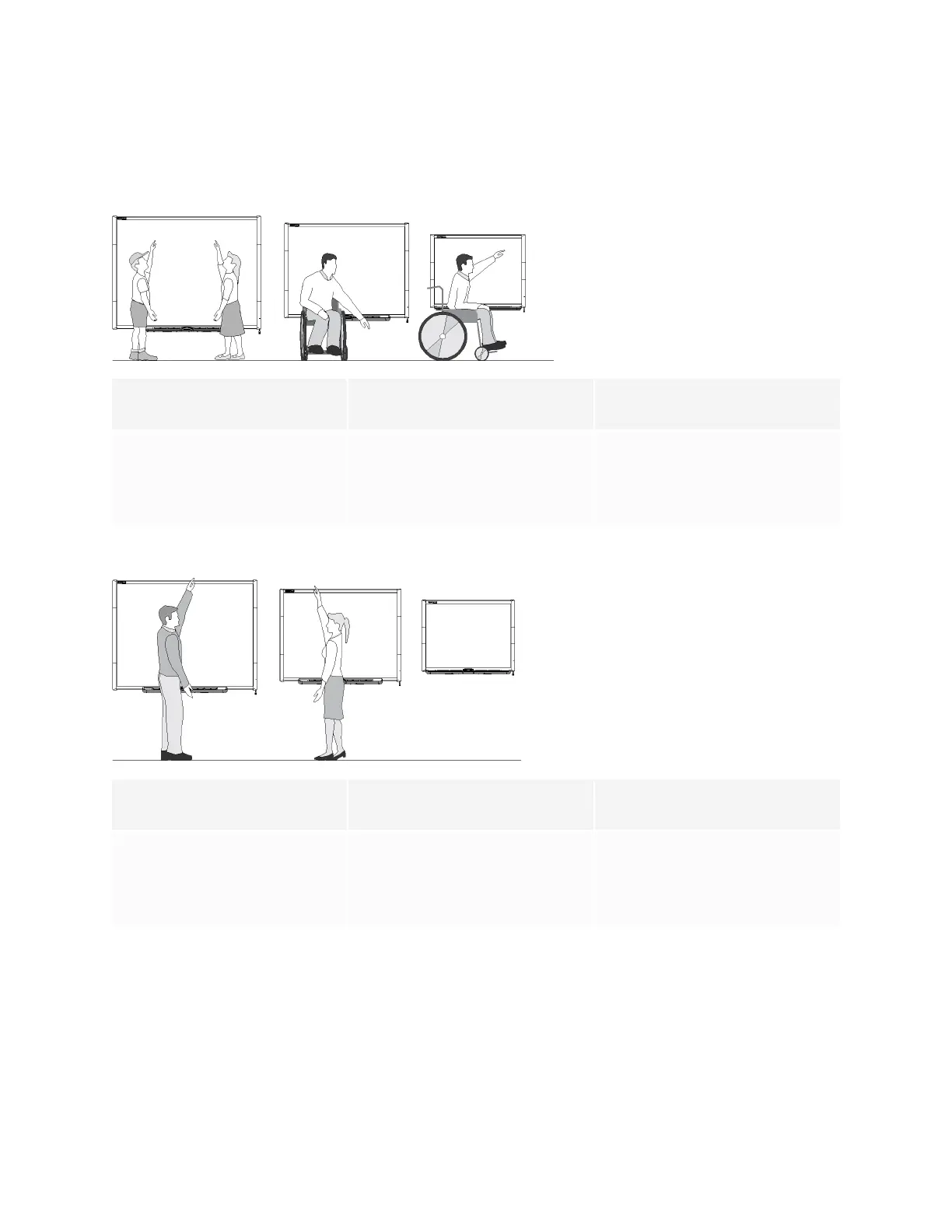
Use the following guidelines to determine the optimal height for your interactive whiteboard.
For children or for adults in wheelchairs
Model Distance from floor to bottom of
bracket
Distance from floor to top of
interactive whiteboard
680/D680/685/D685/690/D690 59 1/2" (151.1 cm) 63 3/4" (161.9 cm)
660 56 1/2" (143.5 cm) 60 3/4" (154.3 cm)
640 51 1/2" (130.8 cm) 55 3/4" (141.6 cm)
For adults of average height
Model Distance from floor to bottom of
bracket
Distance from floor to top of
interactive whiteboard
680/D680/685/D685/690/D690 77 1/2" (196.9 cm) 81 3/4" (207.6 cm)
660 69 1/2" (176.5 cm) 73 3/4" (187.3 cm)
640 69 1/2" (176.5 cm) 73 3/4" (187.3 cm)
For children and short adults, and for clearing obstructions to the projected image
If SMART Board 640 interactive whiteboard users are of shorter stature, you might want to mount your
interactive whiteboard lower on the wall, while keeping it high enough that furniture or other objects don’t
obstruct the projected image.


 To Next Page