Chapter 5
Troubleshooting your interactive whiteboard
smarttech.com/kb/001414 47
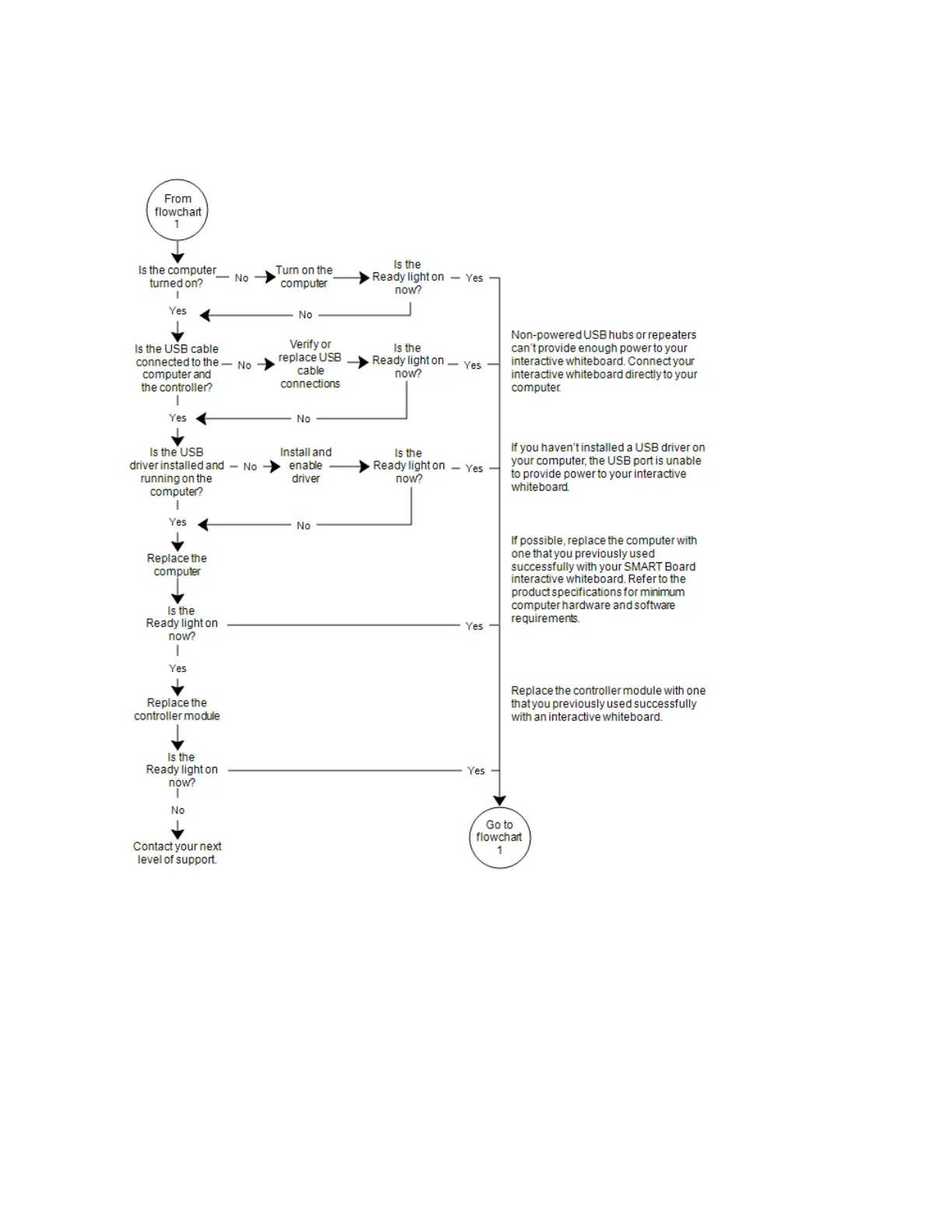
Flowchart 2: Ready light not on
Flowchart 3: Ready light red
A red Ready light indicates that your interactive whiteboard is receiving power but isn’t communicating
with your computer. Pen tray LEDs don’t turn on and the screen isn’t responsive to touch.


 To Next Page