Chapter 2
Installing and securing your interactive whiteboard
smarttech.com/kb/001414 22
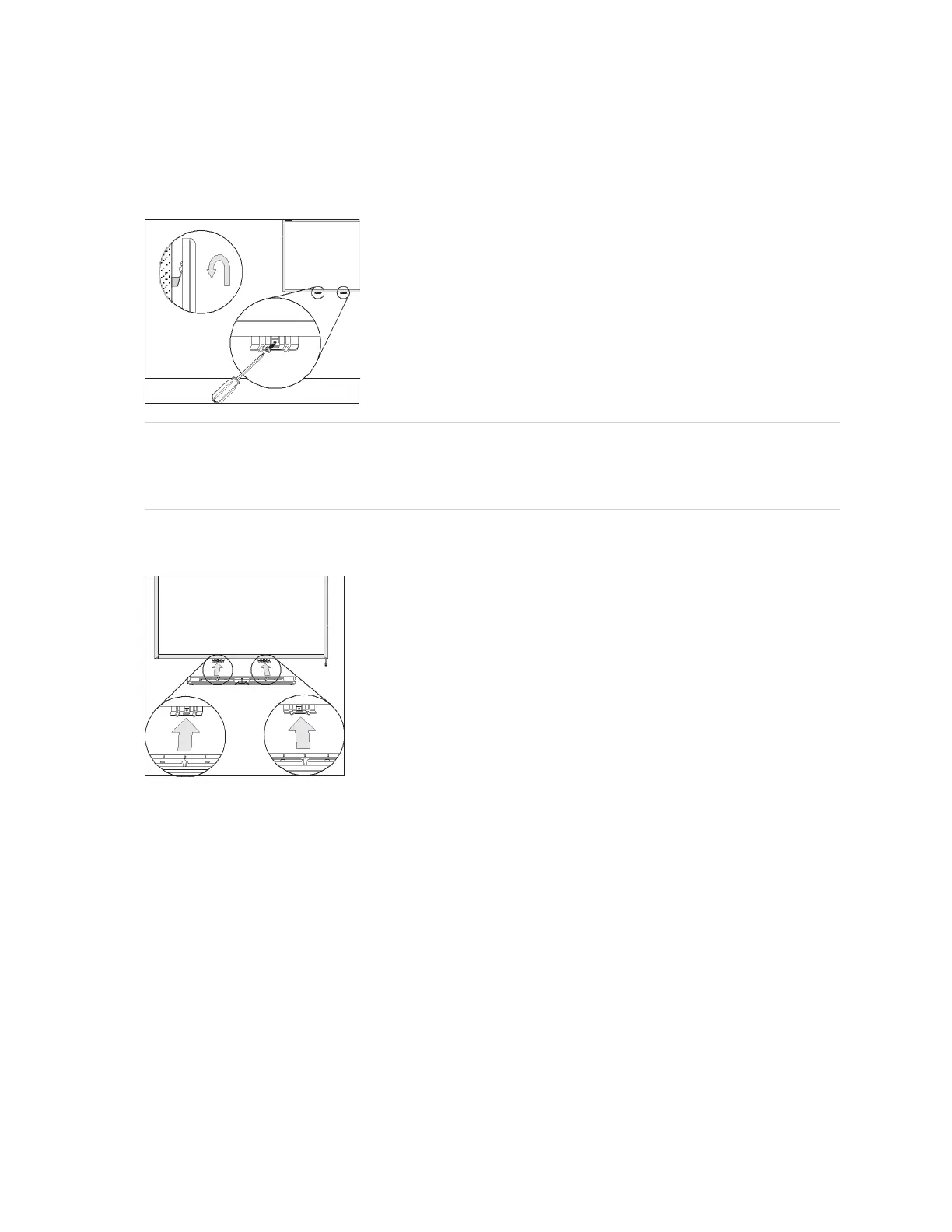
3. With the help of another person, hang your interactive whiteboard back on the wall-mounting bracket,
and then secure the L-shaped metal brackets to the wall anchors with the included screws, as
illustrated.
NOTE
If you want to lock your interactive whiteboard with a security cable, see Locking the pen tray to
your interactive whiteboard on page 16 before securing these brackets.
4. Position the pen tray in line with the two L-shaped metal brackets, and then slide it toward the wall until
it rests snugly against the bottom frame of your interactive whiteboard. The pen tray clicks into place.
5. Route the modular I²C cable through the cable management channel under the lower-right end of the
pen tray, and then insert its connector into receptacle 1.


 To Next Page