14
Installation instructions
5: Setting up scenes
5.1
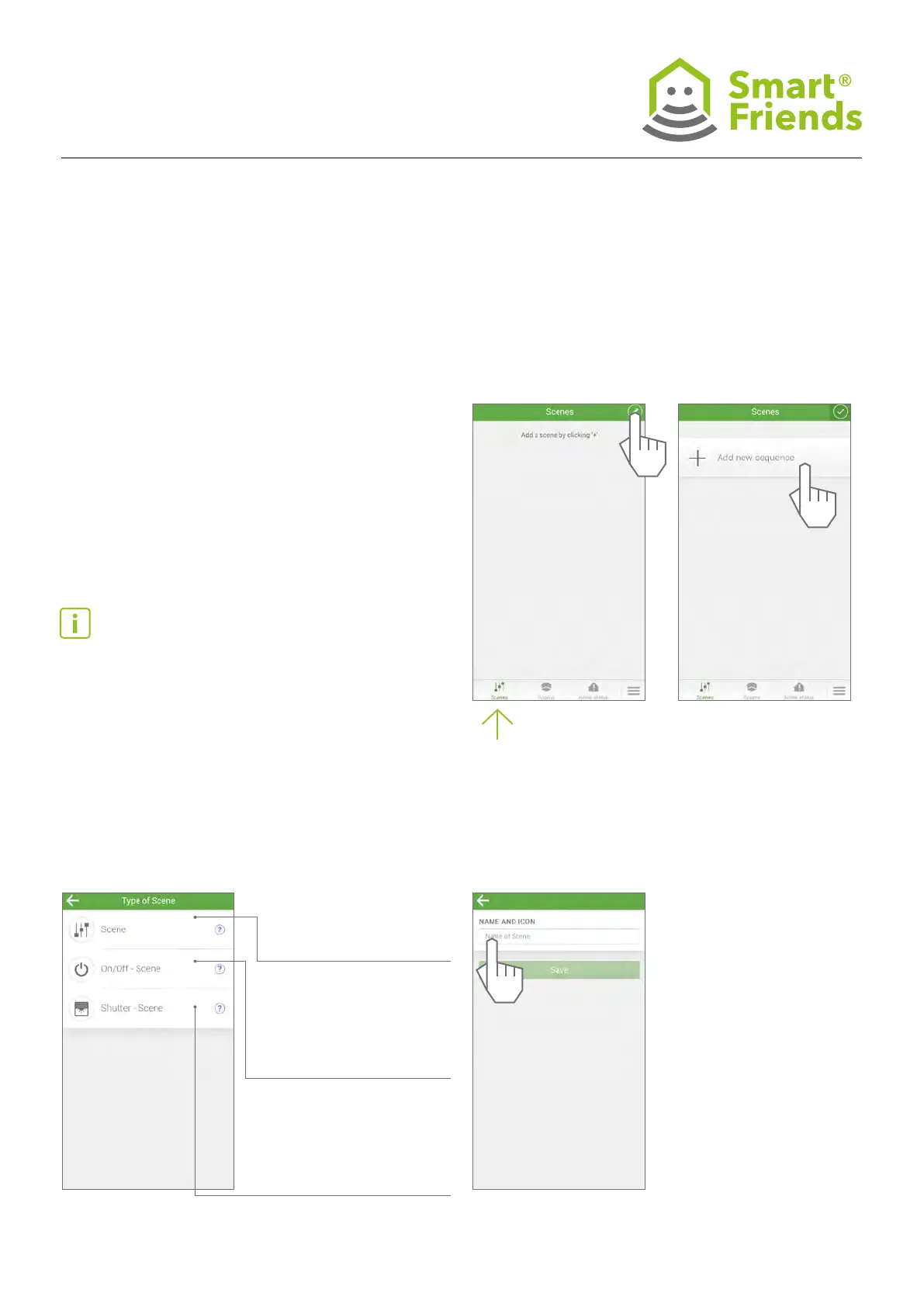
Paired devices in the rooms can be networked above the
level of rooms and controlled at the same time within a scene.
A status is dened for each device (e.g. roller shutter up, light
on), which is then performed after triggering the scene. A
scene can be triggered manually or automatically.
Tip: Before creating scenes, it is recommended that you
draw up a guide specifying the system to be followed when
classifying scenes.
Standard scenes: enable
the automated or manual
operation of all devices on the
basis of individually specied
conditions.
On/Off scenes: enable the
automated or manual opera-
tion of On/Off devices on the
basis of individually specied
conditions.
Roller shutter scenes: enable
the automated or manual
operation of roller shutters
on the basis of individually
specied conditions.
5.2
Standard scene



 To Next Page