32
Installation instructions
A1.1
Smartvest Alarm Panel: Once all the components have been
allocated to a room, the synchronisation between the ABUS
product and the Smart Friends Box is complete.
From now on, the Smart Friends Box receives information from
the Smartvest and/or camera and displays this in your Smart
Friends app. You can also operate the Smartvest and/or camera
directly via the Smart Friends app.
Tip: If you have added or deleted any components in the
Smartvest app, select “Synchronise components”.
The Smartvest then transfers the new component list to the
Smart Friends Box.
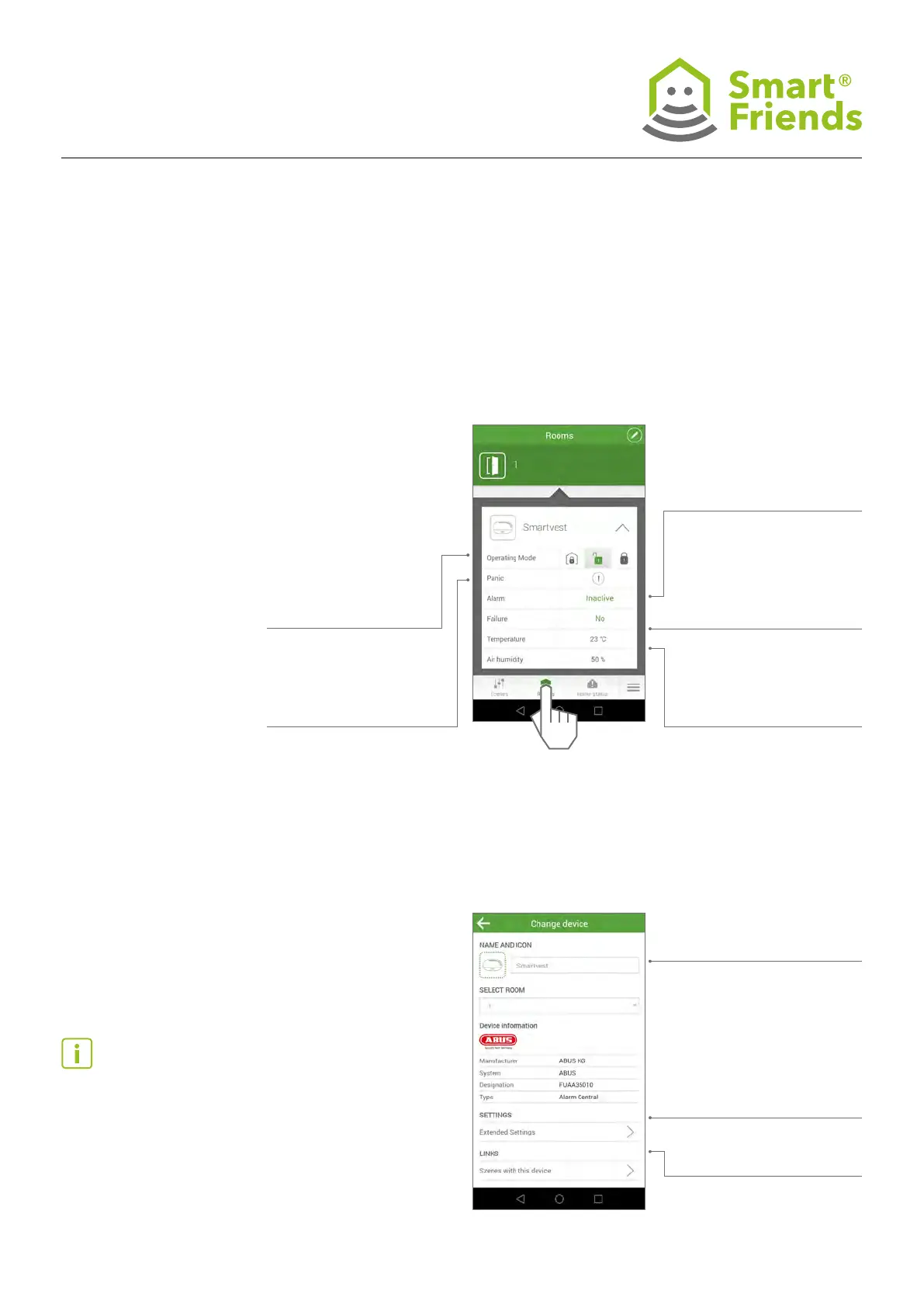
Operating mode:
Part set, disarm or arm.
Panic: Trigger panic alarm
Changes can be made to the
icon, name and room
Extended settings:
- Show the Smartvest DID
and option of changing the
password for connecting to
the Smartvest.
- Additional functions: Syn-
chronise components
Links: All scenes with this
product
Alarm: inactive, active
(burglar alarm), panic,
tampering, 24-hour
(re or water alarm)
Failure: No connection,
incorrect password
Temperature/air humidity:
Latest measurement by the
Smartvest Alarm Panel
A1.2
Smartvest Alarm Panel settings: Select the pencil icon
to switch to the programming mode.
Then select the gear icon to switch to the alarm panel’s
settings.
A1: ABUS products in the “Rooms” view



 To Next Page