31
Installation instructions
10.8
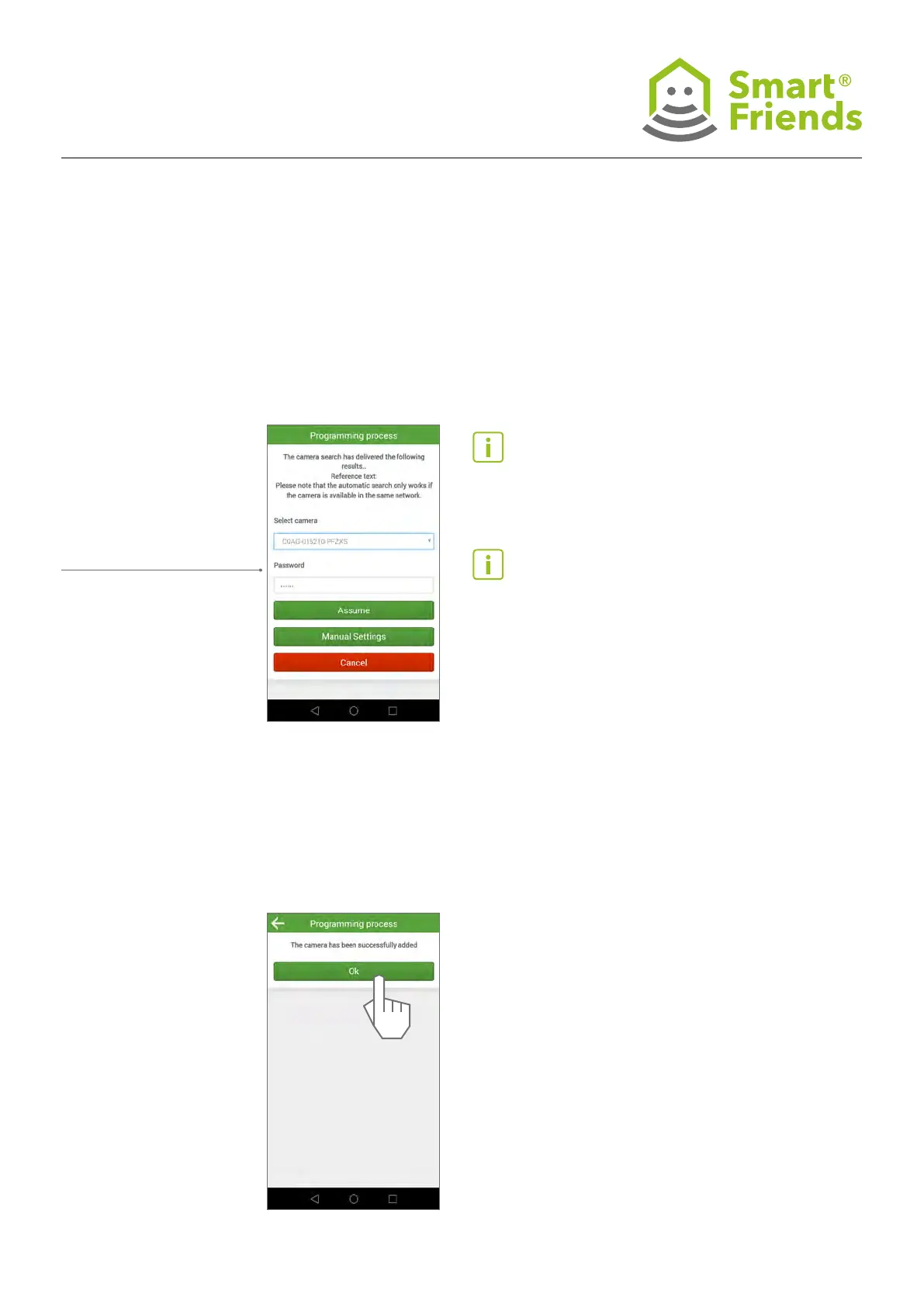
The Smart Friends Box automatically looks for a compatible
camera in the local network.
If a compatible camera is
found, this is displayed to
you with the DID (CGAG-
XXX-XXX). The standard
device security code for
the camera, “123456”, is
entered automatically.
Where applicable, replace
this with the device secu-
rity code that you have
assigned to your camera.
Important note: If the device security code
is incorrect, the Smart Friends Box will not be
able to connect to your camera.
Tip: If the Smart Friends Box cannot nd any
camera in the network, rst try restarting
the camera and then repeat the process. If
the Smart Friends Box still cannot nd any
camera , enter the DID of your camera in
“Manual settings”.
10.9
You are now shown messages conrming that a connection
to the camera has been established and the camera has been
successfully added.



 To Next Page