76
Installation instructions
Once all components have been allocated to a room,
the Paulmann device and the Smart Friends Box are
fully synchronised.
Depending on the device type, there are different user
menus available to you.
P3.1
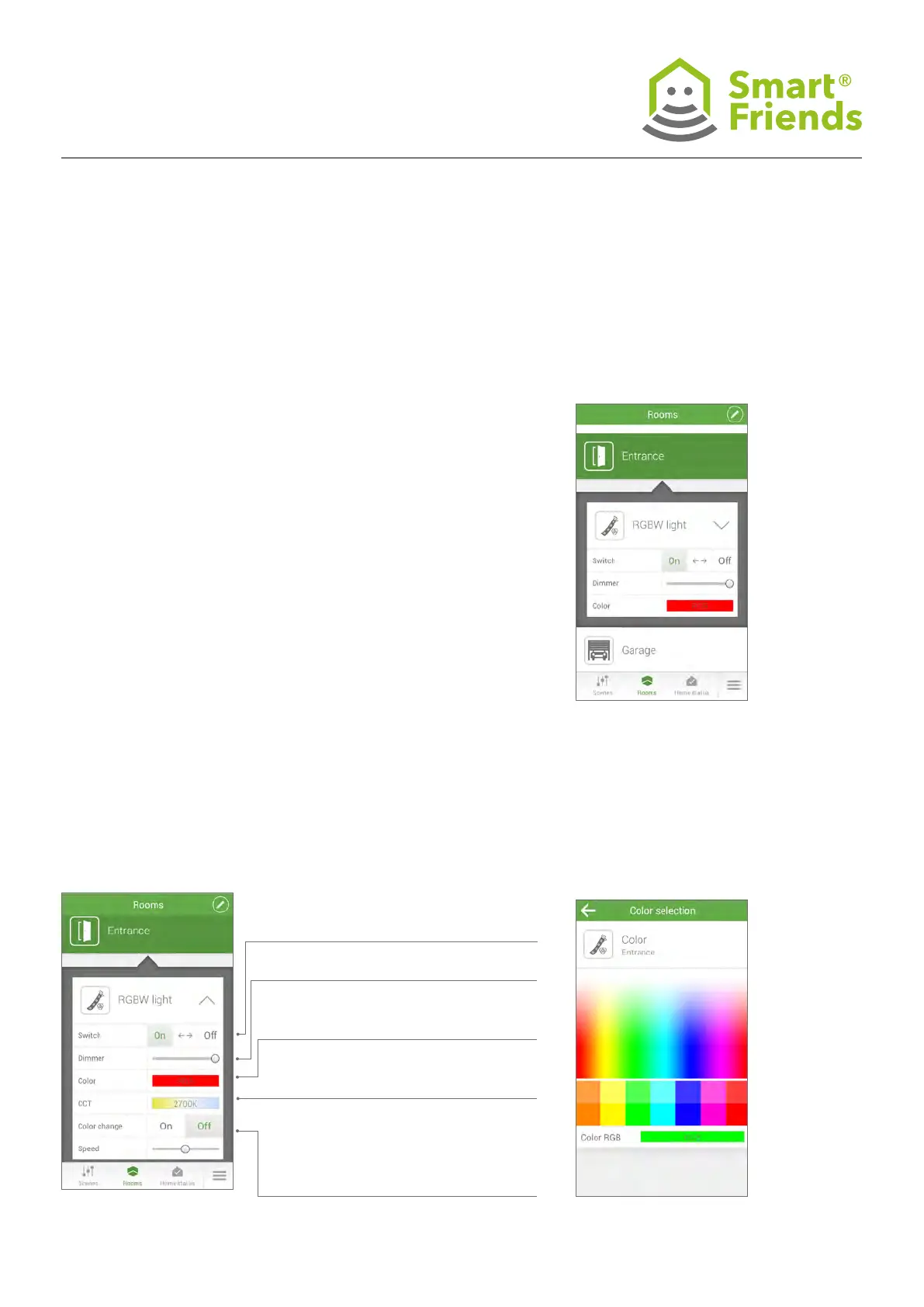
Click on the triangle symbol
to see further control options.
P3.2
RGB and RGBW devices.
Colour selection sub-menu.
P3.3
Colour selection sub-menu.
P3: User operation and further installation information
about Paulmann products in the “Rooms” view
On/Off as well as < - > toggle between
one setting and another.
Dimming from 0-100%
RGB colour selection (click on eld to
open sub-menu)
Light colour selection (click on eld to
open sub-menu)
Automatic colour change selection (On =
“Colour change is active”); once the colour
change has been activated, the speed at
which it changes can also be adjusted.



 To Next Page