88
Installation instructions
ST2.1
Settings for the Z-wave components: Select the
pen symbol to switch to editing mode.
Select the cog symbol to change the settings for each
of the components.
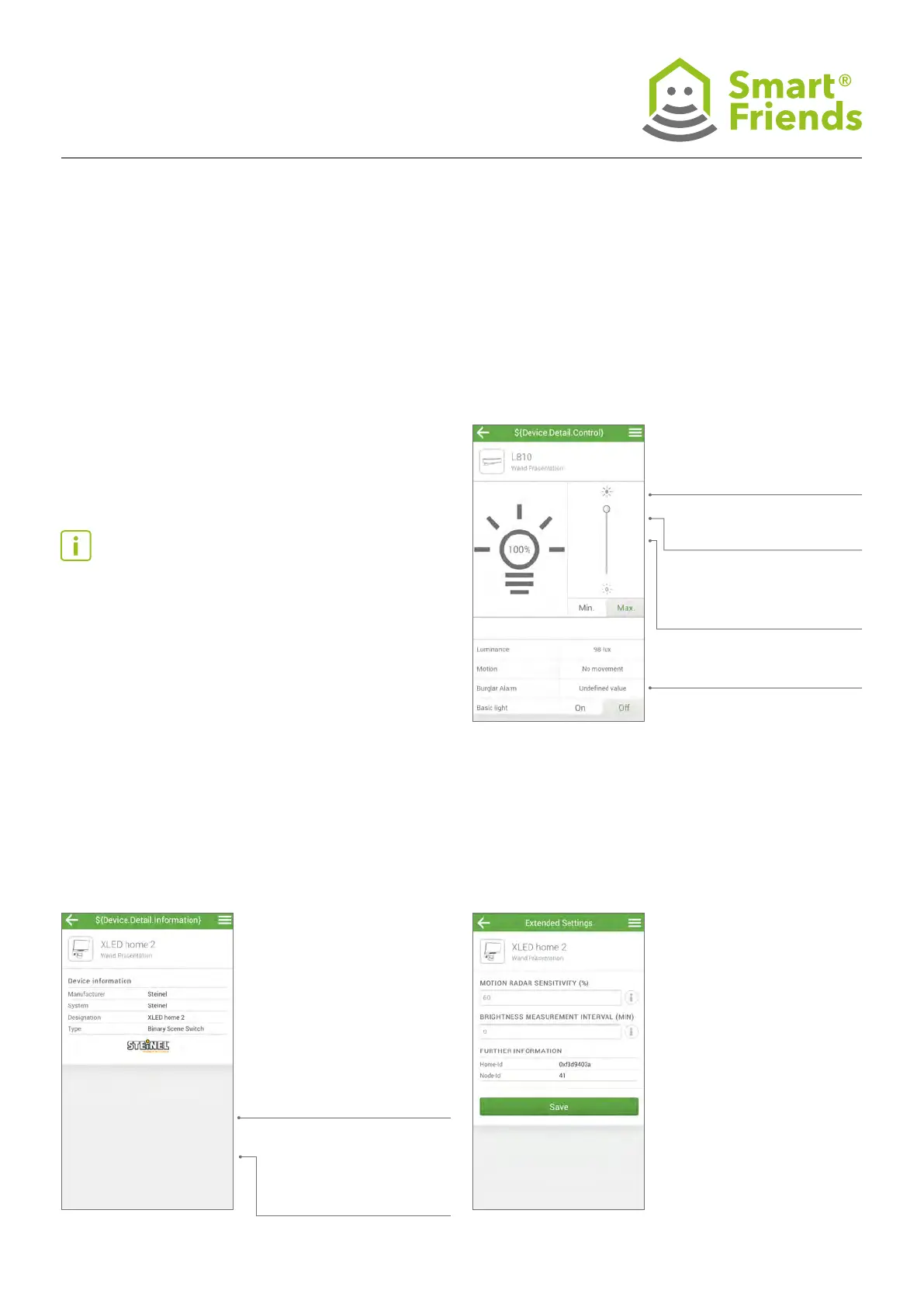
In the Rooms view you can adjust the settings. Select
the pen symbol to adjust the settings.
On/Off: switches the sensor
and/or the sensor lights ON
or OFF.
Brightness: Shows the
measured brightness.
Motion detectors: Shows if
any current movement has
been detected.
Only for the L 810: You can
also dim the lights.
ST2: STEINEL products in the “Rooms” view
ST2.2
You make changes in the Icon, Name
and Room areas.
ST2.3
Advanced settings: Adjust the range
and the measurement interval.
Note: Synchronisation between the STEINEL product and
the Smart Friends Box is complete once all components have
been matched to a room.
The Smart Friends Box will now receive information via the
sensors and/or sensor lights; you can view this in your Smart
Friends app. You can also switch the sensors and/or sensor
lights on or off using the Smart Friends app.
Settings:
Other settings that you can
change on this device.
Links:
All scenes with this product.



 To Next Page