85
Installation instructions
P6.1
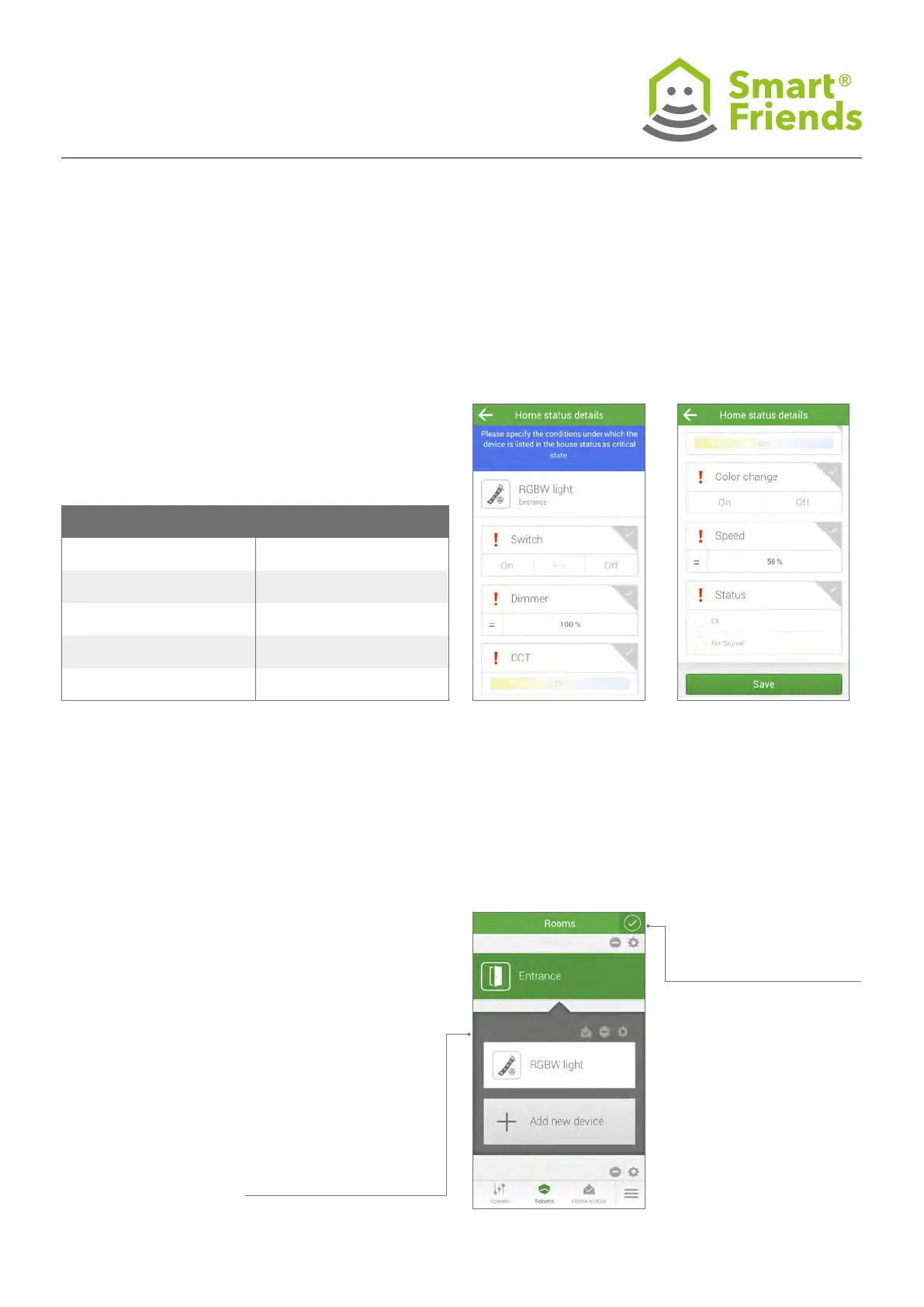
In the Home status view, you can obtain an overview of all
components whose current status has been set to critical.
You can freely determine the status as required:
Save your chosen settings!
P6.2
You can change the device settings for the home status by
switching to the Rooms view for the respective component.
Select the pencil symbol to switch to editing mode.
P6: Paulmann products in the “Home status” view
Product Critical condition
Switches
On, Off, < - > toggle individually or in com-
bination possible
Dimmer Preferred dimming levels from 0-100%
CCT
Adjustment of light colour from warm to
cold white using Kelvin value
Colour change On/Off
Colour change speed Value between 1 and 255
Exit the setting by clicking on
the checkbox symbol.Then select the home status
symbol to switch to the
settings for the respective
component. Once you have
congured the status of the
products as critical, the home
status symbol will appear
green. If it is inactive, and
no critical status has been
congured on the device,
the home status symbol will
appear grey.



 To Next Page