72
Installation instructions
P1.1
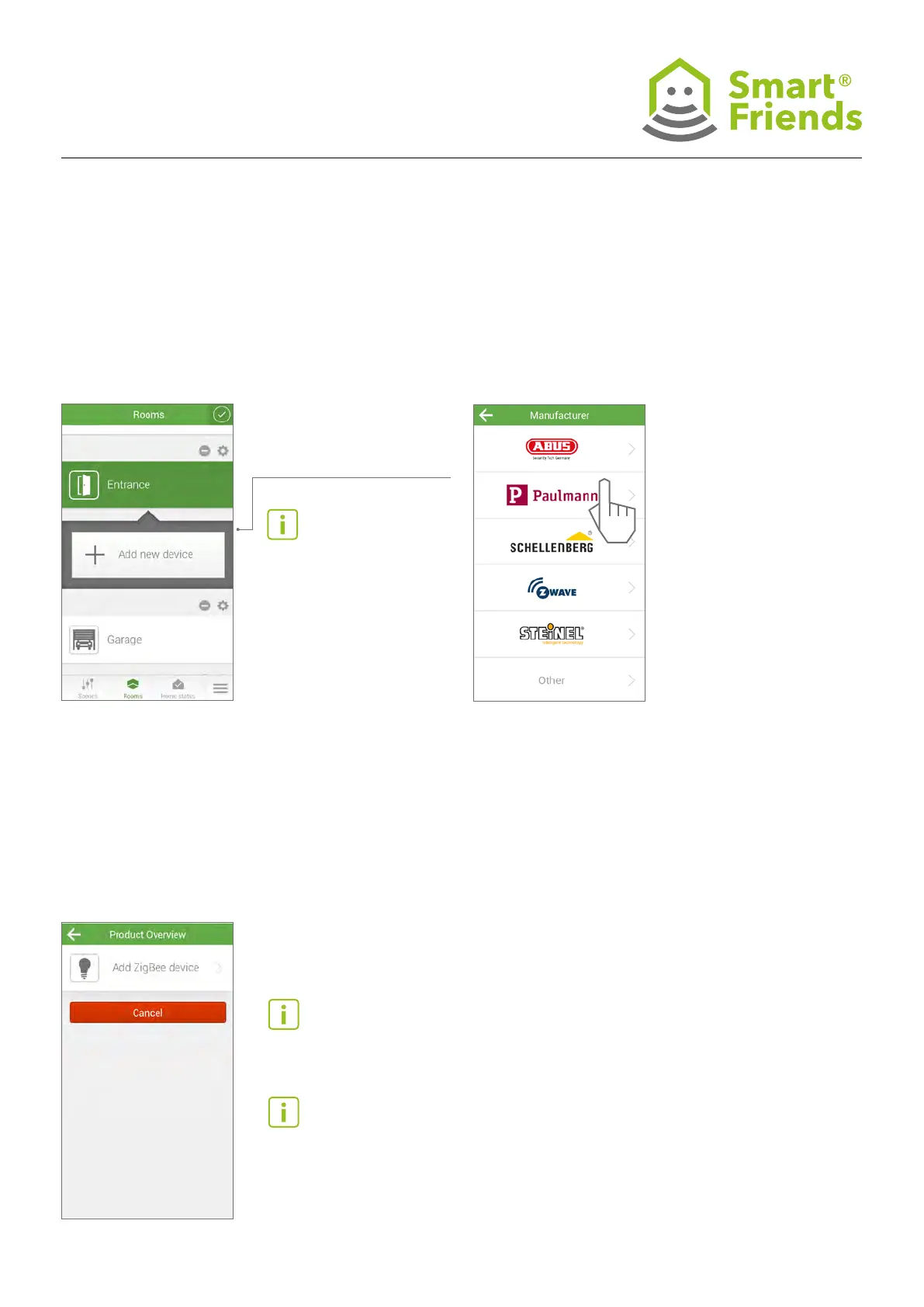
Lamps and luminaires. Open the Rooms view.
Select the pencil symbol to switch to editing mode.
P1.2
Select Paulmann.
P1.3
Click on Add ZigBee device
or end the pairing process by
clicking Cancel.
P1.4
The Smart Friends Box will now search for Paulmann to
pair with.
If a lamp or luminaire is found, these will ash in order until the
pairing process is complete. The Smart Friends Box will pair
with all devices within range that are in the default setting and
connected to a power supply.
Note: Like other special items, battery-operated products (e.g.
a remote control) must be switched to pairing mode manually.
Please read the information for the individual devices below.
Tip: If you want to pair multiple devices in different rooms, it
is recommended that you proceed one room at a time. This
makes them easier to allocate!
Then select the plus symbol
to add a new device.
Note: Make sure that the
devices to be paired are in the
default setting and have not
been previously paired, for ex-
ample, with another gateway
or remote control.
P1: Connection from Paulmann product to Smart Friends Box



 To Next Page