86
Installation instructions
ST1.1
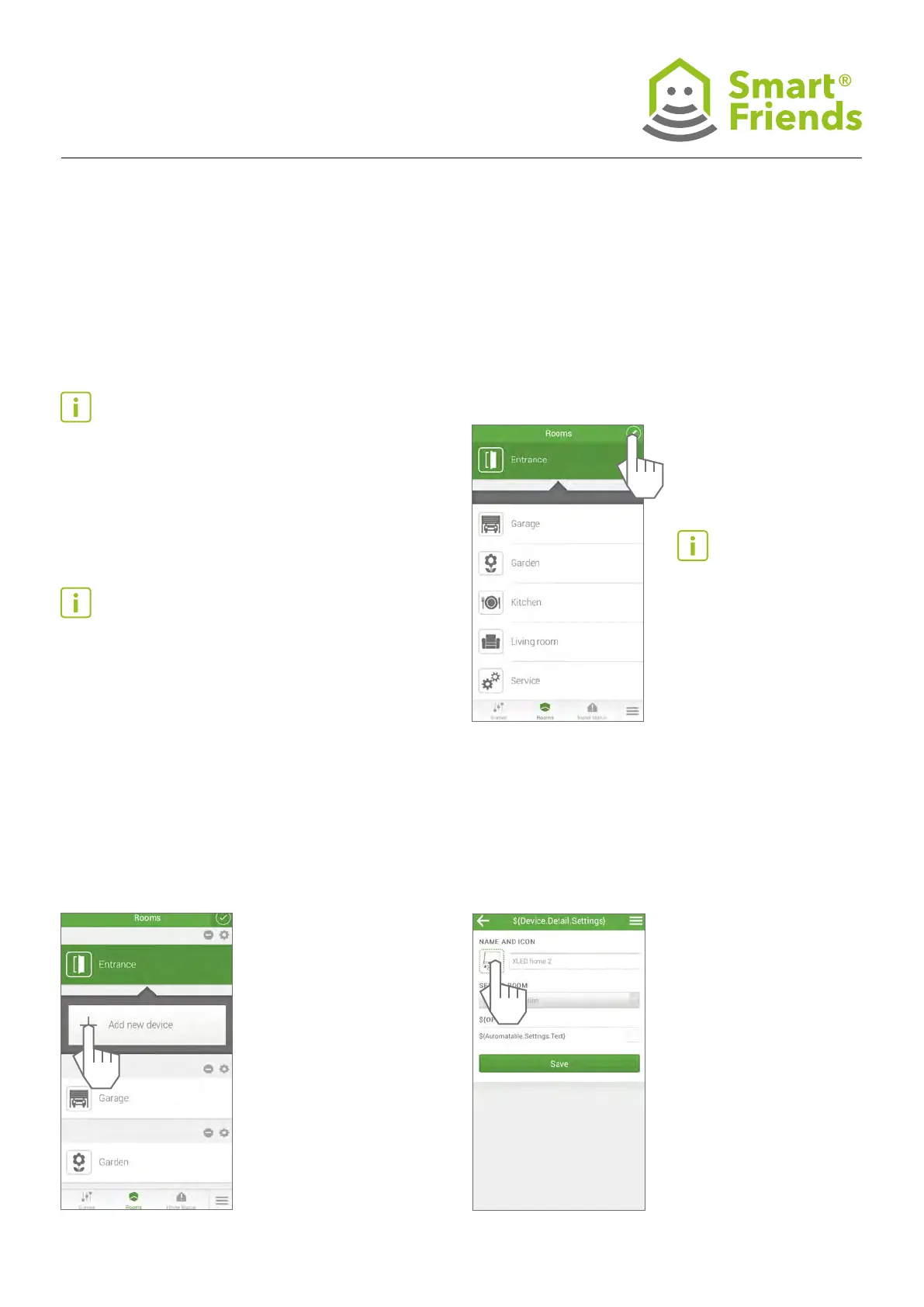
Z Wave: Open the “Rooms” view. Select the
pen symbol to switch to editing mode.
Important note: Please
ensure that the sensor and/
or the sensor light and the
Smart Friends Box are in the
same network and that all
sensor and/or sensor beam
components have been pro-
grammed.
ST1: Connecting STEINEL products to the Smart Friends Box
ST1.2
Select the plus symbol to add a new device.
ST1.3
Select the symbol for the device. The three elds for the
name, system and description will then be automatically lled.
Important note: Complete the conguration of the STEINEL
products before you connect your STEINEL products with the
Smart Friends Box.
Please carefully read the STEINEL products’ instructions on
setting up.
Please ensure that the STEINEL products are matched to the
correct network using the relevant STEINEL apps.
Important note: The STEINEL products’ settings can be
adjusted using the relevant STEINEL app.
The Smart Friends app is used for operating and connecting
STEINEL products and cannot be used to adjust the congu-
ration of STEINEL products.



 To Next Page