91
Installation instructions
ST5.1
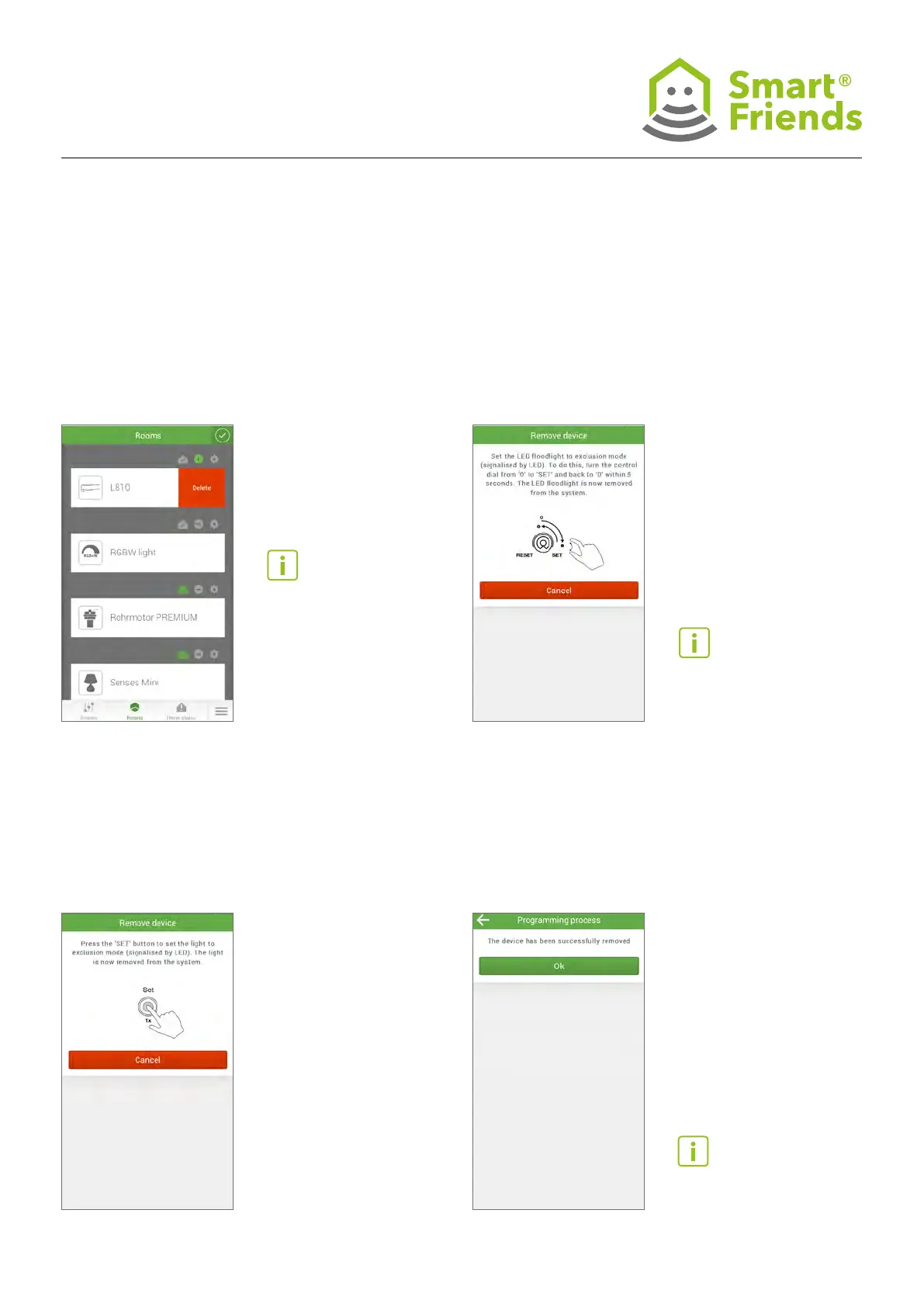
Select the minus symbol to switch to the
“Removal” process.
ST5.2
Depending on the type of device you have, there are two
different ways of removing devices. XLED Home 2 Z Wave
and IS 140-2 Z Wave are removed using a control dial (Poti).
To do this, turn the control
dial from 0 to SET and back
again within ve seconds.
Tip: If you want to install a
device in a different location,
you need to remove it. The
device can only be set up in
a different location once the
removal process has been
completed.
ST5: STEINEL products in the “Removal process” view
ST5.3
L810 LED iHF Z Wave and RS LED D2 Z Wave can
be removed by simply clicking on the SET button.
ST5.4
You will receive conrmation when the device
has been removed successfully.
The device can now be set
up in a different location.



 To Next Page