74
Installation instructions
P2.1
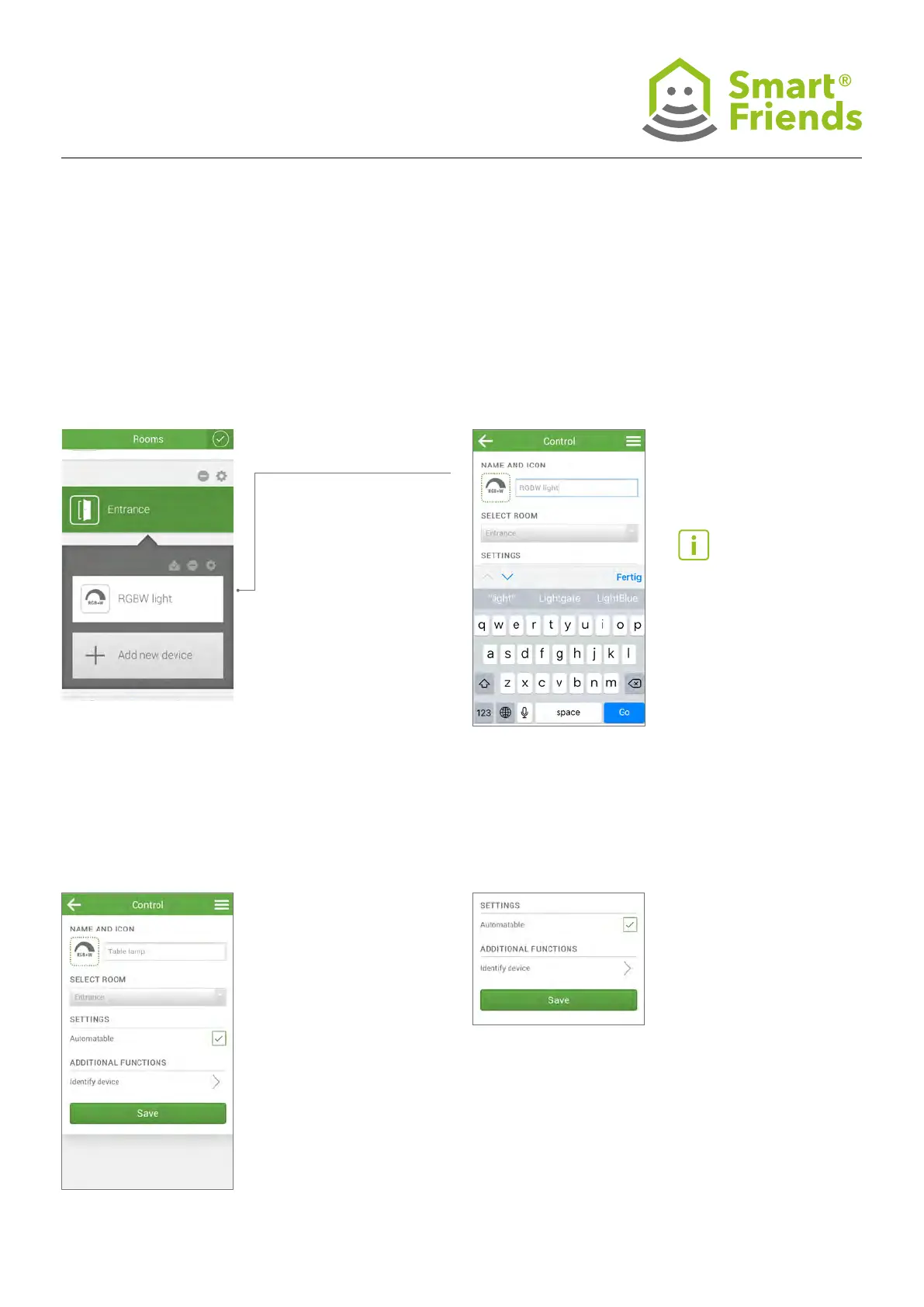
Open the Rooms view. Select the pencil symbol
to switch to editing mode.
P2.2
You are now in the device settings view.
P2.3
Change the device name by
clicking on the name eld.
P2.4
Close the name eld and
conrm your input by saving.
Then click the gear symbol
above the device in question.
P2: Change the device settings of Paulmann products
Tip: If you have paired multi-
ple devices at once, you can
identify the respective lamp or
luminaire using the additional
functions by clicking “Identify
device”: your device will ash
for a short time!



 To Next Page