30
Installation instructions
Smartvest cameras: If you wish to import a camera directly
because it is not connected to a Smartvest, please follow the
instructions in this chapter. The learning process is identical to
the Smartvest Alarm Panel.
Tip: In principle, cameras that are already connected to the
Smartvest can be imported into the Smart Friends Box in the
same way as all the other components.
The DID and the password for the camera are then synchro-
nised and do not need to be re-entered.
For this, following the instructions in Chapter 2.
Important note: Ensure that
the camera and the Smart
Friends Box are in the same
network.The camera cannot
be integrated if it is in the
Access Point mode as then
the camera is in its own
network.
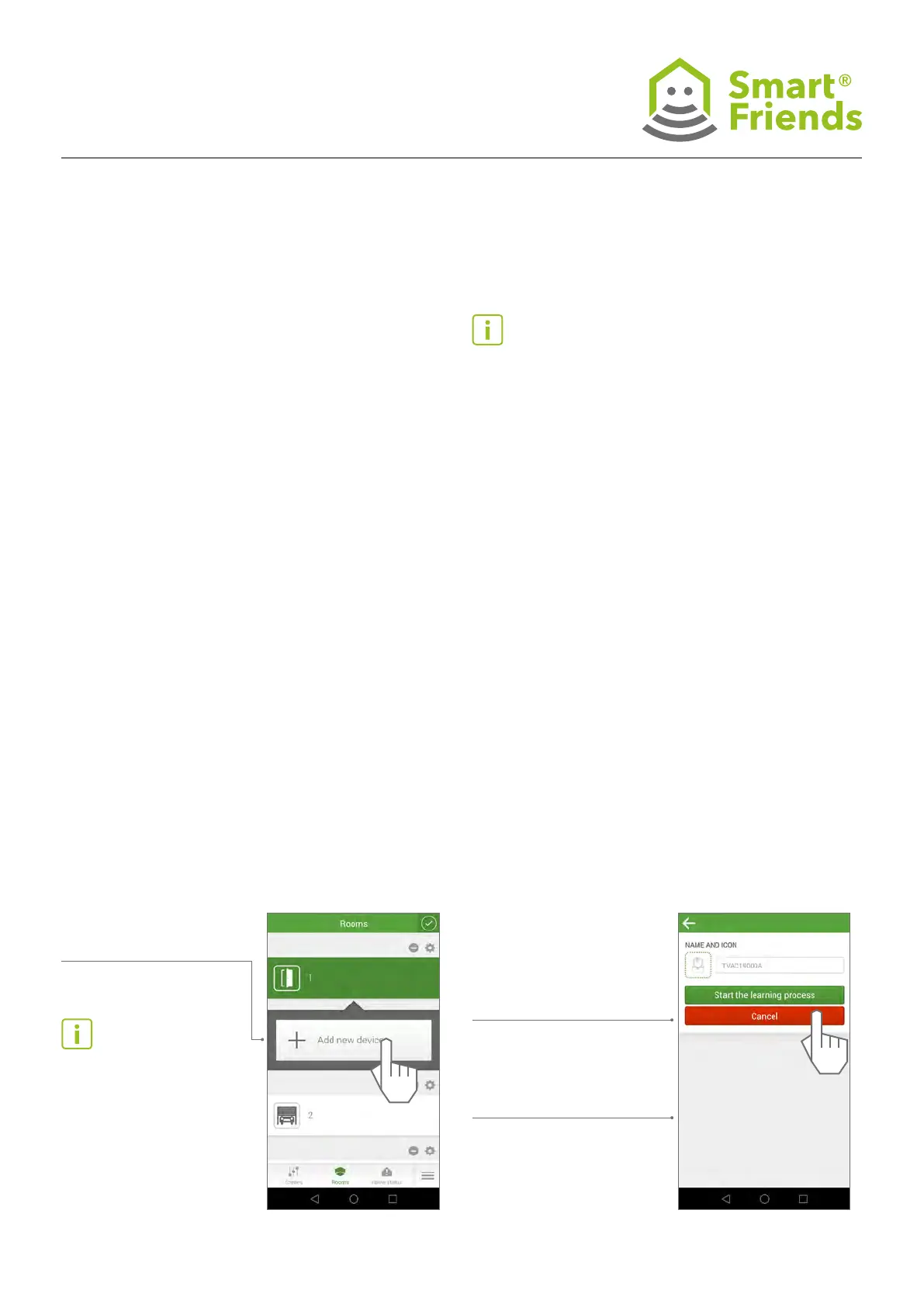
10.6
Open the “Rooms” view. Select the pencil icon to switch to
the programming mode.
Then select the plus sign
to add another device.
10.7
Select a camera icon
. Choose a name for the camera.
The elds System “Smartvest”
and Description “Camera”
are then lled in automatically.
Then select “Start the learning
process”.



 To Next Page