33
Installation instructions
A1. 3
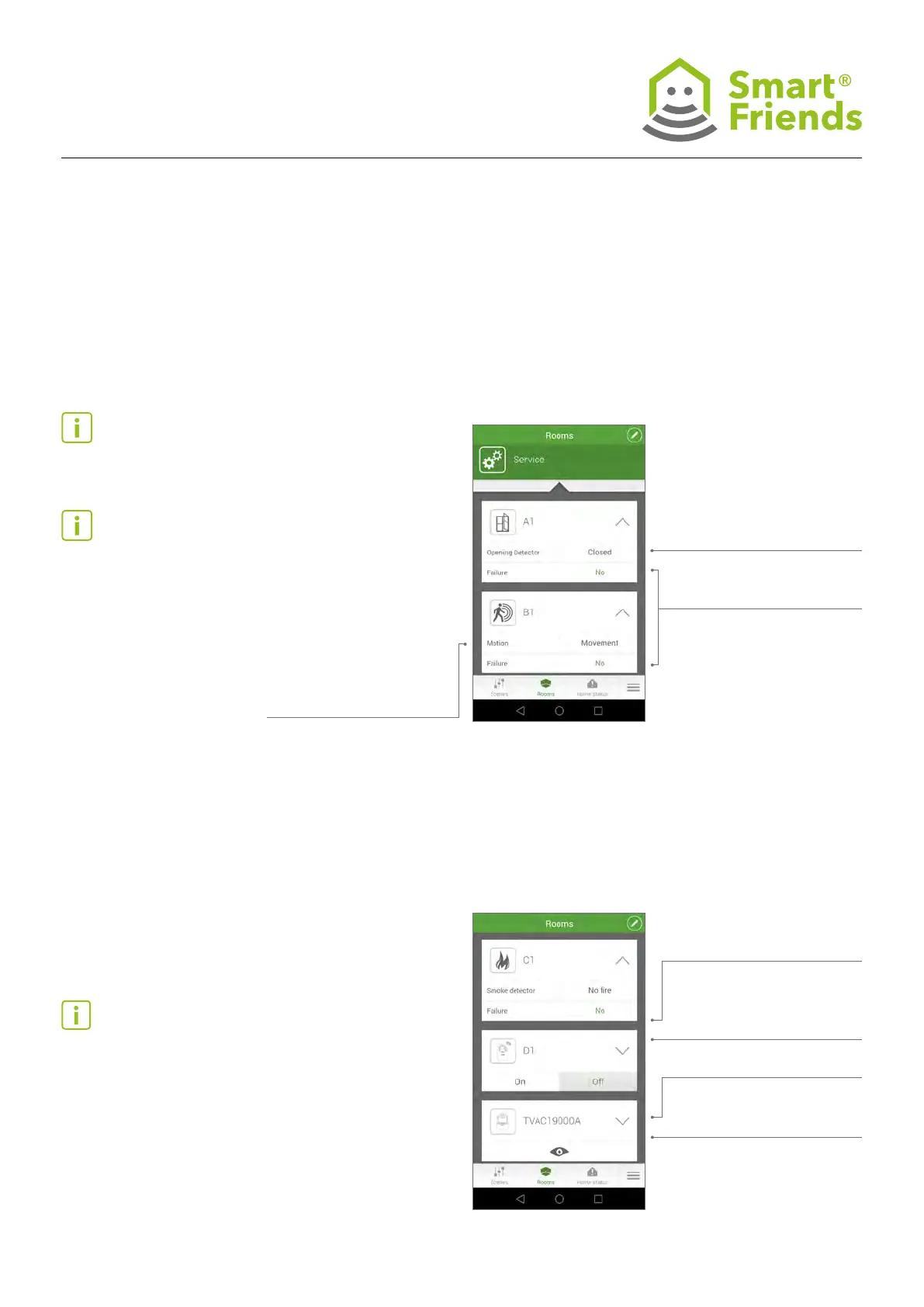
Smartvest Opening Detector/Motion Detector
Status: Open/closed
Failure: No, Low battery,
No signal
Socket
Failure: No, No signal
Status: Fire/No re
Smoke Detector:
Failure: No, Low battery,
No signal
Switch: On/Off
Tip (opening detector): All “Low battery” messages must be
acknowledged in the Smartvest app.
Tip (motion detector): The Smartvest Motion Detector has
an energy-saving mode. Once movement has been detected,
the status remains on “Movement” for 120 seconds, and the
earliest that a new movement can be detected and reported
is after these 120 seconds have expired.
Tip (smoke detector): When you test the smoke detector
by pressing the test button, the “Fire” status remains for 30
seconds.
If there is a real re alarm, the “Fire” status remains in place
until the smoke detector stops its alarm. This happens if
there are no more smoke particles present in the measuring
chamber.
A1.4
Smartvest Smoke Detector/Socket
Status: Movement/
No movement



 To Next Page