44
Installation instructions
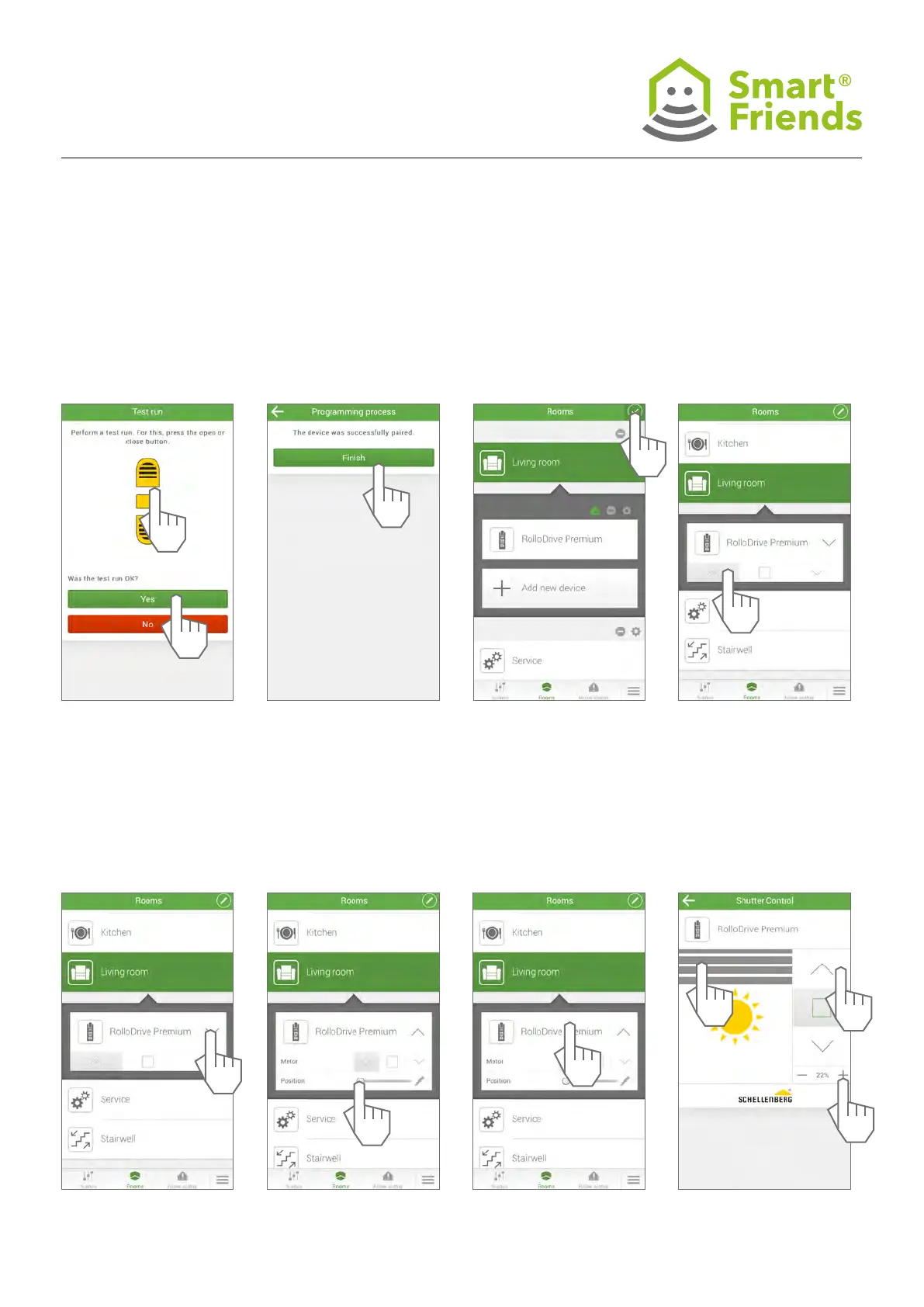
SC2.7 SC2.8 SC2.10
Control the product via the
Rooms view.
SC2.11
Open the menu for further
control options.
SC2.12 SC2.13
Select the detail view for
further control options.
SC2.14
You can use the roller shutter
(A), the arrow buttons (B) or the
percentage gure (C) to control
the device.
SC2.9
Exit the programming mode.
1
B
C
2
A



 To Next Page