81
Installation instructions
P4.4
Remote control – Connection to Paulmann devices
Pairing the devices to the remote control
Once the remote control has been paired with the Smart
Friends Box, it can be connected directly to the devices. This
offers the benet of allowing the devices to be controlled,
even when the Smart Friends Box is not active.
The Touchlink function can be used to connect directly to
devices (“Binding”).
Pairing via Touchlink
To pair devices to the remote control via the Touchlink func-
tion, the remote control must be held near the chosen actu-
ator (<30 cm). Then press and hold the chosen group button
on the remote control for more than three seconds. Depend-
ing on their function, lamps or luminaires signal the pairing
process and its successful completion by ashing repeatedly
or alternately or by lighting up green. As soon as the remote
control has stopped ashing, the pairing process is complete
and the remote control can be used within normal range of
the device.
It is possible to allocate a device to additional group but-
tons. To do so, simply repeat the procedure described above
with the next group button of your choice. This allows larger
groups to be switched on or off and controlled simultaneous-
ly. If devices of different types are mixed in the same group,
a device will ignore any group commands that it does not
support (e.g. colour selection red – dimmable lamps remain
unchanged).
Toggle switching or using an additional remote control
If you want to use an additional remote control for the same
device, this can be “cloned”. Proceed as follows:
- Remote control A: Press the On/Off button for three
seconds; the network will be opened for 180 seconds.
- Remote control B: Also press On/Off for three seconds;
remote control B will switch to discovery mode, connect to
the open network and adopt the network address.
All functions programmed via remote control A up to this
point can now be accessed using remote control B as well.
Unpairing devices from a remote control
You can unpair individual devices from the remote control via
Touchlink, or reset the remote control to the default setting.
Unpairing via the Touchlink function
Press the group button of the actuator you want to unpair.
Then press the P button for three seconds. The small status
LED of the remote control will ash three times. Then hold
the remote control within Touchlink range (<30 cm) of the
actuator. The respective actuator will ash three times; it has
now been unpaired.
P4.5
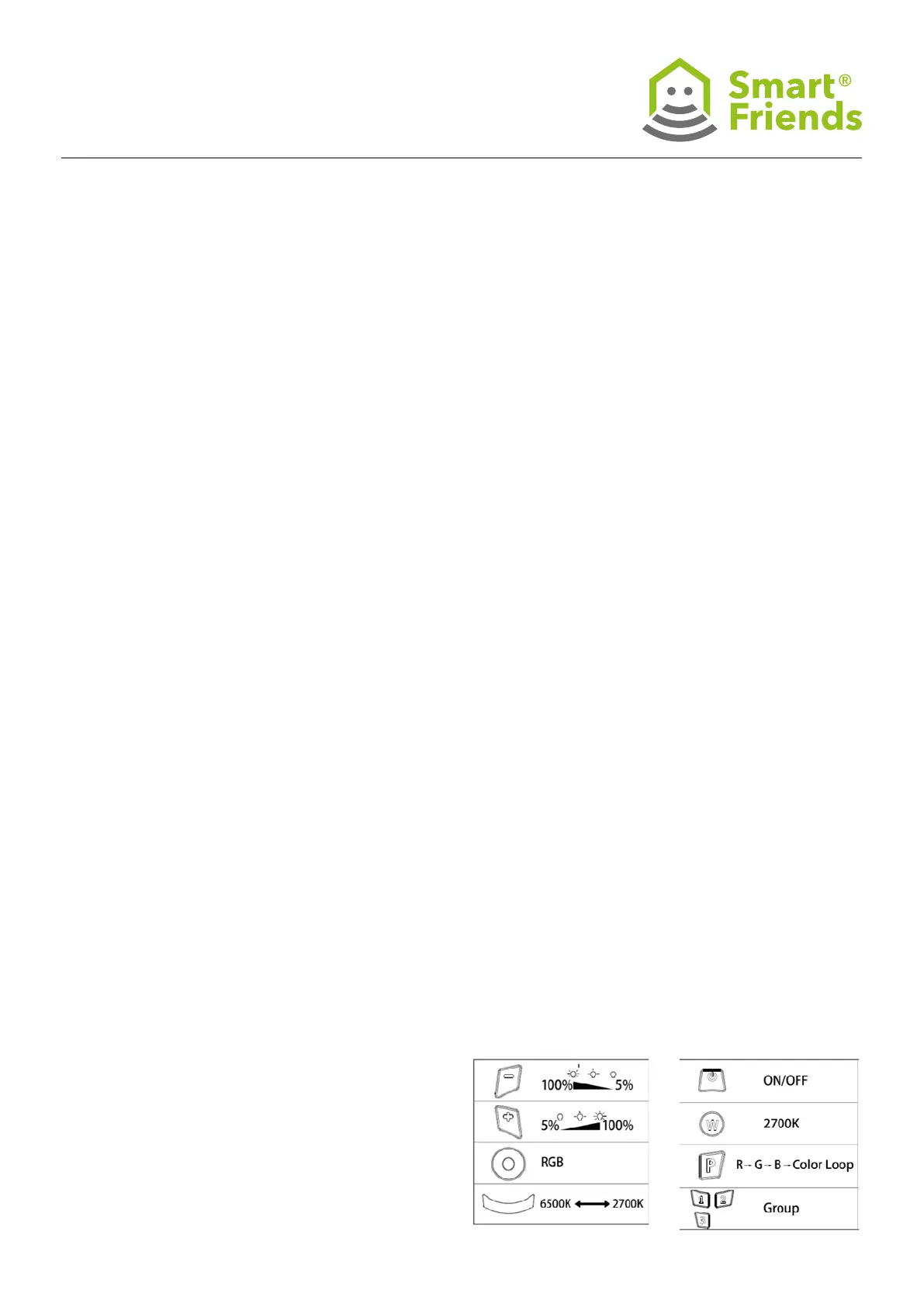
Using the remote control: The remote control can be used
to switch devices on an off, as well as adjust the brightness
(+/-), colour selection (colour selection wheel) and light colour
(white tone scale and W touch eld for 2700 K warm white).
In addition, the automatic colour change can be activated by
pressing the P button (starts from the colour blue).
For a description of how to use the group buttons, see Pairing
via Touchlink.



 To Next Page