Chapter 4 • Downloading Downloading New Updates
©X-431 USA 4-17
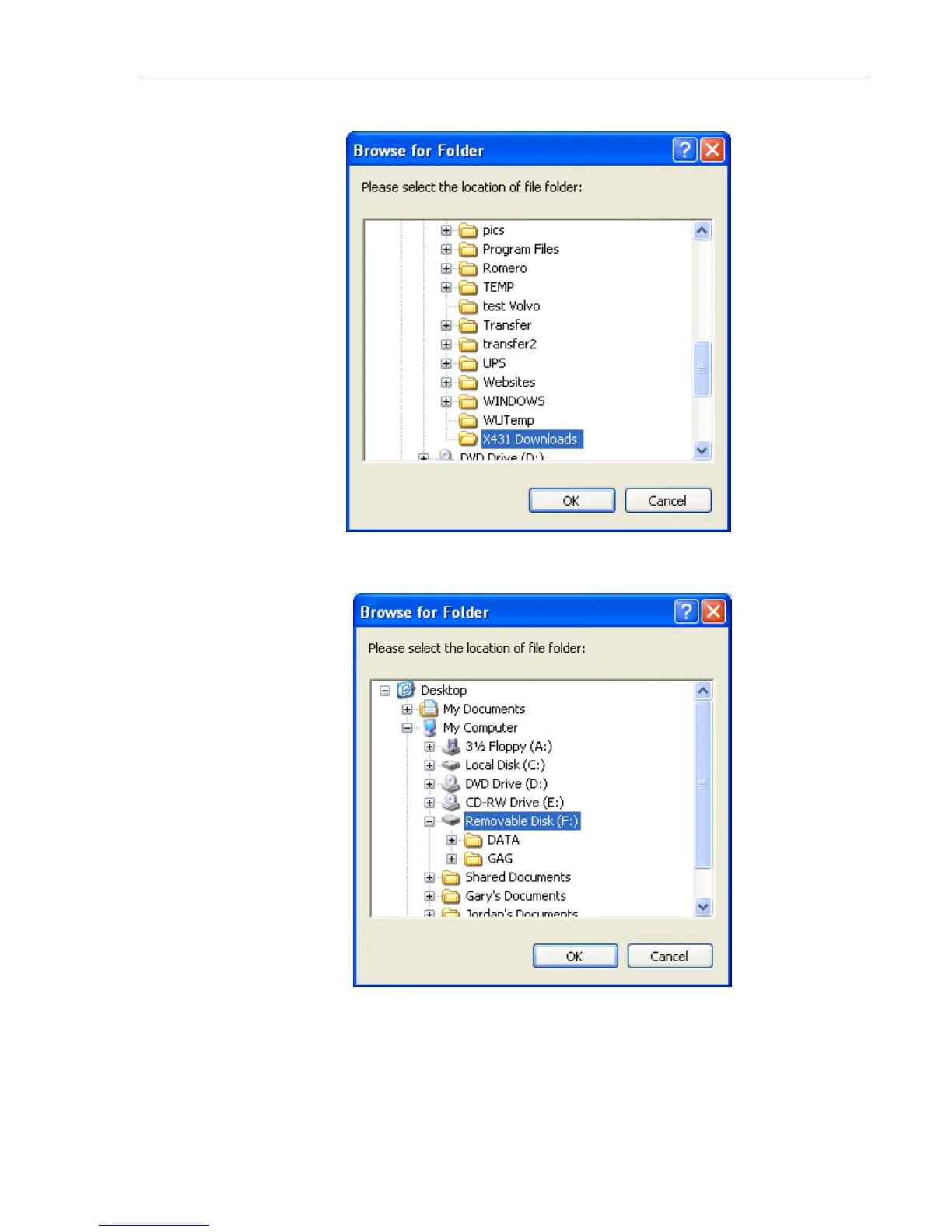
a. Select the correct folder, and click OK. (C: -> X431 Downloads)
b. If you need to change the Target folder, click the binoculars, select
the correct drive, and click OK.
You only want the outermost file in the target drive selected. For
example, if the removable drive is E:, and it has two subfolders, DATA
& GAG, you want the target to read E:, not E:\DATA or E:\GAG. The
update program will place the software into the appropriate folders
automatically.



 To Next Page