EasyManua.ls Logo

SMC Networks HEC002-A5 - User Manual

SMC Networks HEC002-A5
56 pages
Print Icon
To Next Page IconTo Next Page
Loading...
HEC002-A
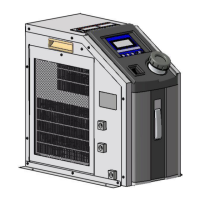
Air-cooled Thermo-con
Model No.
HEC002-A5*
HEC006-A5*
Keep this manual available at all times.
A_HEC-OM-I009
Rev1.6 Apr.2018

Table of Contents

Questions and Answers

  • J
    Jamie PowellAug 18, 2025
    What to do if I see ERR14 on my SMC Networks HEC002-A5?
    • J
      James SosaAug 19, 2025
      If you're encountering an ERR14 error with your SMC Networks Controller, it could be due to several reasons: high ambient temperature, dust accumulation on the filter, zero flow rate, pump failure, or fan malfunction. To address this, try the following: decrease the ambient temperature, remove dust from the filter, ensure the circulating fluid is flowing, and confirm that the fan for radiating the thermo module is working correctly. If the flow rate of circulating fluid is zero, the temperature of circulating fluid can’t be measured and the temperature of heat exchanger may increase.
  • M
    malikwashingtonAug 21, 2025
    Why is my SMC Networks HEC002-A5 Controller showing ERR11?
    • T
      Timothy DavisAug 21, 2025
      An ERR11 error on your SMC Networks Controller can be triggered by several factors: reduced DC output voltage, a stopped fan in the power supply, dust accumulation on the filter, or voltage sag. To resolve this, check that the power voltage is between 100 and 240VAC. Remove any obstructions that may be preventing the fan from operating. Clean any dust from the filter. Finally, ensure that voltage sag does not last longer than 50ms, as this can reduce the DC power supply output and trigger the alarm.
  • P
    Pamela CooperAug 23, 2025
    What to do if my SMC Networks HEC002-A5 shows ERR12?
    • M
      martinthomasAug 23, 2025
      If your SMC Networks Controller displays ERR12, it could be due to the internal temperature sensor exceeding the high-temperature cutoff or a zero flow rate of circulating fluid. You should check the set value for the high-temperature cutoff and confirm the temperature really reaches this value. If the flow rate of the circulating fluid is zero, the temperature of circulating fluid can’t be detected and might increase. Confirm the flow of circulating fluid isn’t stopped by valves etc.
  • T
    Tammy HunterAug 26, 2025
    How to fix ERR20 error on SMC Networks Controller?
    • N
      natalie11Aug 26, 2025
      If your SMC Networks Controller is showing an ERR20 error, it's likely due to insufficient fluid in the reservoir or a fluid leak. Refill the fluid reservoir. Also, inspect all fluid connections to the product to check for leaks.
  • J
    Joshua DavisAug 27, 2025
    What does ERR13 mean on my SMC Networks HEC002-A5 Controller?
    • D
      David LeeAug 27, 2025
      If your SMC Networks Controller is showing ERR13, it means that the internal temperature sensor value is lower than the low-temperature cutoff or the flow rate of circulating fluid is zero. Check the set value for the low-temperature cutoff and confirm if the temperature actually reaches this value. If the flow rate of the circulating fluid is zero, the temperature of circulating fluid can’t be detected and might increase. Confirm the flow of circulating fluid isn’t stopped by valves etc.
  • J
    Jonathan Brown DDSAug 30, 2025
    Why does the temperature fluctuate on my SMC Networks Controller?
    • E
      erinandersonAug 30, 2025
      If the temperature of your SMC Networks Controller gradually rises and falls +/-1 to 2 ?C around the set point, it could be due to a low flow rate of circulating fluid or incorrect PID parameters. Ensure the flow rate is at least 1L/min (HEC002) or 3L/min (HEC006). If the temperature remains unstable at the default value, perform auto-tuning.
  • M
    Mitchell FreemanSep 1, 2025
    What causes ERR15 on my SMC Networks Controller?
    • M
      marcusvazquezSep 1, 2025
      If your SMC Networks Controller displays ERR15, it indicates a cooling or heating capacity overload, or the volume of circulating fluid is too large. If PV temperature changes when the set temperature is raised and lowered, it causes overload. If the volume of the circulating fluid system is too large, the change of temperature takes a long time. In this case, change the overload judging time setting to avoid this alarm.
  • M
    Melissa DeanSep 4, 2025
    What does ERR04 mean on my SMC Networks HEC002-A5?
    • M
      Michael WillisSep 4, 2025
      If your SMC Networks Controller is showing an ERR04 error, it means the controller EEPROM data has been corrupted due to high-level noise, or the writing frequency to EEPROM exceeds the product guarantee value (1,000,000 times). If the alarm cannot be reset, request a repair.
  • J
    Jennifer McbrideSep 6, 2025
    What does ERR16 mean on my SMC Networks HEC002-A5?
    • A
      Antonio MataSep 6, 2025
      If your SMC Networks Controller (option) displays ERR16, it indicates that the flow rate of the circulating fluid is 1 L/min or less, or the thermo-controller is faulty. Investigate why the flow rate of the circulating fluid is low and take countermeasures. If needed, replace the thermo-controller with a new one to check if it is broken; SMC can repair faulty controllers.
  • H
    Hannah OwensSep 8, 2025
    What causes ERR00 error on SMC Networks HEC002-A5?
    • D
      Douglas PageSep 8, 2025
      If your SMC Networks Controller displays ERR00, it is caused by high-level noise on the power line, ground line, or temperature sensor line. Move the product to an environment with little noise and turn on the power supply. If the alarm disappears, it was indeed caused by noise. Please consult with us.

Summary

Operation Manual

History

Record of Changes

Details revisions to the manual, including version updates and content modifications.

Preface

Table List

Abbreviations

Lists and defines technical abbreviations used throughout the manual for clarity.

1 Introduction

1.1 Scope and general description of use

Defines the manual's applicability and provides an overview of the Thermo-con unit.

1.2 Operation by external communication

Explains the unit's communication standards and capabilities for external control.

1.3 Contents of operation manual

Outlines the structure and topics covered in each chapter of the operation manual.

2 Safety Instructions

2.1 Before using the Thermo-con

Covers essential safety training and precautions before operating the Thermo-con unit.

2.2 Warning label and Caution label

Explains the meaning and placement of hazard warning and caution labels on the product.

2.3 Precautions for running (safety interlock)

Details safety interlock functions and precautions to prevent hazards during operation.

2.4 Disposing of product

Provides guidance on the proper and safe disposal procedures for the product.

3 Caution on Installation

3.1 Environment

Specifies the recommended environmental conditions for product installation and operation.

3.2 Installation

Guides on the proper placement and airflow requirements for installing the Thermo-con unit.

3.3 Mounting

Describes the procedure and hardware needed for securely mounting the product.

3.4 Piping

Provides instructions for connecting the circulating fluid piping, emphasizing flow rate and resistance.

3.5 Handling

Advises on the correct method for safely handling and transporting the Thermo-con unit.

4 Unit Overview

4.1 Method of identifying model

Explains how to interpret the model number and its components.

4.2 Manufacturing years method of display

Details the method used to determine the manufacturing year from the serial number.

4.3 Model No. label

Shows the location and explains the information present on the unit's model number label.

4.4 Appearance

Presents the external appearance and outline dimensions of the Thermo-con models.

4.5 Outline of operation

Provides a high-level explanation of the unit's internal operation and systems.

4.6 Functions

Describes the various operational functions and capabilities of the Thermo-con unit.

5 Names and Functions of Components

5.1 Side view

Identifies and describes the components located on the side view of the unit.

5.2 Top view

Identifies and describes the components located on the top view of the unit.

5.3 Auto tuning function

Explains the auto-tuning function for optimizing control parameters and its operation.

6 Specifications

6.1 Specification table

Presents detailed technical specifications for the HEC002-A and HEC006-A models.

6.2 Performance chart

Provides graphical representations of the unit's cooling and heating performance characteristics.

7 Preparation for Operation

7.1 Preparation for circulating fluid

Details the steps for preparing and filling the unit with circulating fluid.

7.2 Power supply

Outlines the requirements and procedures for connecting the unit's power supply.

7.3 Grounding

Explains the importance and method for properly grounding the unit for safety.

7.4 Supply circulating fluid and drain

Describes the process of supplying circulating fluid and draining it from the unit.

7.5 Check Repair

Lists essential checks to be performed before operating the unit to ensure proper function.

8 Operation

8.1 Condition after power up

Describes the unit's state and display indications immediately after power is turned on.

8.2 How to operate

Provides a general guide on how to operate the Thermo-con unit using its control panel.

8.3 Setting Mode, Level 1

Explains how to access and use Level 1 setting mode for basic operations like target temperature.

8.4 Setting mode, Level 2

Details how to access and use Level 2 setting mode for maintenance and advanced configuration.

8.5 Setting mode, Level 3

Describes Level 3 setting mode, primarily for communication parameter configuration.

8.6 Detail of setting mode level

Provides in-depth explanations for each setting mode level and its parameters.

9 Alarm

9.1 How to Identify Alarm

Explains how to recognize and identify different alarm conditions based on the unit's display.

9.2 Alarm indication

Illustrates the visual indications (blink/light) for various alarm states on the unit's display.

9.3 How to reset alarm

Provides instructions on the methods for resetting different types of alarms.

9.4 Alarm code list

Lists all alarm codes, their descriptions, and the conditions under which they occur.

9.5 Troubleshooting

Offers guidance on diagnosing and resolving common alarm conditions and operational issues.

10 Appendix

10.1 Signal and style of connectors

Details the pin assignments and physical styles of the unit's connectors.

10.2 Calculation of dew point (from psychometric chart)

Explains how to calculate the dew point using a psychrometric chart based on ambient conditions.

10.3 Power Supply Cable

Provides specifications and usage notes for the included power supply cable.

Revision history

SMC Networks HEC002-A5 Specifications

General IconGeneral
BrandSMC Networks
ModelHEC002-A5
CategoryController
LanguageEnglish

Related product manuals