HRX-OM-O021
Chapter 4 Starting the Product
4.4 Starting and Stopping HRS Series
4-6
4.4 Starting and Stopping
4.4.1 Starting the product
Before starting, check the items specified in “4.1 Before Starting”
If any alarm lamp remains on, refer to Chapter 6 Alarm indication and
trouble shooting”
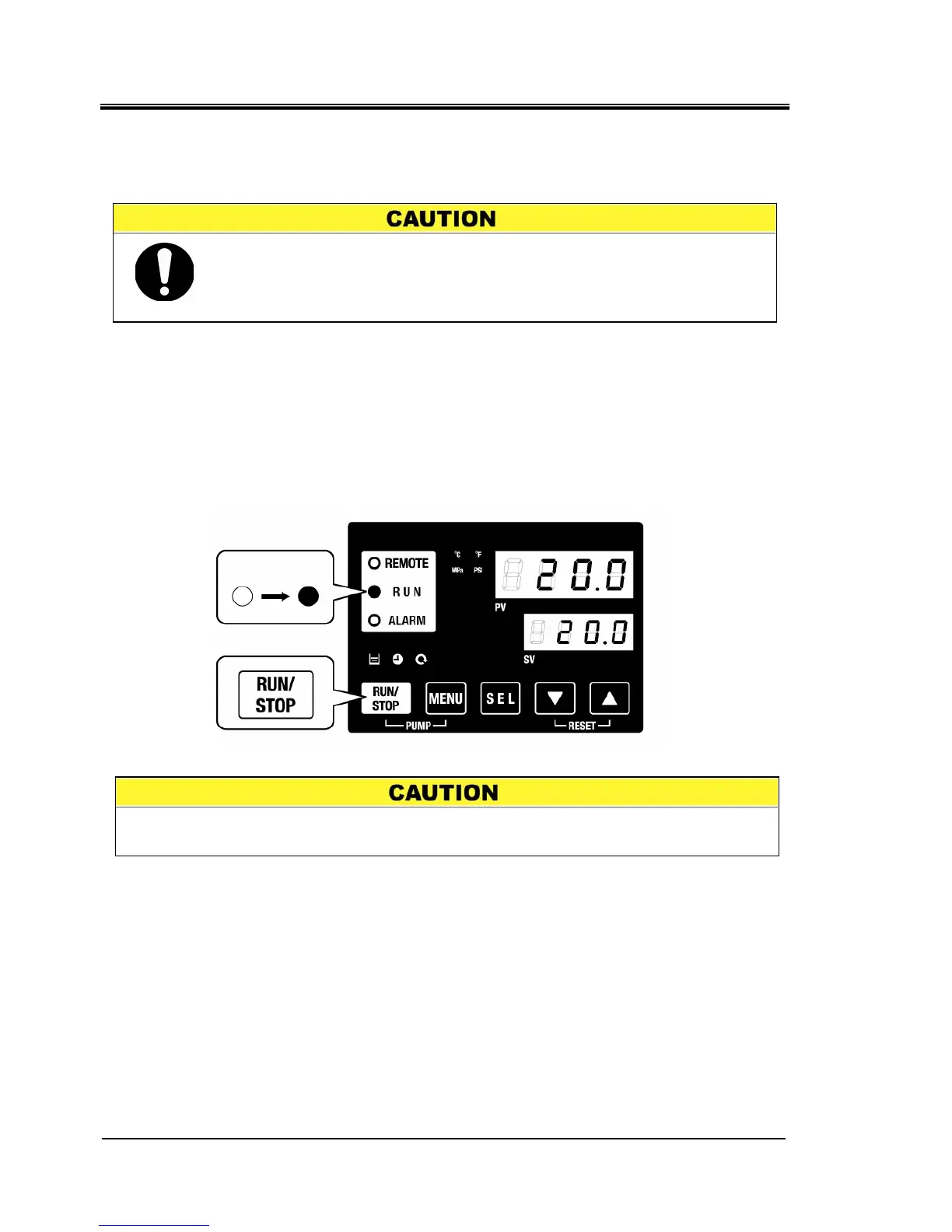
1. Press the [RUN/STOP] key on the operation panel.
The [RUN] lamp lights up (in green) and the product starts running. The circulating
discharge temperature (PV) is controlled to the set temperature (SV).
Fig. 4-8 Starting the product
ON
Press
When an alarm occurs Refer to “Chapter 6 Alarm indication and trouble
shooting’’
Allow at least five minutes before restarting the product.


 To Next Page
 Loading...