5.8 Tenfold display x10
Displays the weight value with another decimal value in 10 times higher resolution.
Use the Function Change key to switch to the Setting Functions level.
Gross x 10
Auxiliary
display
Prog-
ram
Setting
mode
F 1 F 2 F 3 F 4 F 5 F 6
Press the key F2 x10.
Approvable scale
If the scale has been calibrated for legal metrology, the resolution is ten times higher as long as the x10 key
is held down. After the key is released, the x10 display switches to the following position 5 seconds.
Non-approvable scale
If the scale is not calibrated for legal metrology, the resolution is ten times higher and appears constantly in
the display. Pressing a key switches on the tenfold higher resolution. Pressing the key again switches the
tenfold higher display off again.
As long as the tenfold higher display is active, X10 appears in the toolbar. The function is deactivated when
the device is switched off.
In the setting mode, you can constantly switch on the tenfold higher display for a weighbridge.
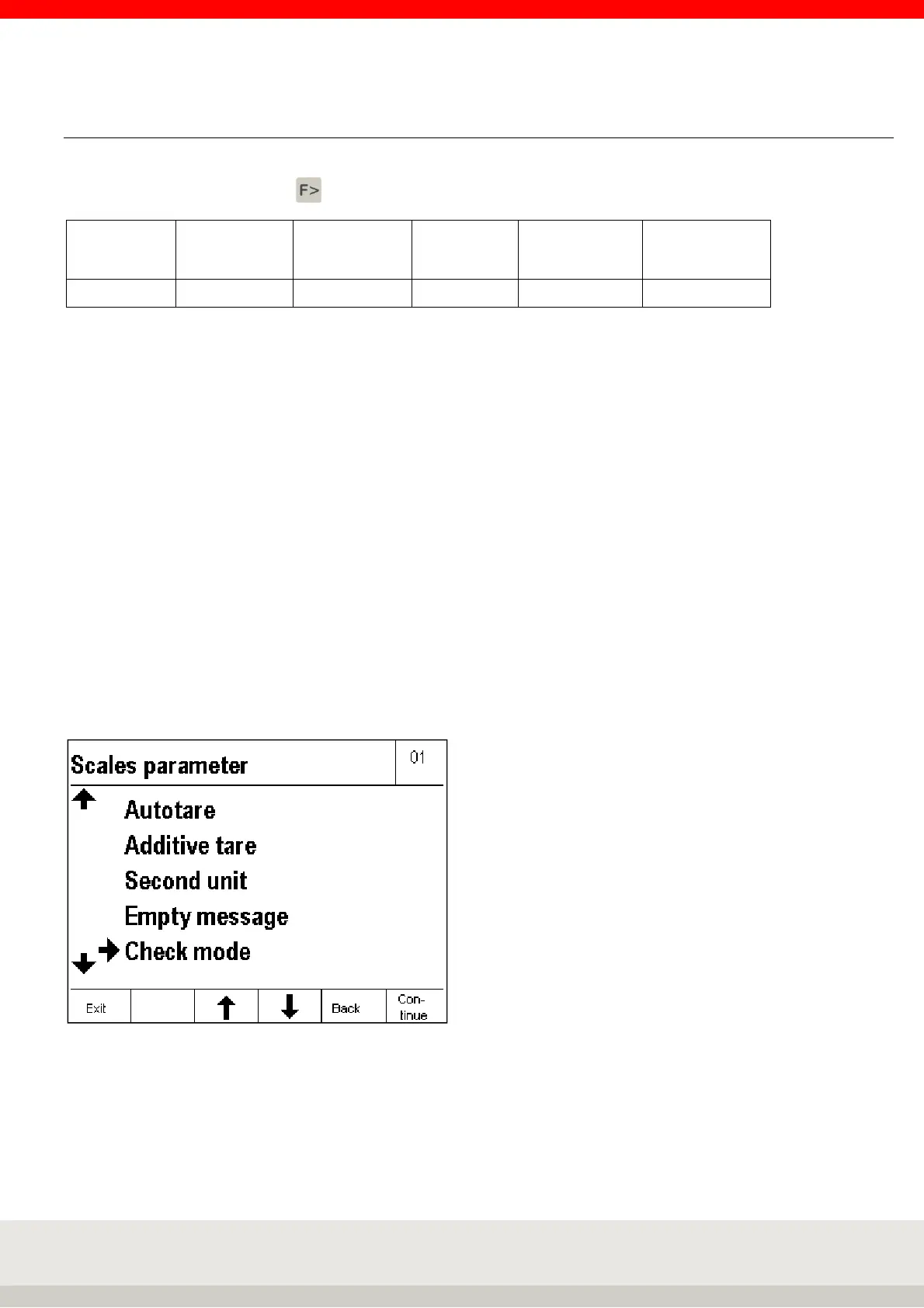
The function Setting mode / Scale / Scale parameters / Check mode / on constantly activates the x10
display and deactivates the x10 key.
Prerequisite: The scale cannot be calibrated. The factory setting is "off".



 To Next Page