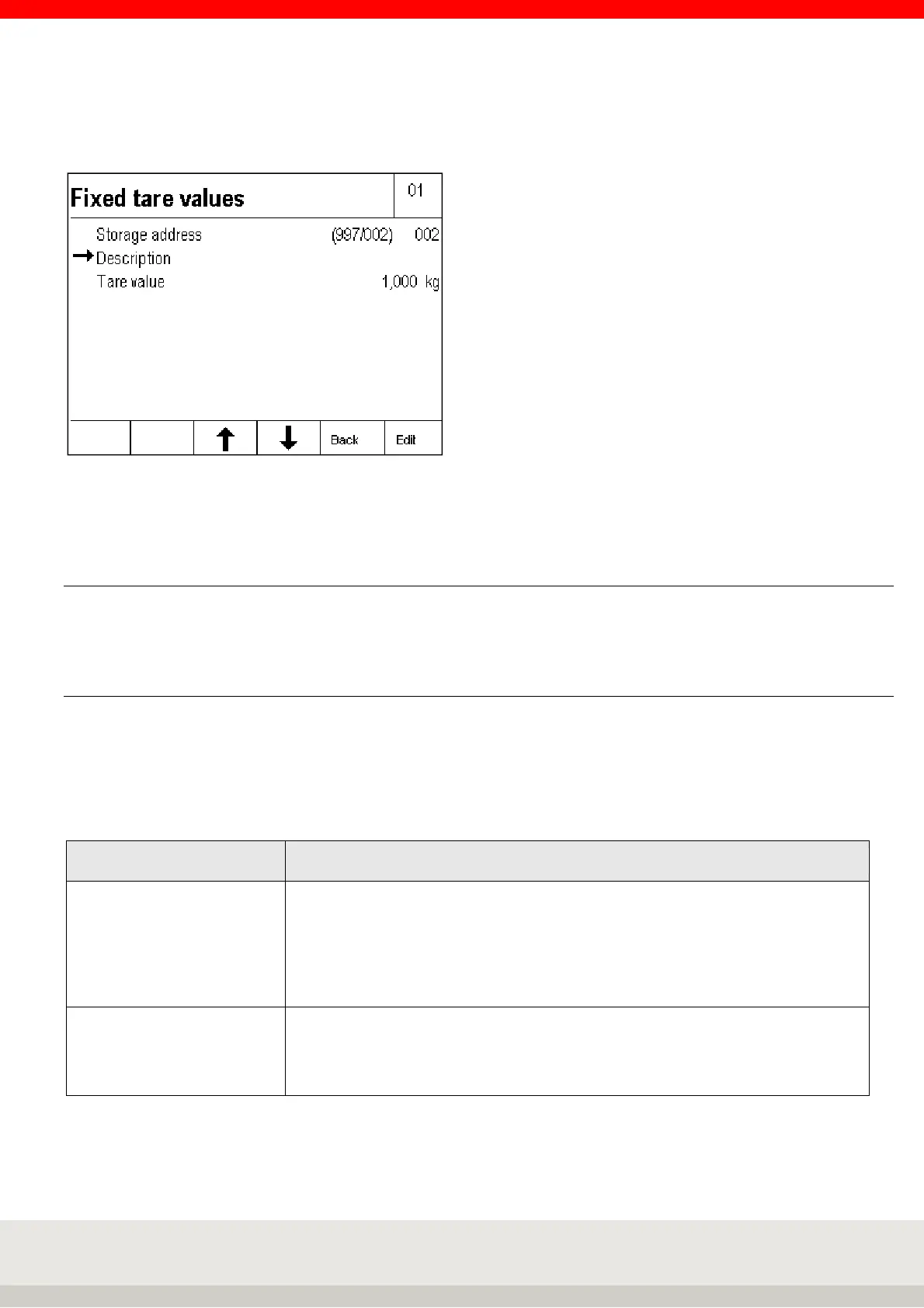
By pressing the F5 Apply Fix key, the value can be stored directly in the fixed memory.
The input window for the fixed tare values appears.
To enter the designation of the fixed tare value, press the F6 Edit key.
Enter the name using the keypad and confirm your entry by pressing the F6 Enter key.
6.6.17 Organizational data (Identifier)
Detailed information on the organizational data can be found in chapter 5.11 on page 46.
6.6.18 Settings in the setting mode
With the parameters in the setting mode, you can adapt the application program Totalising and Picking to
your individual requirements.
To call up the setting mode, press the F6 Setting mode key in the Setting functions level and then press F6
Apply to call up the program settings.
F6 Next calls up the program settings for the selected application program.
2 Totalising and Picking
Totalising or Picking Selection of totalling or picking for the following settings.
Totalising means that the individual items are removed from the scale after they
have been stored in the totalising memory.
Picking means that the individual items remain on the scale after they have been
stored in the totalising memory and that the next items are placed on the scale.
Factory setting: Totalising
Reference scale for
totalisation
Selection none, scale xx, scale xx etc.
Which scale no. is used for the resolution of the totalising memory.
If none is selected, the currently loaded scale is always used for the first
totalisation. Factory setting: none



 To Next Page