5.2.4 Open the cabinet doors and equipment compartment doors
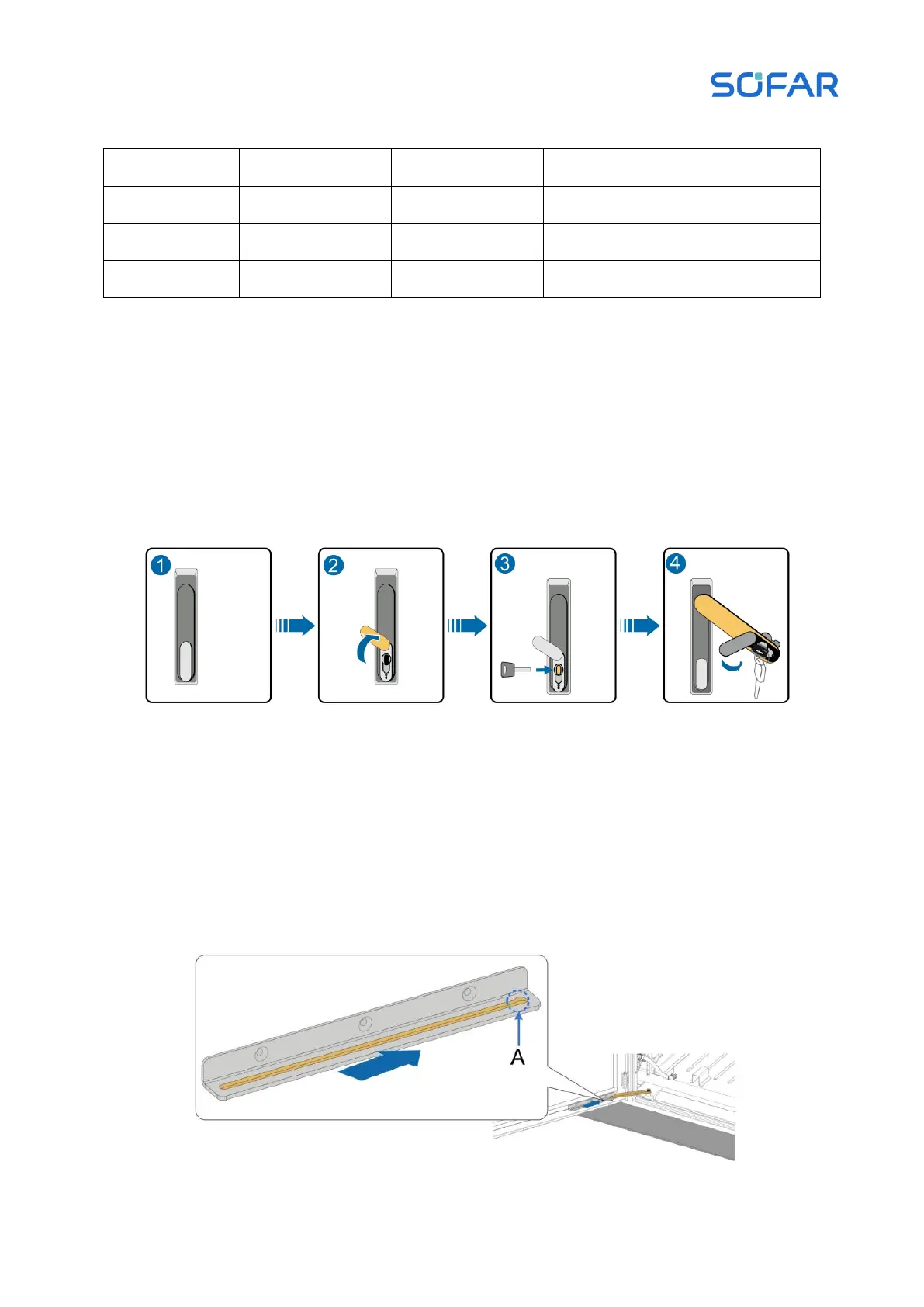
Step 1 Open the door of the energy storage cabinet and battery cabinet, move the cover of the
door lock hole to the top of the lock hole with the key and rotate. After the door handle pop up and
rotates clockwise, open the cabinet door.
Figure 5.4 Schematic diagram of cabinet door opening
Step 2: fix the cabinet door.
When the cabinet door is opened, the double-headed bolt of the door support will slide
naturally. When the double headed bolts slide into the holes (Point A), the limiting bar will be fixed
automatically.



 To Next Page