Chapter Four: How to Use the Printer and
the Check Work before/after Use
In this Chapter, you will learn how to use the printer, including check work before and after use.
4.1 How to Use the Printer
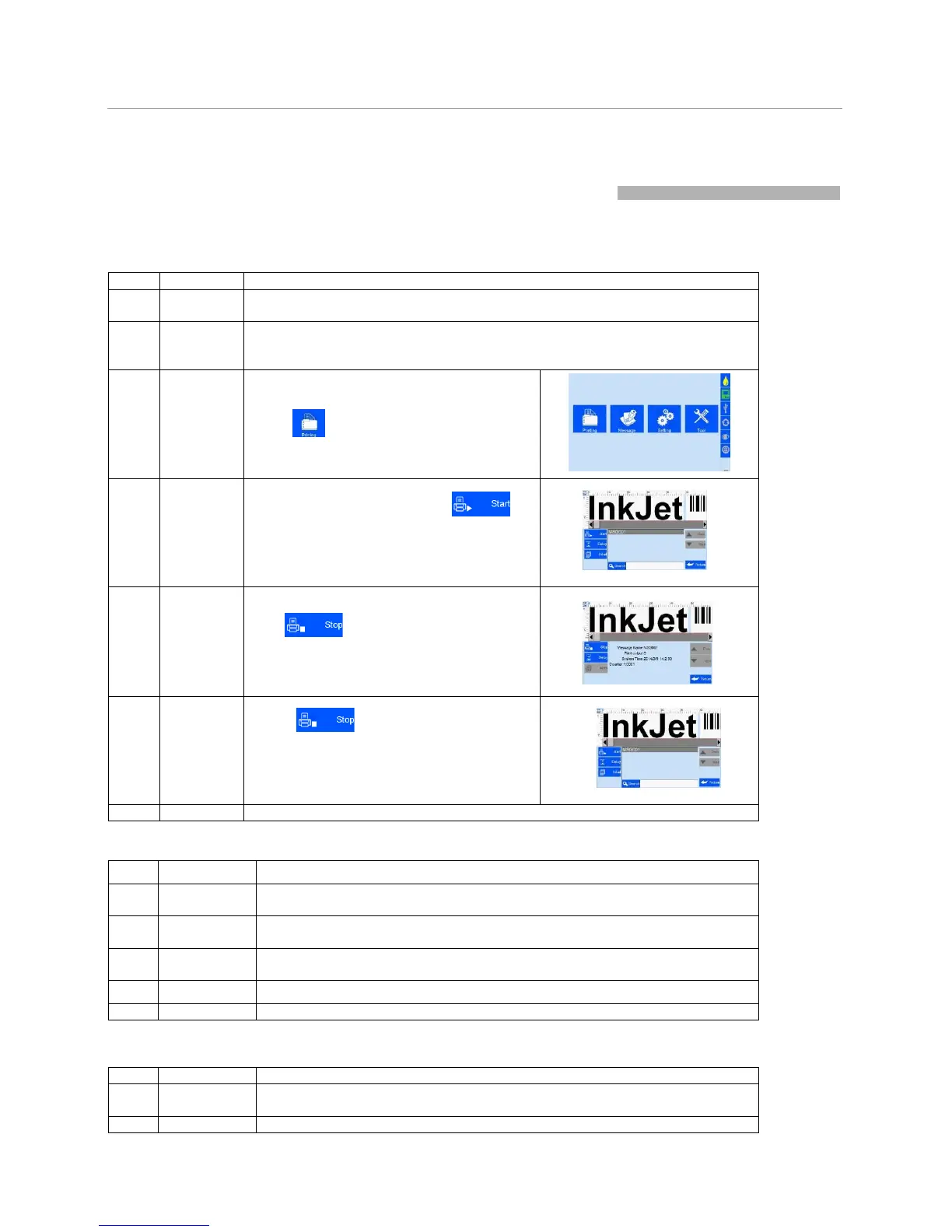
Insert cartridge into the printer stall by an angle of 15 degree, close cartridge clip to
secure. (See Section 2.3 Cartridge Installation).
Load battery to compartment on printer handle, secure with lock catch (see
Section 2.2.2 Battery Installation and Removal). Switch on power, printer enters
initialization startup.
After initialization startup
,
“
m
a
i
n
i
n
t
e
rf
ac
e
appears (see Section 5.1)
Click
to enter “Printing Managemen
(see Section 5.2).
Select
data - Start
printing
Select a file on data list, click
Start printing.
When printing starts, the button change to the
icon for stop printing,
meanwhile a printing report appears.
Click
to stop printing, printing
report
exits, and
the
button
returns
to
“Sta
pr
i
n
t
i
ng
”
s
t
a
t
u
s
.
Exit printing, and switch off power.
4.2 Check Work before Use
Is the battery fully charged?
Do the wheels slide well?
Is the encoder well connected to positioning wheels? Make sure the connection
is not loose.
Is the cartridge wiped clean? Has the cartridge been installed to printer?
Check status bar, is the equipment status normal?
Is the printer power switched off for power saving?
Is the cartridge removed from printer and wiped clean and printhead capped?



 To Next Page