EasyManua.ls Logo

Sojet ELFIN IH - 5.2 Printing Management; 5.2.1 Find;Preview Data; 5.2.2 Start Printing; Printing Report

Sojet ELFIN IH
41 pages
Print Icon
To Next Page IconTo Next Page
To Previous Page IconTo Previous Page
Loading...
14
5.2 Printing Management
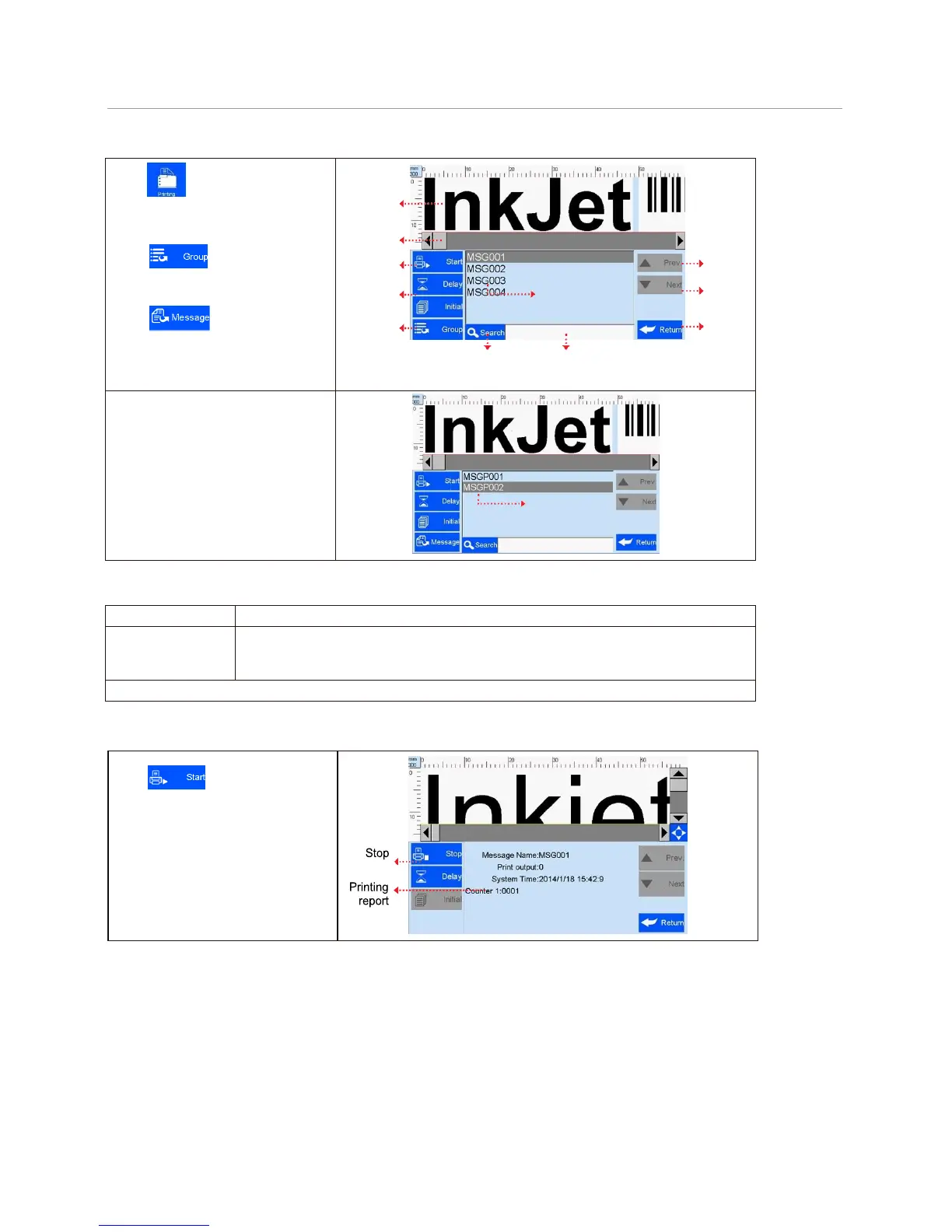
Click on main interface
to enter printing management
(see Figure 2)
Click switch to Multi-Files
Group;
Click switch to single
Files list;
Previe
w
interface
Scroll bar
Start
Page up
printing
Printing
File name
Page
delay
Down
Files & Multi-Files
Return
Group Switch
Search
Keywords entering bar
(Figure 2)
Multi-Files Group list
(Multi-files printing)
5.2.1 Find/Preview Data (see Figure 2)
A. Find data
Find by Pageup/Pagedown/keywords.
B. Preview data
Preview data by locating or selecting a file of data to display on preview interface;
data located/selected will be displayed in sequence on preview interface, and can
be viewed scaled up and down by times of 1 and 2.
Note: Drag the scroll bar horizontally to view the data when it exceeds the screen horizontally.
5.2.2 Start Printing / Printing Report
Click
button to start
printing. When printing starts, a
printing report appears (see Figure 3).
Printing report: It is the timely record
of printing in process, including data
file name in process, print output
quantity, counter value, shift code,
system time. The printing report
exits when printing stops.

printing
(Figure 3)