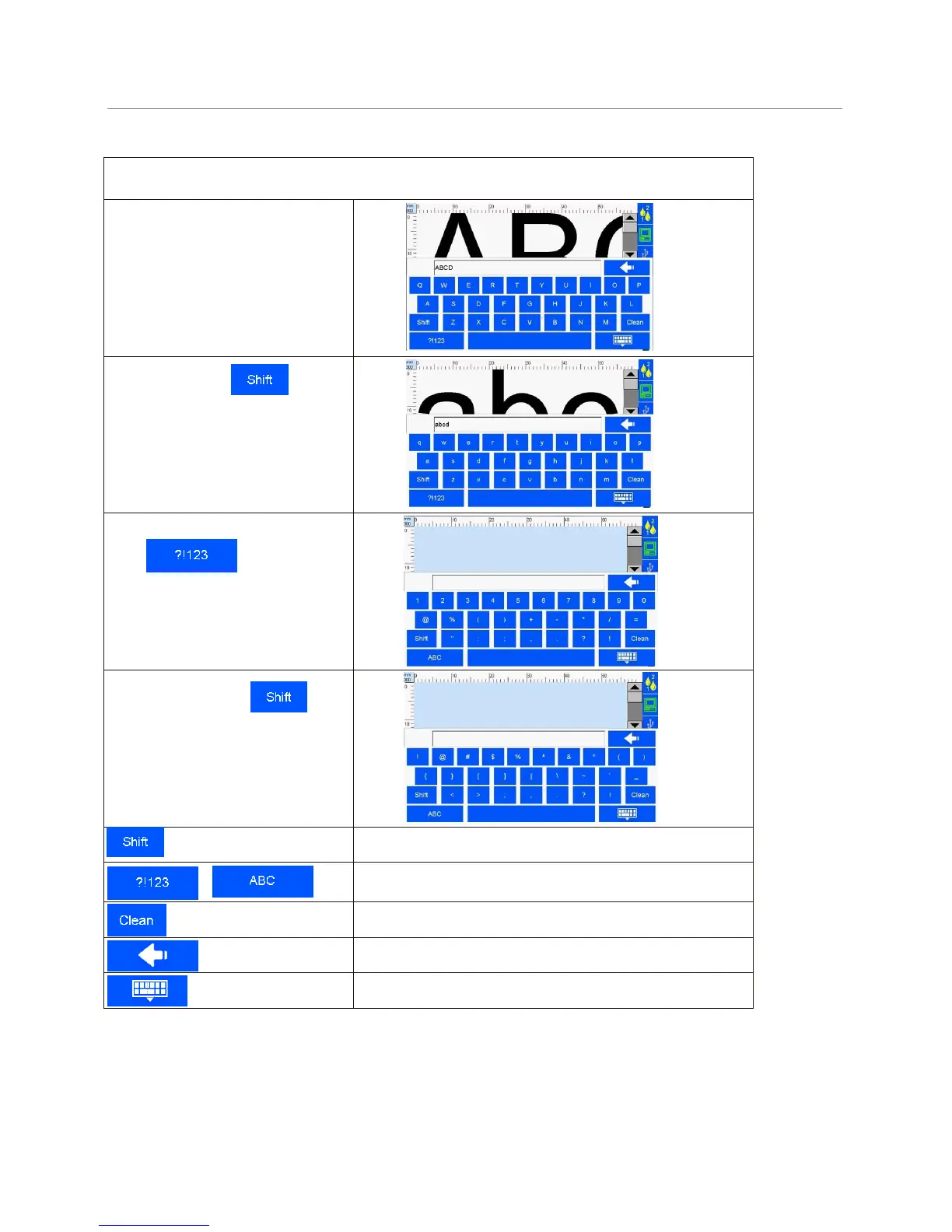
5.6 Edit Input Method Options
A keypad appears when user clicks the editing bar. Keypad of Uppercase, lowercase, numeric, or
common symbols for changeover (see Figure 50, 51, 52, 53).
A. Uppercase: uppercase keypad is
pre-set keypad to appear
(see Figure 50).
B. Lowercase: click to
change between uppercase and
lowercase (see Figure 51).
C. Numeric and common symbols:
Click to change
between numeric or common symbols
input (see Figure 52).
D. More symbols: click on
numeric/common symbols keypad for
more symbols (see Figure 53).
Numeric/common symbols and alphabetic input changeover key.
Remove key (clear all input)
Delete (delete one character)



 To Next Page