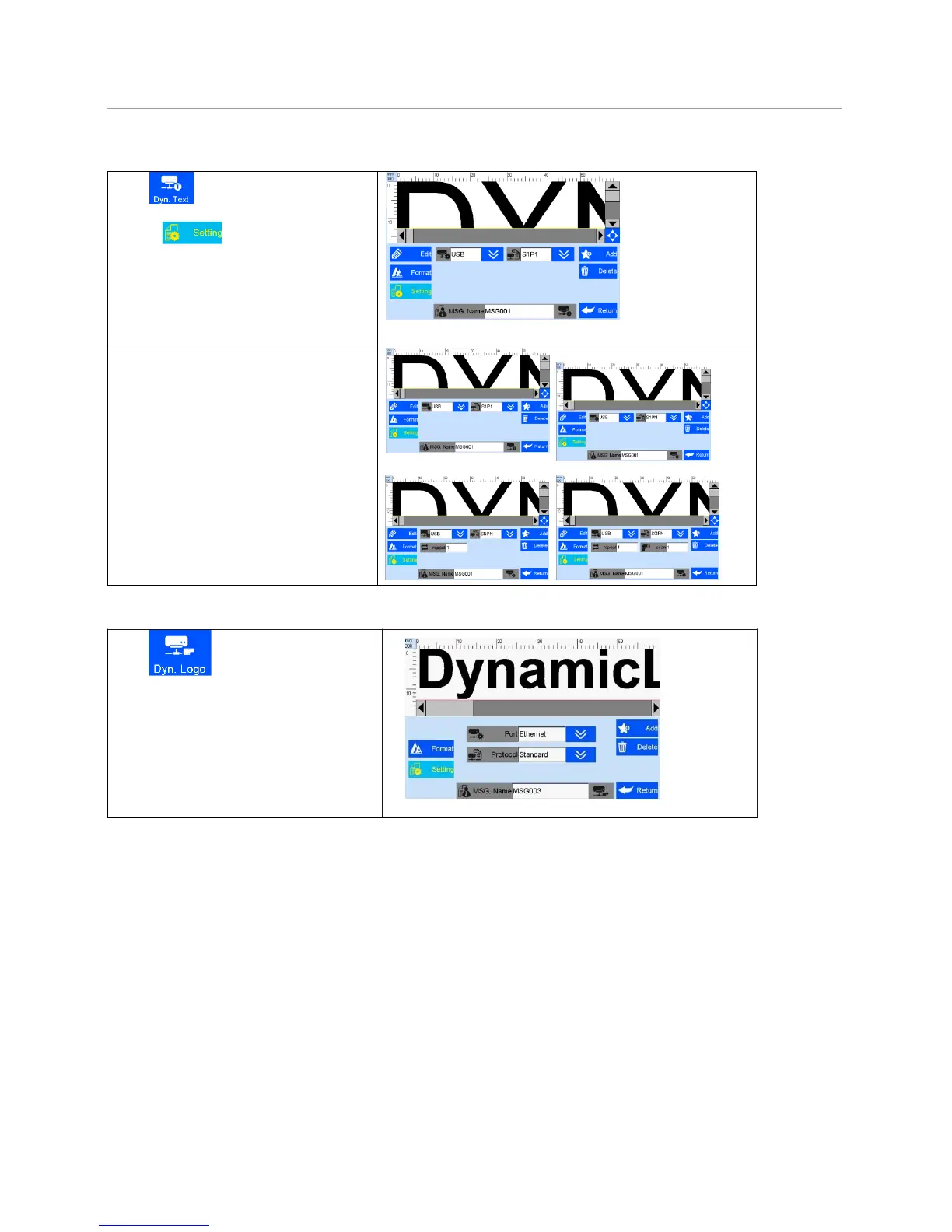
Clip to add dynamic text.
A. Clip to to the interface of
dynamical text setting with the way of
dynamical transmission path or
communication protocol .
B. Scan printing
Port is USB, selection modes are:
S1P1: scan one while printing one
S1PN:scan one while printing multiples,
print to next scan data
SNPN:scan multiples while printing
multiples, can repeat set the print times;
SGPN: Fix scan numbers and print
numbers, can repeat set print times and
scan numbers.
LOGO.See the picture beside.
Note: pls refer to 5.3.9 of adding dynamical
text, set the data transmission path
communication protocol.



 To Next Page