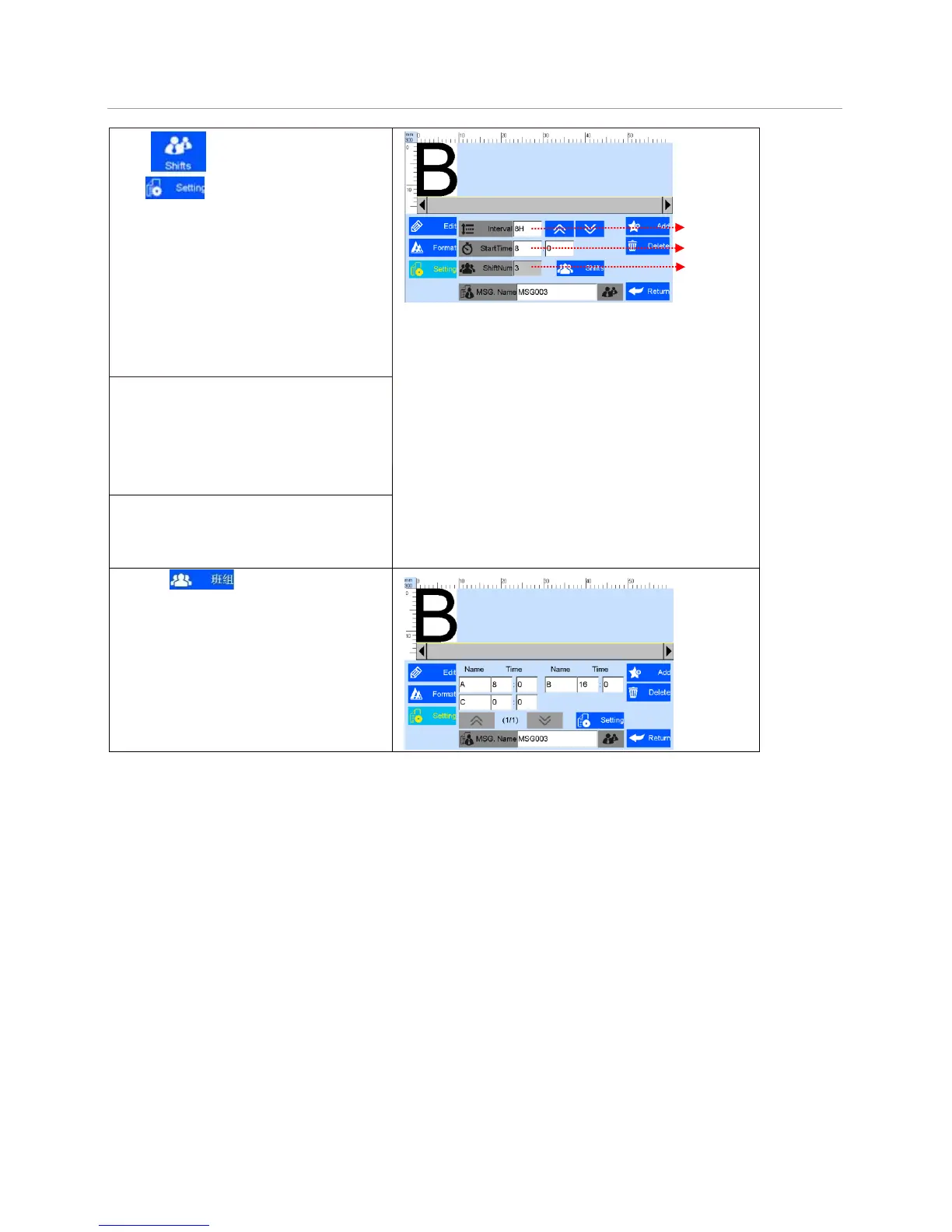
Click to add “shifts code”.
, 添加班组对象。
Click enter the setting interface:
can set shifts interval, start time and shifts
numbers.
A
A. Shifts Interval: 9 options:
0、0.5H、1H、2H、3H、4H、6H、
8H、12H,each option makes a day to
the responding shifts number.
Such as: interval value 8H, means 3 shifts
per day.
B. Start time: set the time for the first
shift.
Note: in 24-hour time system.
C. Shifts: set shifts numbers.
While interval value is 0, shifts can
input freely from 2-48.
D. Click to view the detailed
information.
E. Shift: can set the shit name, time.
F. Shift name: maximum 5 characters.
G. Shift time: can set different time,
shifts will change according to time.



 To Next Page