2.2 Battery Charging, Installation and Removal
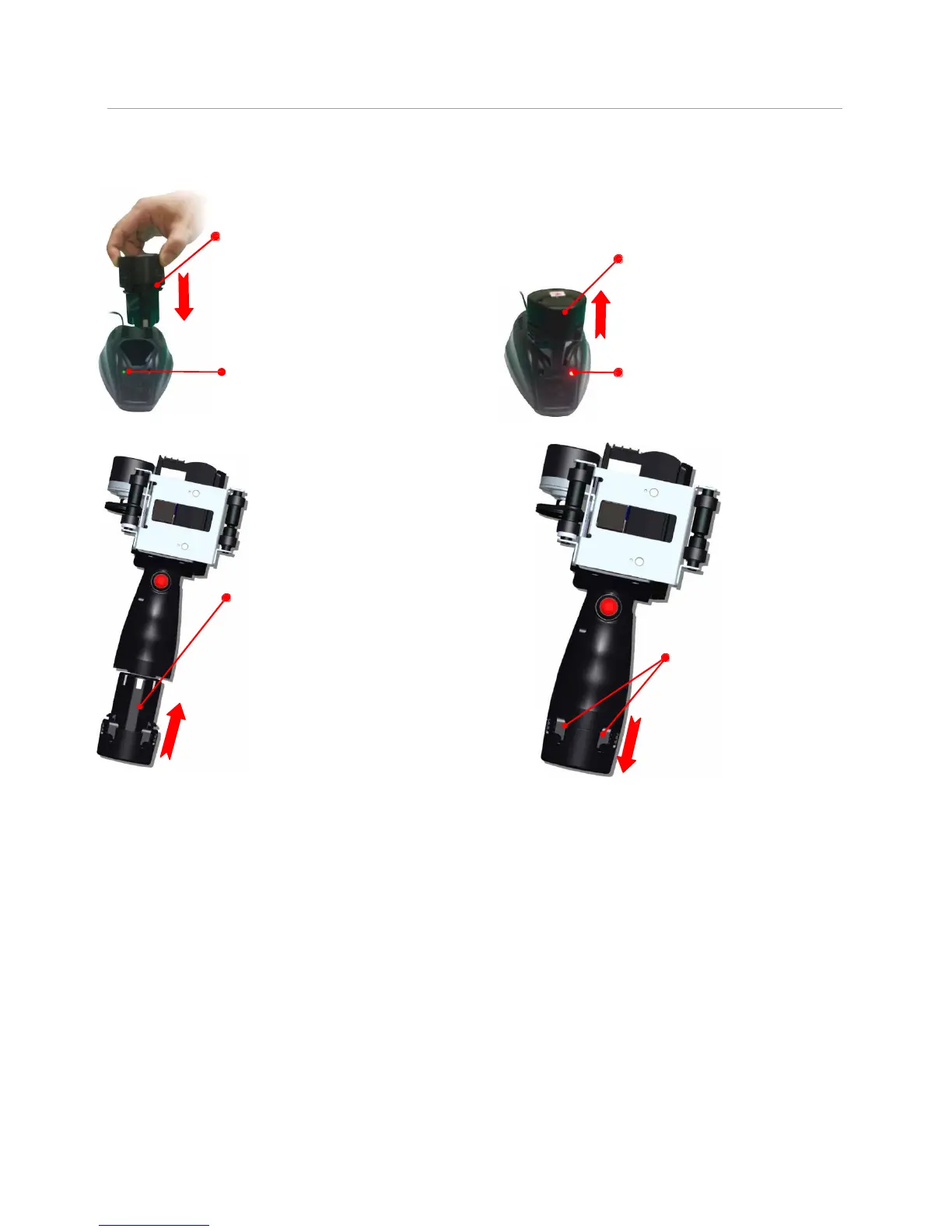
2.2.1 Battery Charging
Battery charging:
Insert battery into charger.
Green indicator light: battery
not inserted or battery fully
charged.
Battery charging finished:
remove battery from charger.
Red indicator light:
Battery is on charge.
2.2.2 Battery Installation and Removal
Battery installation: Put the
battery into compartment in
the handle of the printer;
listen for a click indicating
the battery has snapped to
place.
Battery removal: press
the two lock catches on
battery, remove battery
from printer.



 To Next Page