Click to add object
image.
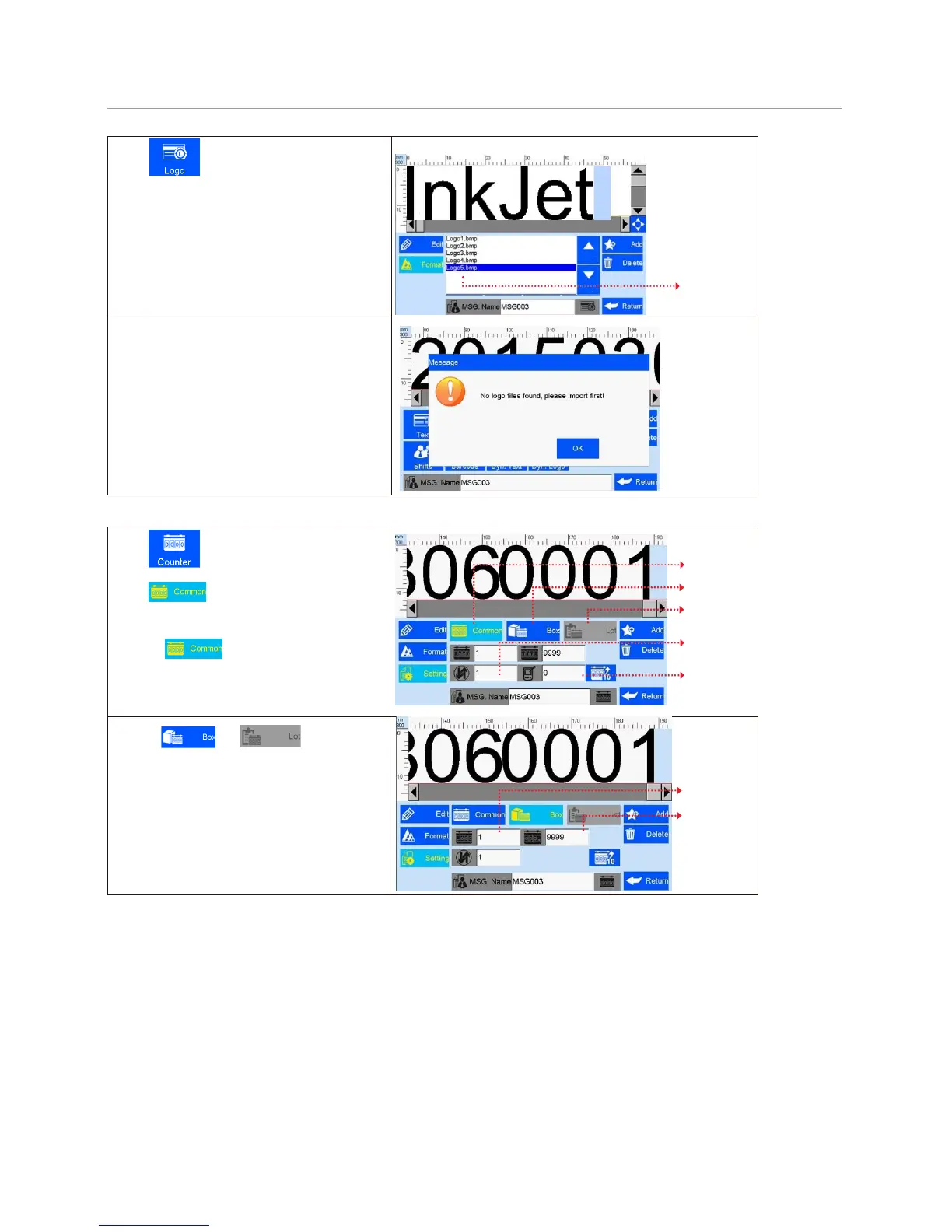
Select a logo on file list by page up
and down (see Figure 13).
Image
file list
(Figure 13)
Note: When there is no image file found,
a message box appears to prompt image
import (see Figure 14).
See Section 5.5.1 Image Management
for image import.
Click to add object counter.
Click to for option of common
counter, box number, lot number.
A. Click for common counter setting:
minimum value, maximum value, stepping
value, repetition number (see Figure 15).
Commo
n
counter
Box No.
Lot No.
Stepping
value
Repetition
number
(Figure 15)
B. Click and option of box
number and lot number setting: minimum
value, maximum value, stepping value for box
number and lot number (see Figure 16).
Note: There is no repetition number for box
number or lot number.
Minimum
value
Maximum
value
(Figure 16)



 To Next Page