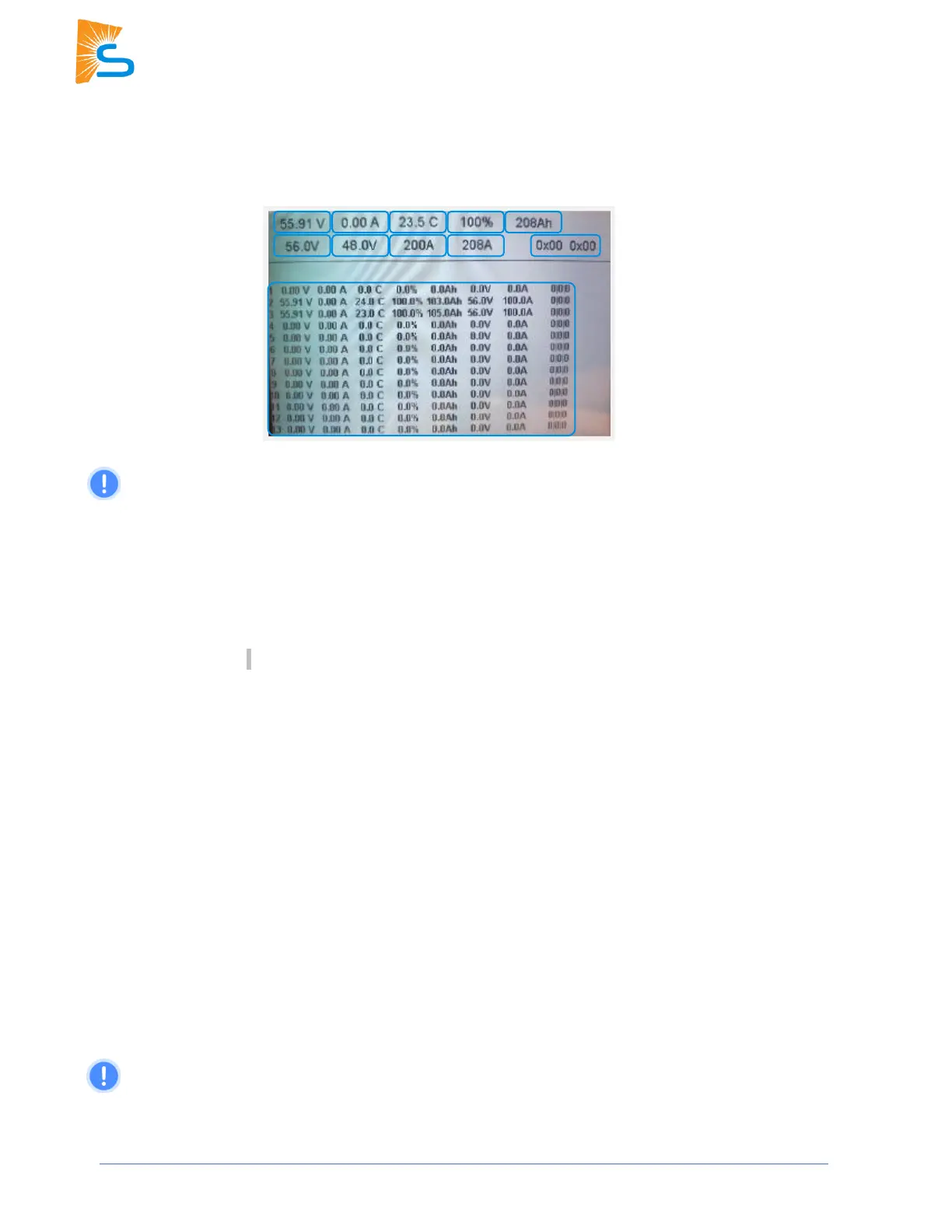
Sol-Ark recommends that if establishing communication via Modbus RS485, be sure
to have the inverter firmware upgraded to the latest available version, with Comm v143F or
higher, and the latest primary and follower MCU versions.
The image shows the “Li Batt Info” screen when communicating via Modbus/RS-485 (all other “BMS
Lithium Batt” modes).
1. Battery Voltage: Real-time voltage measured between the battery terminals.
2. Battery Current: Real-time current flowing into or out of battery’s + terminal. (negative / positive sign
respectively).
3. Battery Temp: Real-time temperature measured at the BMS.
4. SOC: State of charge remaining in the battery according to the BMS.
5. Total Capacity: Total Amp-Hour capacity connected to the inverter. Not present for all batteries.
6. Battery Charge Voltage: The inverter should charge the battery to the target charge voltage.
7. Battery Empty Voltage: Minimum voltage the inverter should discharge the battery to.
8. Charge Current Limit: Maximum allowable current into the battery.
9. Discharge Current Limit: Maximum allowable current out of the battery.
10. Alarms: Displays any alarm codes from the battery (manufacturer specific).
11. Battery Data Chart: This table lists individual information from each connected battery up to a
maximum of 12 batteries. Not all manufacturers utilize this feature.
Line 1 is never populated for any manufacturer. The first battery is always displayed on line 2.



 To Next Page