25
en
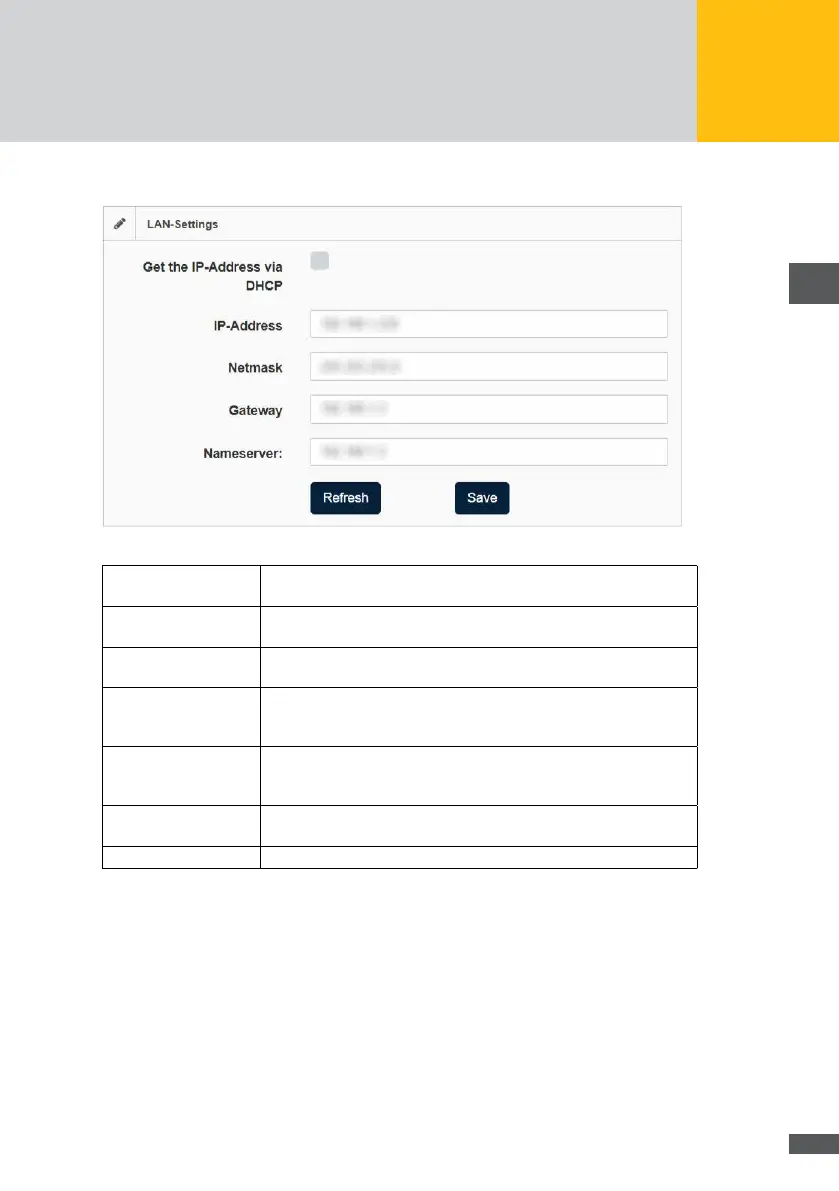
LAN settings
Fig. 11: Menu: LAN settings
Get the IP address via
DHCP
Tick this option if you want to obtain the IP address of the
MaxWeb XPN automatically from the DHCP server.
IP-Address: Enter here a static IP address for your MaxWeb XPN to enable a con-
nection to the Internet. The default IP address is 192.168.1.234.
Net mask: The default net mask is 255.255.255.0. In this eld, you can change
the net mask manually.
Gateway: Here you can enter gateways for the MaxWeb XPN. You have to enter
the correct IP address of the gateway to be able to communicate with
the Internet.
Nameserver You can enter a name server address for the MaxWeb XPN. You
must enter the correct IP address of the name server in order to
communicate with the internet.
Refresh: Click on the Refresh button to view the current data of your LAN
connection.
Save: Click on the Save button to save the values you have set.



 To Next Page