41
en
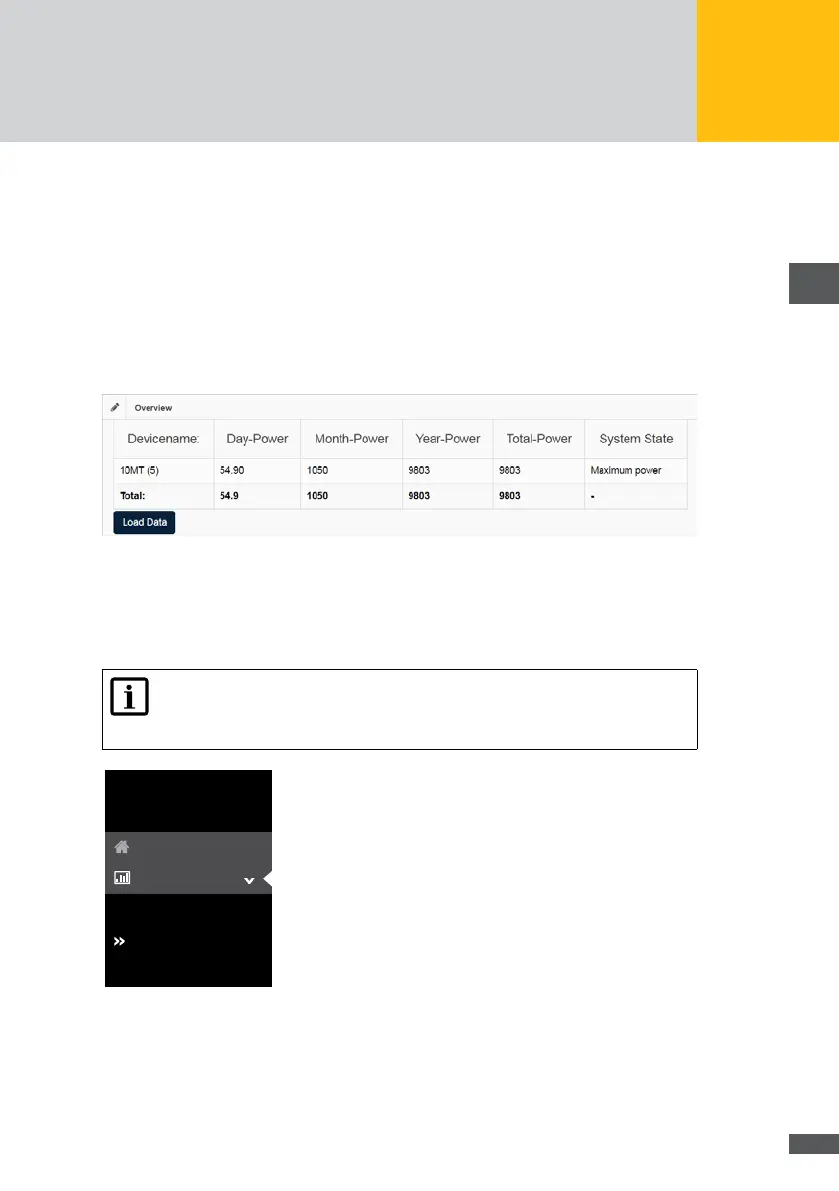
Click on the Refresh button to view the parameters of all connected devices:
Device name
Day-Power
Month-Power
Year-Power
Total-Power
System State
The following overview of the plant data will be displayed:
Fig. 28: Overview of the plant data
Log Values
In order to get an overview of the log values of your devices within a dened time interval,
select “Plant / logging > log values” in the menu of MaxWeb XPN.
Note
The time interval within which the log values are captured, can be determined
in the “Plant / logging > logging settings” menu of the MaxWeb XPN.
log settings
Overview
log values
MaxWeb XPN
Home
Plant/Logging
Fig. 29: Log values menu
You get the following overview of the log values:



 To Next Page