43
en
log settings
Overview
log values
MaxWeb XPN
Home
Plant/Logging
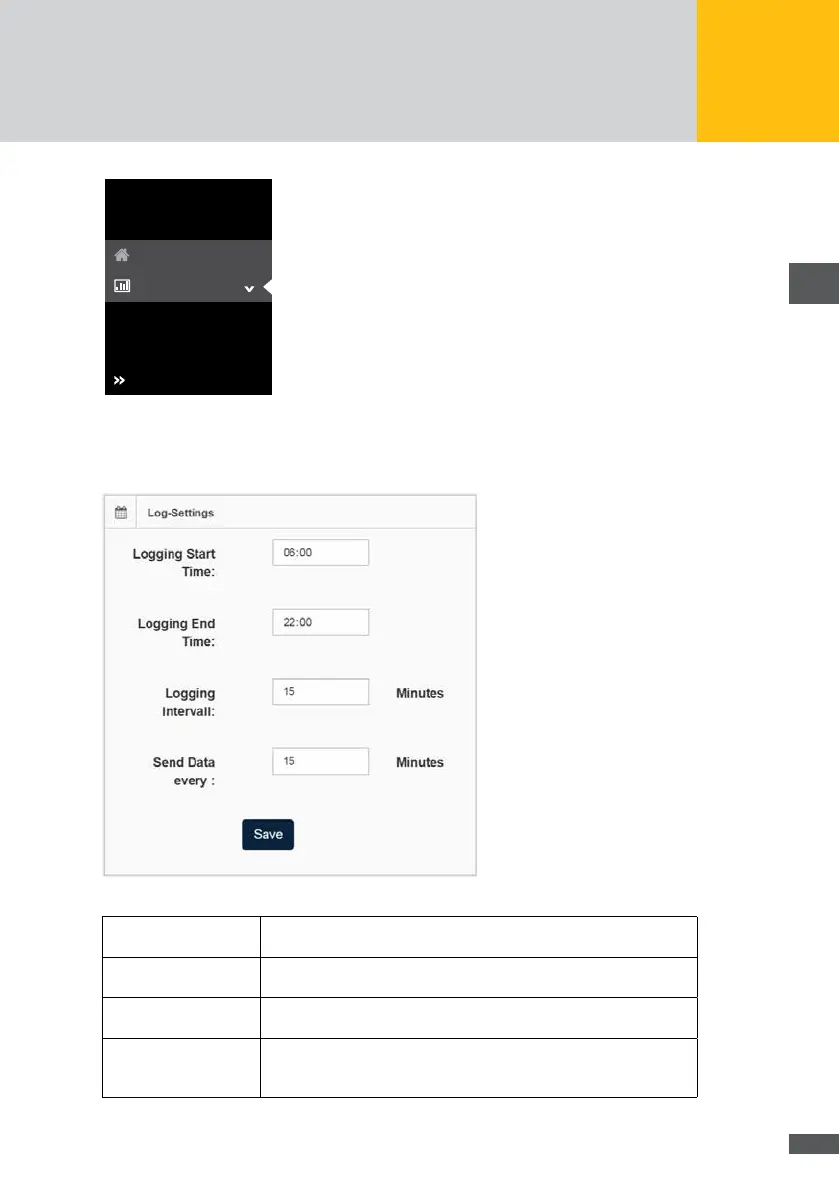
Fig. 31: Log settings
You have the possibility to specify the following data for time intervals when collecting
the device data:
Fig. 32: Input of log settings
Logging start time: Enter the start time of the time interval at which the time and energy
values of the devices are to be logged.
Logging end time: Enter the end time of the time interval until which the time and energy
values of the devices are to be logged.
Logging interval: Enter the time period in minutes after which the time and energy
values within the set time interval are to be logged.
Send data at: Tick this option if the generated log les are to be sent once a day at
a xed point in time. In the adjacent eld, enter the point in time at
which the log les are to be sent.



 To Next Page