Electrical Installation 7828 Density Transmitter Technical Manual
3-6 78285000_AB
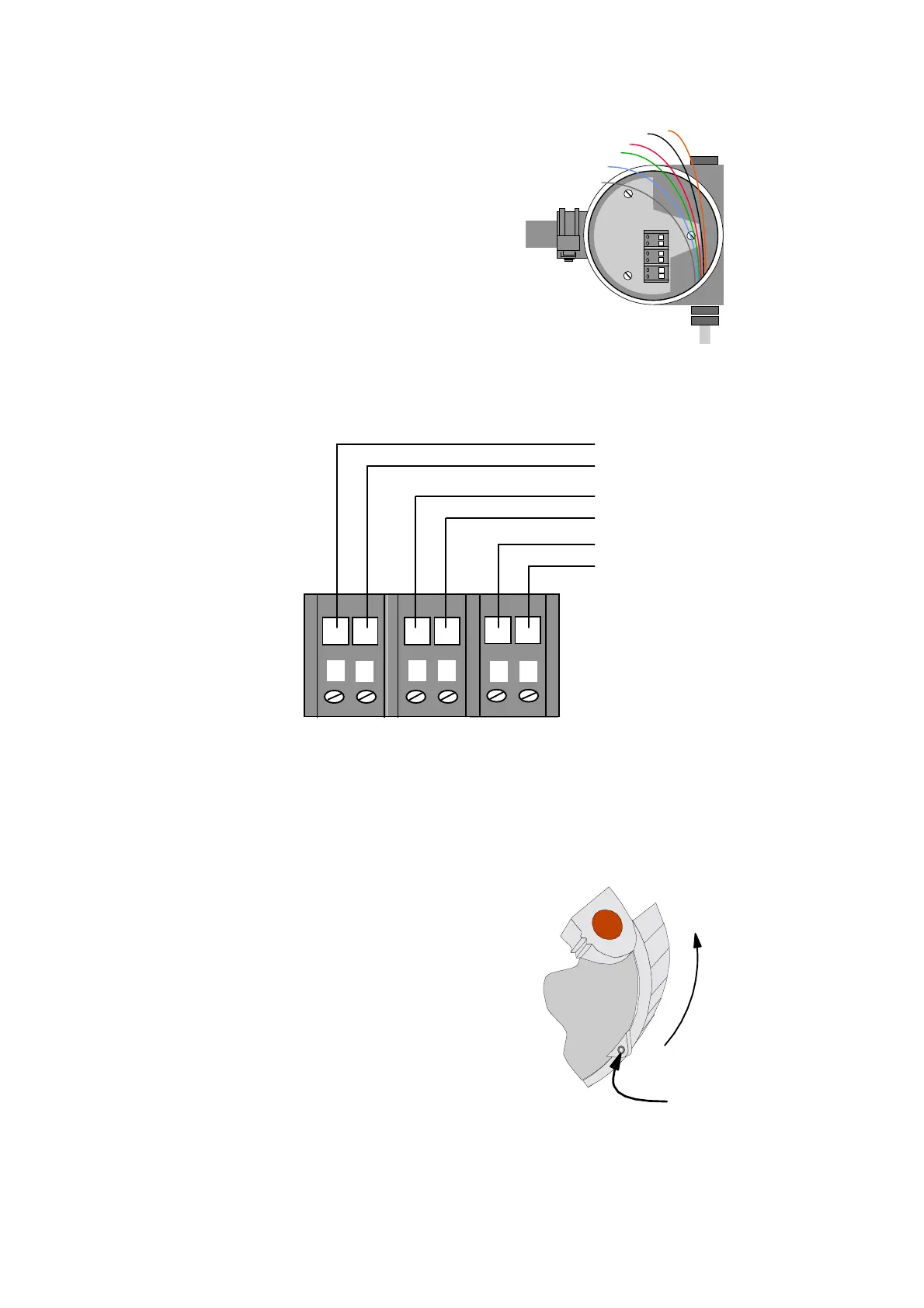
4 Insert the cable through the
cable gland and adaptor so that
the multi-core cable is gripped
leaving 200mm of free,
unscreened wire to connect to
the terminal blocks.
5 Wire up the cable cores as
shown:
Power -
Power +
4-20mA -
4-20mA +
RS485 A
RS485 B
123456
6
5
43
21
6 When you have screwed the
wires into the correct terminals,
carefully tuck the wires around
the electronics, and tighten the
cable gland
7 Finally, screw the housing cap
on fully and tighten the locking
grub screw using the 2.5mm AF
hex drive.
TIGHTEN
CAP
TIGHTEN HEX
GRUB SCREW
VIEW FROM UNDERNEATH THE ELECTRONICS HOUSING



 To Next Page