Introduction 7828 Density Transmitter Technical Manual
4-10 78285000_AB
4.4.5 DATA LOGGING
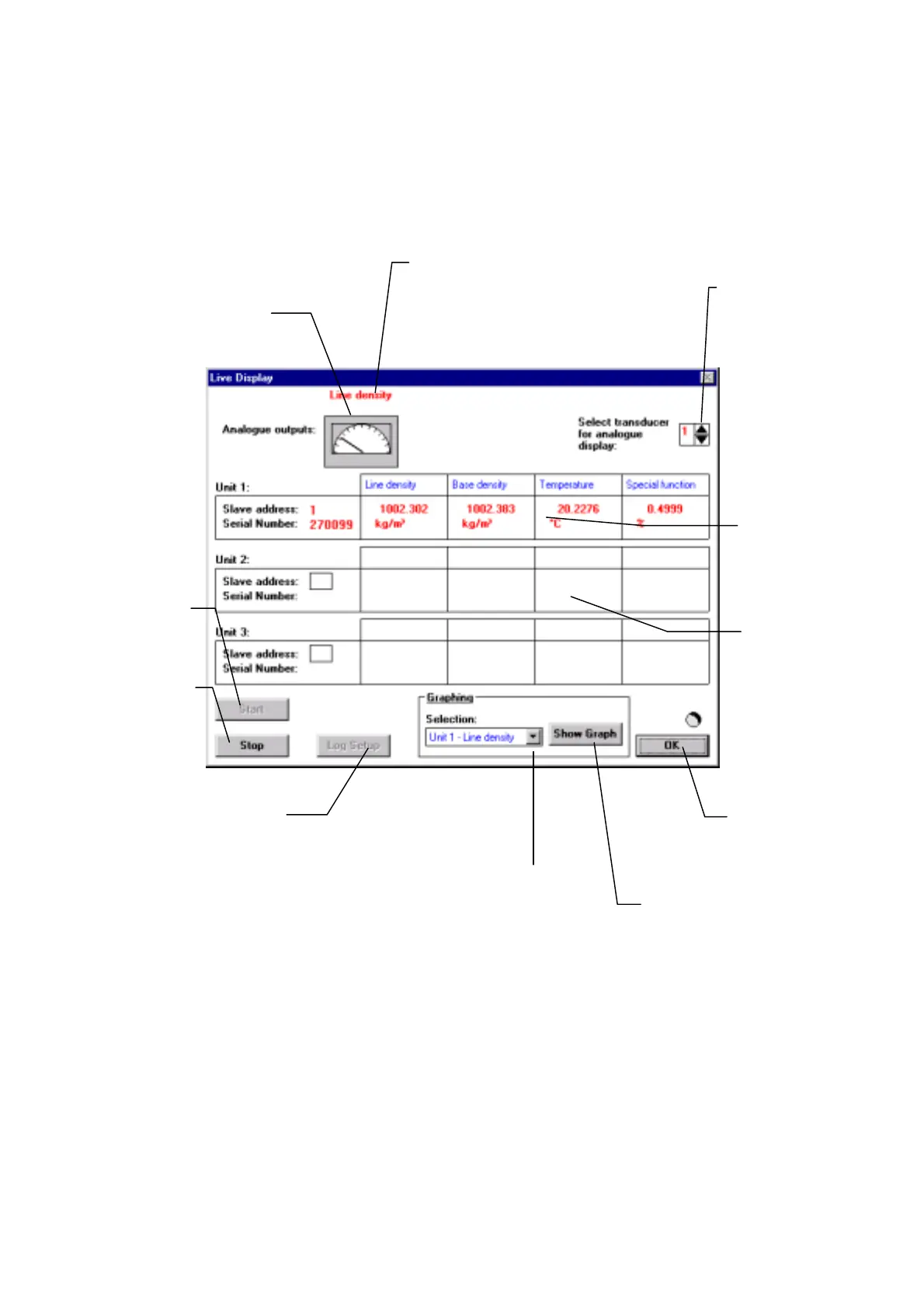
ADView’s Data Logging function is a useful tool for checking setups and performing
experimental data capture. The diagram below explains some of the features.
Shows which parameter
has been configured to the
analog output.
Graphical
representation of
analog output.
Select analog output
of this transmitter
Tabular display of
instantaneous output
of transmitter.
Use this button to
start logging
Use this button to
stop logging
Use this button to
close Data Logging
windo
Use this button to
configure and
display graph
Use this button to select the
transmitter and parameter to be
displayed on the graph
This button - which is
activated when logging has
been stopped - enables you
to configure the frequency of
logging, where the logged
data will be filed, and the
format of the data.
For multi-drop
configurations (see
section 3.4.4), the
output of up to three
transmitters can be
displayed
simultaneously.



 To Next Page